

 Flat 1


How to Write an Action Plan: 5-Step Guide with Examples [2026]
What Is An Action Plan?
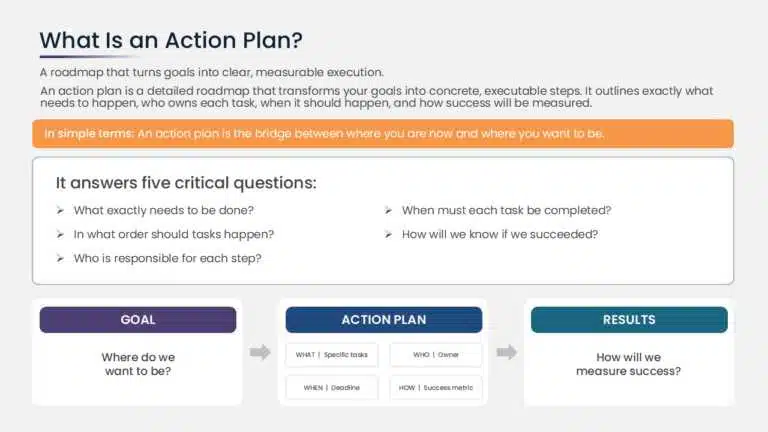
An action plan is a detailed roadmap that transforms your goals into concrete, executable steps. It’s not just a wish list—it’s a strategic document that outlines exactly what needs to happen, who’s responsible, when it needs to happen, and how you’ll measure success.
In simple terms: An action plan is the bridge between where you are now and where you want to be.
Unlike a vague goal (“increase sales”), an action plan provides the specific pathway to reach it. It answers the critical questions:
- What exactly needs to be done?
- In what order should tasks happen?
- Who is responsible for each step?
- When must each task be completed?
- How will we know if we’ve succeeded?
Why You Need An Action Plan
Many teams and individuals set goals and wonder why they don’t achieve them. The problem is rarely the goal itself—it’s the lack of a structured plan to achieve it.
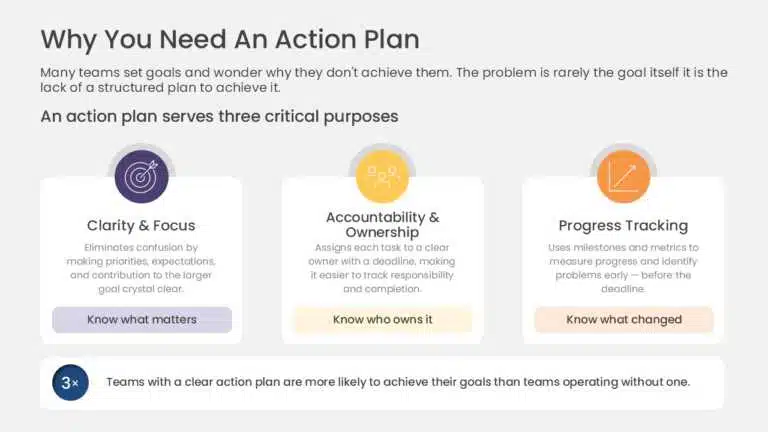
An action plan serves three critical purposes:
1. Clarity & Focus Without an action plan, work feels chaotic. Team members aren’t sure what to prioritize or how their work contributes to the larger goal. An action plan eliminates confusion by making expectations crystal clear.
2. Accountability & Ownership When someone is explicitly assigned a task with a deadline, they’re far more likely to complete it. An action plan creates clear ownership, making it easy to track who’s responsible for what.
3. Progress Tracking An action plan includes milestones and metrics, so you can measure progress and identify problems early. If you’re falling behind, you know it before the deadline—not after.
When you have a clear action plan, you’re 3x more likely to achieve your goals than teams operating without one.
Key Components of an Action Plan
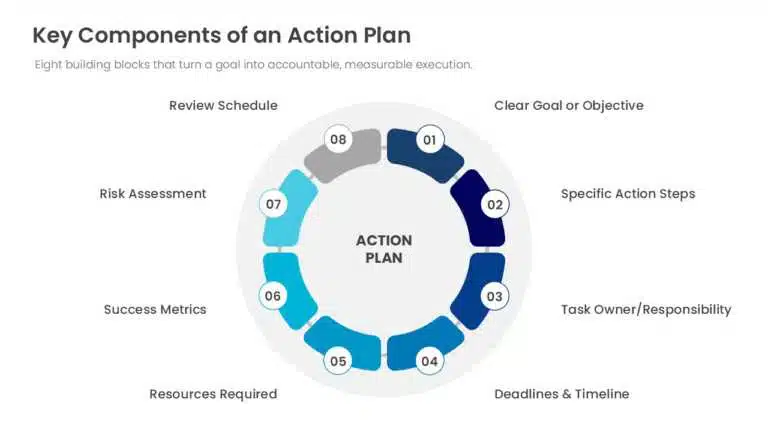
Before you write an action plan, you need to understand what makes one effective. What does action planning primarily involve? Eight critical elements:
1. Clear Goal or Objective
Your goal is the starting point. It must be specific, measurable, and time-bound. Vague goals like “improve customer satisfaction” won’t work. Instead: “Increase customer satisfaction scores from 72% to 85% by December 31, 2026.”
2. Specific Action Steps
Break your goal into concrete tasks. Instead of “improve marketing,” you’d list: “Conduct competitor analysis,” “Audit current content,” “Develop content calendar,” “Create 12 blog posts,” “Launch email campaign.”
3. Task Owner/Responsibility
Each task must have a clear owner—one person accountable for completion. This prevents the “someone will do it” trap.
4. Deadlines & Timeline
Every task needs a specific deadline. Without deadlines, work expands indefinitely. Include intermediate milestones, not just the final deadline.
5. Resources Required
What’s needed to complete each task? This might include budget, tools, team members, or external expertise. Planning resources upfront prevents bottlenecks.
6. Success Metrics
How will you measure success? Define what “done” looks like. For each task, include a measurable outcome or deliverable.
7. Risk Assessment
What could go wrong? Identify potential obstacles and plan mitigation strategies. This isn’t pessimism—it’s realistic planning.
8. Review Schedule
When will you check progress? Monthly? Weekly? Build in regular review points to stay on track and adjust if needed.
How to Write an Action Plan: 5-Step Process
Step 1: Define Your Goal (SMART Framework)
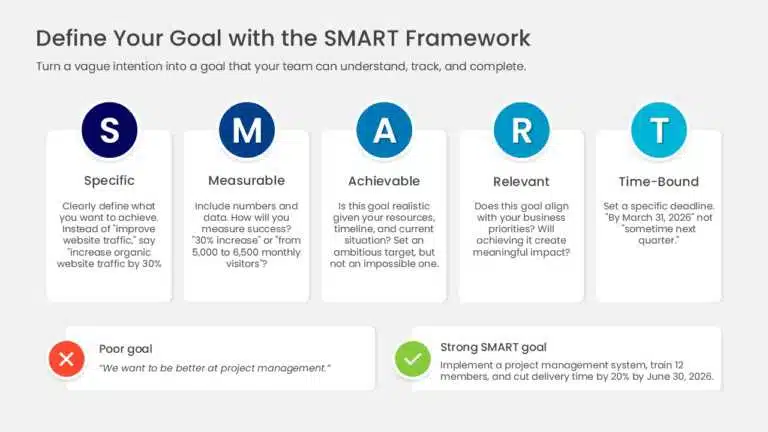
Your action plan starts with a goal, and that goal needs to be SMART:
- S – Specific: Clearly define what you want to achieve. Instead of “improve website traffic,” say “increase organic website traffic by 30%.”
- M – Measurable: Include numbers and data. How will you measure success? “30% increase” or “from 5,000 to 6,500 monthly visitors”?
- A – Achievable: Is this goal realistic given your resources, timeline, and current situation? Set an ambitious target, but not an impossible one.
- R – Relevant: Does this goal align with your business priorities? Will achieving it create meaningful impact?
- T – Time-Bound: Set a specific deadline. “By March 31, 2026” not “sometime next quarter.”
Example: Poor goal: “We want to be better at project management”
Strong SMART goal: “Implement a new project management system and train all 12 team members by June 30, 2026, reducing average project delivery time by 20%.”
Related: For more on goal-setting, see our guide on SMART goals templates.
Step 2: Break Down Your Goal Into Action Steps
Now that you have your goal, identify every task needed to achieve it. Think about the logical sequence—some tasks must happen before others.
Process:
- Write down ALL tasks, even small ones
- Organize them in chronological order
- Group related tasks together
- Identify dependencies (which tasks depend on others being completed first)
Action steps are the cornerstone of your plan. They’re what separates a vague goal from an executable strategy.
Example Goal: Launch a new customer onboarding process by October 31, 2026
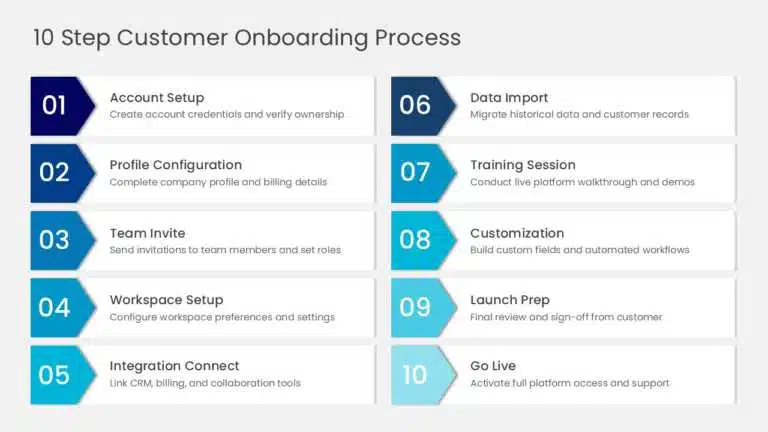
Action Steps (in order):
- Audit current onboarding process and identify pain points
- Research best practices from 5 competitors
- Interview 10 customers about their onboarding experience
- Draft new onboarding process document
- Design onboarding checklist and materials
- Create staff training materials
- Conduct pilot test with 2 new customers
- Gather feedback and revise process
- Deliver staff training to all 15 team members
- Launch new process for all new customers
Notice: Each step is concrete and measurable. You could check it off a list.
Step 3: Assign Ownership & Set Deadlines
Each task needs an owner—someone accountable for completion. Assign based on:
- Skill and experience
- Current workload
- Development opportunities (strategic stretch assignments)
- Team dependencies
Then set realistic deadlines for each task. Factor in:
- Complexity of the task
- Other work the person is doing
- Dependencies on other tasks
- Buffer time for unexpected delays
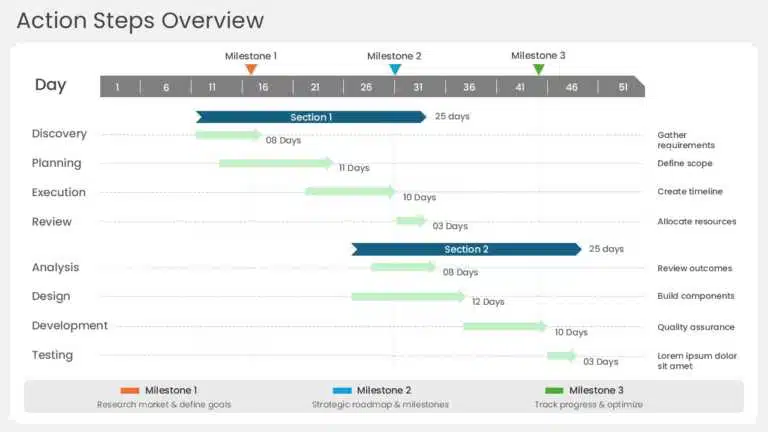
Example Assignment Table:
| Task | Owner | Deadline | Dependencies |
|---|---|---|---|
| Audit current onboarding | Sarah (VP Customer Success) | July 15, 2026 | None |
| Research competitor practices | Tom (Operations Manager) | July 22, 2026 | After audit complete |
| Interview 10 customers | Sarah | July 29, 2026 | Audit complete |
| Draft new process document | Sarah + Tom | August 12, 2026 | Customer interviews complete |
| Design checklist & materials | Marcus (Designer) | August 26, 2026 | Process document finalized |
| Create training materials | Tom + Marcus | September 9, 2026 | Checklist designed |
| Conduct pilot test | Sarah | September 23, 2026 | Materials ready |
| Gather feedback & revise | Sarah | September 30, 2026 | Pilot complete |
| Deliver staff training | Sarah | October 15, 2026 | Final process approved |
| Launch new process | Sarah | October 31, 2026 | All staff trained |
Step 4: Identify Resources & Potential Obstacles
For each major task, determine what’s needed:
- Budget: Any costs involved?
- Tools/Technology: Software, platforms, equipment?
- Team: Additional people needed? External contractors?
- Time: How many hours per week?
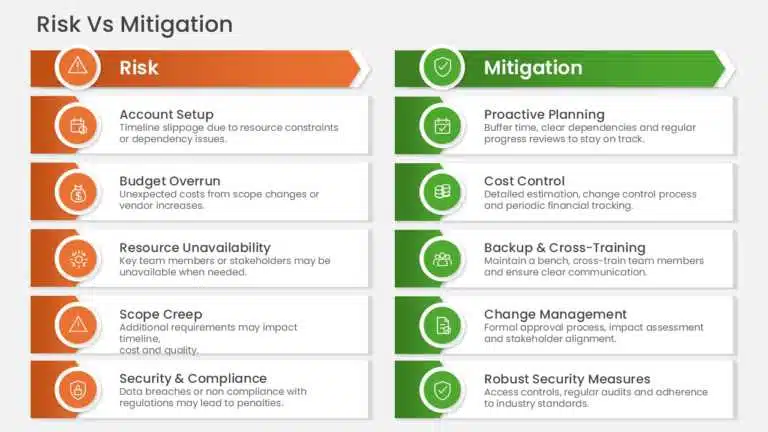
Also anticipate problems:
- Potential Obstacle: “Sarah is unavailable August 10-20 (vacation)”
- Mitigation: Move audit completion to July 29 so drafting can happen August 1-9
- Potential Obstacle: “Marcus may be busy with other design projects”
- Mitigation: Book Marcus’s time in advance; build in 1-week buffer
- Potential Obstacle: “Some team members may resist new process”
- Mitigation: Include them in pilot test; gather their feedback; address concerns
Step 5: Set Up Monitoring & Review
Create a system to track progress and catch problems early.
Weekly Check-ins (15 minutes):
- What was completed?
- What’s on track for next deadline?
- What’s blocked or at risk?
- Any help needed?
Monthly Review (30 minutes):
- Progress against major milestones
- Budget spent vs. planned
- Any scope changes needed?
- Adjust timeline if necessary
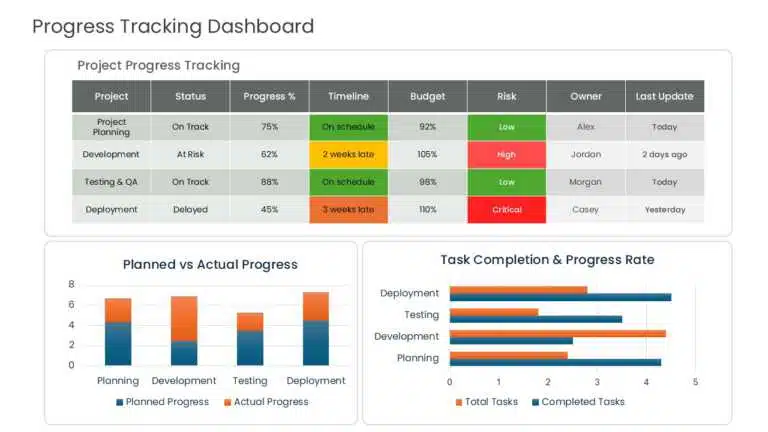
Document Progress: Create a simple tracking sheet (Excel or project management tool):
| Task | Owner | Due Date | Status | % Complete | Notes |
|---|---|---|---|---|---|
| Audit current process | Sarah | 7/15/2026 | COMPLETE | 100% | Completed on time |
| Research competitors | Tom | 7/22/2026 | IN PROGRESS | 75% | Needs 2 more company reviews |
| Customer interviews | Sarah | 7/29/2026 | BLOCKED | 0% | Waiting for audit results |
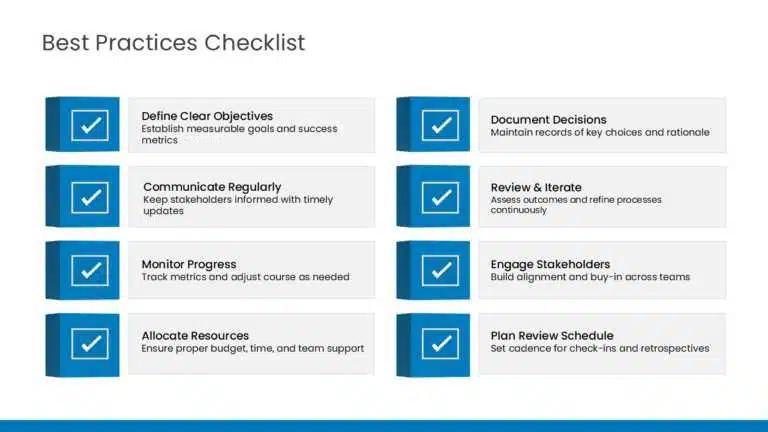
Best Practices for Action Plans
1. Keep Tasks Manageable (1-2 Week Duration)
If a task will take 6 weeks, break it into smaller tasks. This helps team members stay motivated and gives you more checkpoint opportunities.
2. Be Realistic About Timeline
Include buffer time. If you think something will take 2 weeks, schedule 2.5-3 weeks. Unexpected issues always arise.
3. Ensure Buy-In From All Stakeholders
Before finalizing your plan, share it with people who’ll be responsible for executing it. Get their input and commitment. A plan that team members don’t believe in won’t work.
Want to present your plan effectively to get buy-in? Check out our guide on how to present an action plan to stakeholders.
4. Make It Visible
Don’t file your action plan away. Share it with your team. Reference it in meetings. Post progress updates. This keeps everyone focused and accountable.
5. Allow for Flexibility
An action plan isn’t a prison—it’s a roadmap. If circumstances change, adjust. Rigid plans fail in the real world. Regular reviews give you permission to adapt.
6. Celebrate Milestones
When major tasks complete, acknowledge it. This builds momentum and team morale.
7. Document Everything
Track what you did, what worked, what didn’t. This becomes institutional knowledge and makes future action plans even better.
Real-World Example: Complete Action Plan
Goal
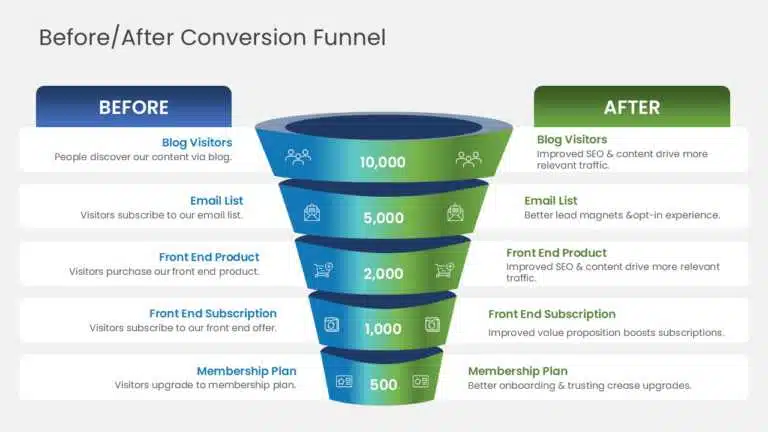
Increase website conversion rate from 2% to 3% by September 30, 2026
This Is an “Action Plan Example for Work” – Real Business Scenario
| # | Task | Owner | Start | Due | Budget | Success Metric |
|---|---|---|---|---|---|---|
| 1 | Analyze current conversion funnel | Jenny (Analytics) | 7/1 | 7/15 | $0 | Document identifying 3+ bottlenecks |
| 2 | Conduct user testing (5 sessions) | Marcus (UX) | 7/16 | 7/30 | $500 | Collect feedback from 5 users |
| 3 | Research competitor conversion tactics | Tom (Marketing) | 7/1 | 7/20 | $0 | Document 10 competitor tactics |
| 4 | A/B test homepage CTA buttons | Marcus | 8/1 | 8/20 | $0 | Identify winning button variation |
| 5 | Rewrite landing page copy | Sarah (Copy) | 8/15 | 9/1 | $0 | New copy addressing user pain points |
| 6 | Implement form field optimization | Dev Team | 8/21 | 9/5 | $200 (tools) | Reduce form from 8 to 5 fields |
| 7 | Create email nurture sequence | Sarah | 8/15 | 8/30 | $0 | 5-email sequence created & scheduled |
| 8 | Test and optimize checkout flow | Dev Team | 9/1 | 9/20 | $300 (testing) | Checkout time reduced by 30% |
| 9 | Monitor results & fine-tune | Jenny | 9/21 | 9/30 | $0 | Measure conversion rate at 3%+ |
Total Budget: $1,000 Timeline: 12 weeks Target Outcome: 2% → 3% conversion rate = 50% improvement
Common Mistakes to Avoid
- No Clear Owner: “Someone will handle this” → Nobody handles it
- Solution: Assign to one person explicitly
- Unrealistic Timeline: Planning a 3-month project in 6 weeks
- Solution: Build in 20-30% buffer time
- No Tracking: Create plan, then never review it
- Solution: Schedule weekly 15-min check-ins
- Too Many Goals: Trying to achieve 10 things simultaneously
- Solution: Focus on 1-3 major goals per action plan
- No Resource Planning: Assuming tasks will magically complete
- Solution: Identify and allocate all necessary resources upfront
- Unclear Success Metrics: “We’ll know it when we see it”
- Solution: Define measurable outcomes in advance
Conclusion
An action plan is the difference between a goal and a guarantee. It transforms vague intentions into concrete steps, assigns responsibility, sets deadlines, and creates accountability.
The key is not perfection—it’s progress. Your first action plan won’t be perfect. Refine it as you go. Build the discipline of:
- Setting clear goals
- Breaking them into manageable action steps
- Assigning ownership
- Tracking progress
- Adjusting as needed
Follow this process, and you’ll achieve far more than teams operating without a plan.
Once you’ve created your action plan, the next step is to present it effectively to your stakeholders to secure buy-in and commitment.
FAQs
-
How long should an action plan be?
It depends on complexity. A simple project might have 5-10 tasks. A complex initiative might have 30-50. Focus on completeness, not brevity.
-
Can I change my action plan after I start?
Yes. Plans should adapt to reality. Review regularly and adjust if circumstances change, new information emerges, or timelines shift.
-
Who should create the action plan?
The project leader or goal owner should drive it, but get input from the people who’ll execute it. They know what’s realistic.
-
How often should I review progress?
At minimum, monthly. For critical projects, weekly. The closer to launch, the more frequently you should check in.
-
What if we’re falling behind?
Don’t panic. In your review meeting, identify what’s delayed and why. Adjust timelines, reassign resources, or reduce scope. Better to know now than miss the deadline.
-
Should the entire team see the action plan?
Yes. Transparency keeps everyone aligned. Share it openly so people understand how their work connects to the goal.
-
How does an action plan relate to strategic planning?
An action plan is the tactical execution of strategic planning. Strategy sets the direction; action plans get you there.
-
What’s the difference between action steps and goals?
A goal is the end result (what you want to achieve). Action steps are the individual tasks (how you’ll get there). You need both.
-
For employees on my team, should we create action plans for their goals?
Absolutely. Action plans for employee performance keep everyone focused and enable regular feedback conversations.
-
What's the #1 reason action plans fail?
Poor communication. A brilliant plan that nobody understands or believes in will fail every time. That’s why presentation matters as much as planning.
Table Of Content


Related posts from the same category

8 Jul, 2021 | SlideUpLift
Avoid Making These 7 Project Management Mistakes
Making mistakes is not a bad thing; tons of lessons can be learned from them. And in the field of Project Management, lessons abound. Projects, unfortunately, seldom go smoothly. There
![Best Work Plan Templates For Easy Task Organization [With Examples]](https://slideuplift.com/wp-content/uploads/2024/03/Best-Work-Plan-Templates.jpg "Best Work Plan Templates For Easy Task Organization [With Examples]")
6 Mar, 2024 | SlideUpLift
Best Work Plan Templates For Easy Task Organization [With Examples]
A project's success depends on having a detailed task plan. How can you perform tasks without having a plan for them? You and your team can produce the ideal work
12 Sep, 2025 | SlideUpLift
What is KPI? Step-by-Step Guide with KPIs Examples That Work
Is it hard for you to know if your business is getting to the level it should be? That's where key performance indicators (KPIs) come into play. KPIs indicate how

3 Jan, 2024 | SlideUpLift
How to Build a PMO From Scratch? PMO Setup Explained!
A Project Management Office document (PMO) is pivotal in ensuring organizational success. It provides a centralized hub for standardizing project processes, improving efficiency, and facilitating effective communication. It enhances project

20 Dec, 2021 | SlideUpLift
Why Is Deprioritization Important For An Agile Team? – The Power Of Saying No To Projects
Most of us have felt the sting of an unmanageable workload. We're at work, and the emails aren't stopping. Urgent requests are piling up, deadlines are looming, feedback is due,

10 Oct, 2025 | SlideUpLift
What Is A Project Charter? Definition, Examples & Best Practices
Launching a project without adequate planning can result in confusion, delays, and misaligned expectations. A project charter is a key document in the project documentation process that lays the groundwork

16 Dec, 2021 | SlideUpLift
Breaking Down Work Breakdown Structure in Easy Steps : Must Have Resource For Project Managers
Project management is complex. It necessitates keeping track of multiple – sometimes geographically dispersed – teams, coordinating tasks, and holding everyone accountable to a common goal. Fortunately, there are a

13 Oct, 2022 | SlideUpLift
Agile vs Traditional Project Management: Key Differences and Which Is Better
Agile project management is an iterative, flexible approach that delivers work in short cycles and adapts to change as it goes. Traditional (Waterfall) project management is a linear, plan-driven approach

6 Jun, 2024 | SlideUpLift
Project Kickoff Meeting: Agenda, Checklist & Best Practices
A project kickoff meeting is the first formal meeting held after a project is approved. Its purpose is to align stakeholders, clarify objectives, confirm roles, and set expectations before execution

5 Jul, 2022 | SlideUpLift
Communicate With Authority Using These Highly Effective Project Presentations
Project management is the application of resources, techniques, and talent to create the required deliverables. Yet, mere delivery is not sufficient- a key differentiator within Project Management is seamless communication