
 Happy New Year Flat 10% off on our Unlimited Access Yearly Membership plan!


Space PowerPoint Templates & Google Slides
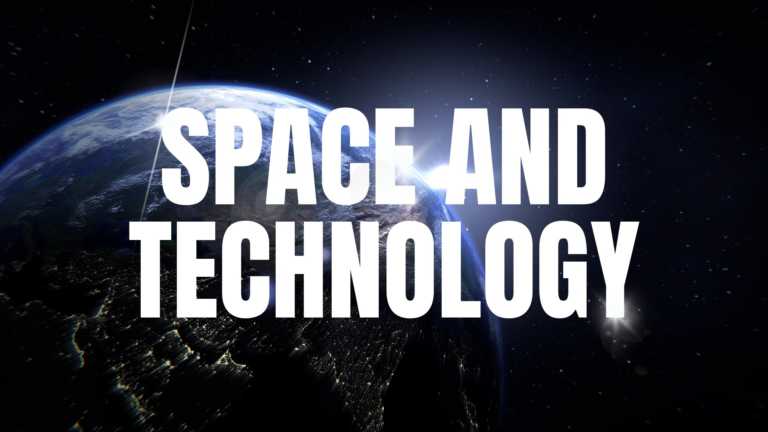
Enhance your presentations with a template that delves into the wonders of space and advanced technology for a clear and impactful delivery! The ....
 Download
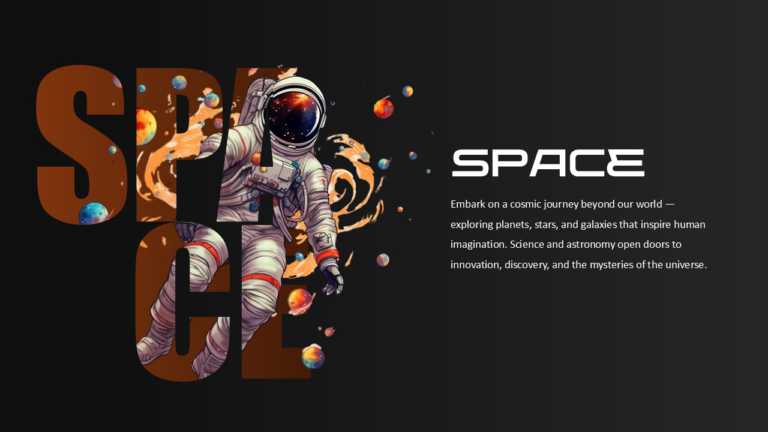
Enhance your space-themed presentations with an animated background that simplifies concepts! Perfect for teachers and science lovers, this templ....

Use this Cool Animated Slideshow to grab the attention of your audience, featuring the beautiful northern lights this template can be perfect for....

For an user login experience that is both clear and impactful consider using a space themed interface design that adds a touch of creativity. Thi....
Space Theme for Google Slides — How to Find and Apply the Best Themes
A space theme for Google Slides transforms a standard presentation into an immersive visual experience featuring cosmic backgrounds, planetary imagery, and starfield designs. These themes are especially popular for science lessons, astronomy clubs, and STEM project showcases.
To apply a space-themed Google Slides theme, start by opening a new presentation and navigating to the Theme panel on the right. You can import a pre-designed space theme by selecting the “Import theme” option and uploading a downloaded template file. SlideUpLift’s space templates are compatible with Google Slides, so importing them takes just a few clicks.
For a custom approach, you can set a space background manually. Go to Slide > Change background, then upload a high-resolution galaxy or nebula image. Pair this with light-colored text (white or pale blue) for readability against dark backgrounds. Use sans-serif fonts like Montserrat or Roboto for a modern, clean aesthetic that complements the space theme.
If you need to apply the Google Slides space theme across all slides consistently, use the master slide editor (Slide > Edit theme). This ensures every new slide inherits the same background, color palette, and font styling without manual adjustments.
What Is a Space Presentation Template?
A space presentation template is a pre-designed slide deck featuring outer-space-themed visuals such as galaxies, planets, stars, rockets, and cosmic color schemes. These templates serve as ready-to-use frameworks that allow presenters to focus on content rather than design.
Space slide templates typically include dark backgrounds (navy, black, or deep purple) paired with bright accent colors that mimic starlight and nebulae. Common design elements include astronaut illustrations, orbital timelines, planet-shaped infographics, and constellation-style data charts. They are compatible with PowerPoint, Google Slides, and Keynote, making them versatile for cross-platform use.
These templates are used across industries: educators teach astronomy and earth science, businesses use cosmic metaphors for growth and innovation narratives, and students rely on them for science fair presentations and STEM projects.
Types of Space PowerPoint Templates Available
SlideUpLift’s space PowerPoint template collection includes a wide range of styles suited to different presentation goals and audiences. Here are the main categories available for download:
- Galaxy and Nebula Templates: Feature deep-space imagery with swirling galaxies and vibrant nebula colors. Ideal for corporate keynotes that want a visually dramatic backdrop.
- Planet and Solar System Templates: Include illustrated or realistic planet graphics, orbital diagrams, and solar system layouts. Popular for education and science-themed decks.
- Rocket and Space Exploration Templates: Focus on launch imagery, rocket timelines, and milestone-style layouts. Frequently used for startup pitch decks and project roadmaps.
- Minimalist Dark Space Templates: Clean, dark-background slides with subtle star patterns. Suited for professional and corporate use where visual distraction must be minimal.
- Animated Space Templates: Include transition effects and motion graphics for dynamic presentations. Compatible with PowerPoint 2016 and later.
Each template is fully editable: colors, fonts, layouts, images, and text placeholders can be customized to match any brand or topic.
Space Presentations for Science and Education
Creating a presentation on space for educational purposes requires templates that balance visual engagement with informational clarity. Science teachers, university lecturers, and students preparing for events like Earth and Space Science Regents exams benefit from structured slide decks that organize complex topics visually.
A well-designed space and technology PPT can cover topics ranging from the solar system and satellite technology to the physics of black holes and recent space missions. Templates with built-in timeline diagrams, comparison charts, and infographic layouts help presenters communicate data-heavy content without overwhelming the audience.
For science fairs and classroom projects, choose templates with clearly labeled sections, placeholder images for experiment results, and chart-ready layouts. SlideUpLift’s space templates include options tailored specifically for STEM presentations, complete with editable diagrams and data visualization slides.
Astronomy Presentation Templates
An astronomy slides template is specifically designed for presenters who need to discuss celestial bodies, telescopic observations, astrophysics concepts, or space exploration history. Unlike generic space templates, astronomy-focused designs often include accurate star maps, telescope imagery, and scientific diagram layouts.
These templates work well for university lectures on astrophysics, planetarium event promotions, observatory fundraising decks, and school science projects about the night sky. An astronomy Google Slides template offers the same visual quality as a PowerPoint version, with the added convenience of cloud-based editing and sharing.
SlideUpLift’s astronomy templates include editable constellation charts, planet comparison infographics, and timeline slides covering key milestones in space exploration history. All designs maintain a professional aesthetic suitable for both academic and corporate settings.
Common Mistakes When Creating Space-Themed Presentations
- Using low-resolution background images: Space imagery loses its impact when pixelated. Always use images with at least 1920×1080 resolution for full-screen slide backgrounds.
- Choosing dark text on dark backgrounds: The most common readability error. Use white, light gray, or pale blue text on space-themed dark backgrounds. Avoid yellow or green text, which creates eye strain.
- Overloading slides with animations: While animated space templates can be visually impressive, too many transition effects distract from the content. Limit animations to key transitions between major sections.
- Ignoring font legibility: Script and decorative fonts may feel thematic, but reduce readability in presentations projected on large screens. Stick with clean sans-serif fonts like Arial, Montserrat, or Open Sans.
- Neglecting mobile and screen-share compatibility: Many space templates with complex layered graphics can lag or display incorrectly on video calls. Test your presentation in screen-share mode before delivering it remotely.
How do I apply a space theme in Google Slides?
Open a new Google Slides presentation, click Slide > Change background, and upload a high-resolution space image. For a consistent space theme across all slides, use Slide > Edit theme to set the background and color palette globally. You can also import a pre-designed space Google Slides theme from SlideUpLift by selecting the Import theme option.
Are space templates compatible with both PowerPoint and Google Slides?
Yes. Most space templates on SlideUpLift are designed for cross-platform compatibility. You can download them in PowerPoint format (.pptx) and open them directly in Google Slides by uploading the file to Google Drive. All editable elements, like text, colors, and images, work in both platforms.
Where can I find free space backgrounds for presentations?
SlideUpLift offers a selection of free space PowerPoint templates with editable backgrounds. You can also find space slide backgrounds by browsing our library filtered by the space tag. Each template includes high-resolution backgrounds that work in both PowerPoint and Google Slides presentations.
Are there animated space presentation templates?
Yes, SlideUpLift offers animated space templates with built-in transition effects and motion graphics. These are compatible with PowerPoint 2016 and later versions. Animated elements include rocket launches, orbiting planet transitions, and star-field fade effects that add dynamic visual interest to presentations.
What is a space PowerPoint template used for?
A space PowerPoint template is a pre-designed slide deck with outer-space visuals like galaxies, planets, and rockets. It is used for science presentations, STEM projects, business keynotes, startup pitch decks, and classroom lessons. These templates save design time and provide a professional, visually engaging framework.
Can I use a space template for a business presentation?
Space-themed templates are frequently used in business presentations to convey themes of innovation, exploration, and growth. Rocket timeline layouts work well for project roadmaps, while galaxy backgrounds add visual drama to corporate keynotes. Choose minimalist dark space designs for a professional, understated look.
What makes a good space slideshow?
A strong space slideshow combines high-resolution cosmic imagery with clean typography and minimal text per slide. Use dark backgrounds with high-contrast light text, limit animations to key transitions, and include data visualizations styled to match the space theme. Consistency across slides is essential for a polished result.
How do I choose between an astronomy template and a general space template?
An astronomy template includes specialized elements like star maps, telescope imagery, and scientific diagram layouts designed for presenting astrophysics or celestial observation data. A general space template uses broader cosmic imagery suited to any topic. Choose an astronomy template for academic or scientific presentations and a general space template for business or creative decks.
