Free QR Code Generator for PowerPoint & Google Slides

Generate a QR code in seconds and drop it straight into your deck. Paste a link, pick your colors, and download a high-resolution QR code that scans from the back of the room. Your first three QR codes are free, with no design skills and no credit card needed.

  • First 3 QR codes free
  • High-resolution download
  • Works in PowerPoint and Google Slides
  • Trusted by 1M+ professionals
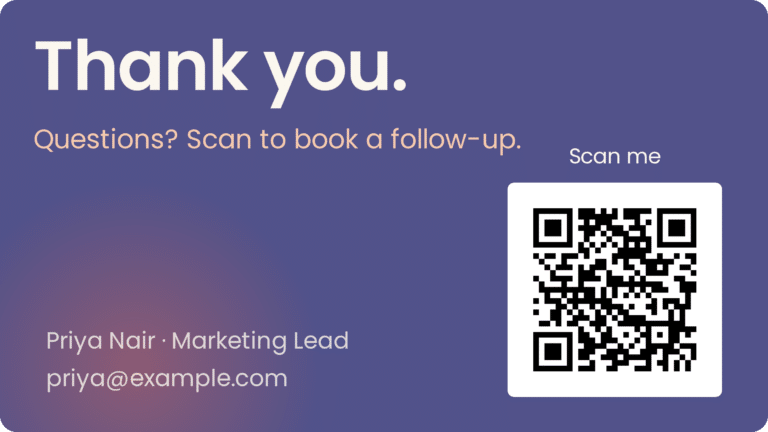
A closing slide with a scannable QR code, generated with the SlideUpLift QR Code Generator

How to generate a QR code in 3 steps

No account, no software, no design work. Paste, adjust, download.

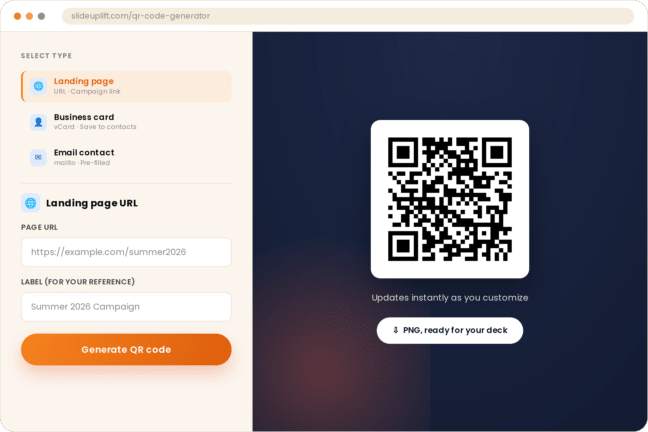
Paste your link or content

Enter the URL you want people to open: your website, a feedback form, a calendar booking page, a LinkedIn profile, or a PDF download. The QR code generator encodes it instantly. You can also generate a vCard, a pre-filled email, or a calendar event.

Customize the look

Match the QR code to your slide design. Change the foreground and background colors and add your logo in the center. Keep the contrast high, dark code on a light background, so every phone camera can read it.

Download and add it to your slide

Download your QR code as a high-resolution PNG and insert it into PowerPoint, Google Slides, or Keynote — or add it to a slide in Creatos AI and build the rest of the deck there.

Wondering how to generate a QR code that scans reliably from a projector? See the five tips further down the page.

Generate QR codes for anything your audience needs next

Use the free QR code generator to generate QR codes for:

Website or landing page

Send viewers to your product page, portfolio, or campaign site.

Feedback or survey form

Put a Google Form or Typeform link on your closing slide and collect responses while the audience is still in the room.

For a starting point, browse more feedback slide templates

Contact details

Generate a vCard so people can save your name, title, phone, and email to their contacts without typing, or link to your LinkedIn profile.

Booking link

Calendly or Microsoft Bookings pages, so a "let's talk" slide becomes an actual meeting.

File download

Share the deck, a whitepaper, or a PDF handout without emailing attachments.

Event or webinar registration

Turn a promo slide into sign-ups, or generate a calendar event people can add with one scan.

For a starting point, browse more event planning templates

The QR code generator made for presentations

Most free QR code generators are built for flyers, menus, and packaging. This online QR code generator is built for the slide you're about to present.

  • Sized to scan from the back of the room

    A QR code on a projector or a shared screen is scanned from meters away, not centimeters. Download at high resolution and scale it up on the slide without it turning blurry.

  • Matches your deck, not just your brand

    Choose colors that fit your template so the QR code looks designed-in rather than pasted on.

  • Drops into PowerPoint and Google Slides

    Insert the downloaded image into any slide, or start from the Thank You slide with QR code template and swap in the code you just generated.

  • Finish it in Creatos AI

    Download your QR code, then open Creatos AI and drop the image onto a designed closing slide, add a “Scan to connect” caption, and export the finished deck to PowerPoint.

Example closing slide with a scannable QR code, generated with the SlideUpLift QR Code Generator

Generate a QR code and it appears on this slide preview.

Where a QR code earns its place on a slide

Thank-you and closing slides

Your last slide stays on screen the longest, through Q&A and as people pack up. A QR code linking to your contact page or calendar turns "thank you" into a next step. Browse thank you slide templates that already have a QR placeholder.

Contact and "let's connect" slides

Replace a wall of email addresses and phone numbers with one scannable code. Pair it with a contact us slide template.

Q&A and live feedback

Put a survey link on your Q&A slide and collect responses before the room empties.

Training and workshops

Link to the handout, the recording, or the follow-up quiz so attendees don't have to ask for it later.

Sales and pitch decks

Send prospects to a demo booking page or a case study from the slide itself.

Conference and event decks

Link to your session materials, speaker profile, or the event app.

Why presenters choose SlideUpLift's free QR code generator

SlideUpLift QR Code GeneratorTypical free QR code generator
Free QR codesFirst 3 free, unlimited with membershipFree static codes, often with sign-up or watermark
Code typeStatic: never expires, no scan limitsStatic free; dynamic and tracking paid
Built forSlides and presentationsFlyers, menus, packaging
DownloadHigh-resolution PNG for PowerPoint and Google SlidesPNG or JPG; vector on some
Slide templates includedYes, 40,000+ PowerPoint and Google Slides templatesNo
Build the slide around itAdd it to a designed slide in Creatos AISeparate design tool

Is the SlideUpLift QR code generator free?

Yes. Generate your first three QR codes free, no credit card required. After that, any SlideUpLift membership unlocks unlimited QR codes along with the full set of presentation tools and 40,000+ templates.

Free

$0

Try it on your next deck.

  • 3 QR codes
  • High-resolution download
  • No credit card

Static vs dynamic QR codes: which one does this tool make?

This QR code generator creates static QR codes. The link is encoded directly in the pattern, which changes what you can and can't do with it.

Static QR codes (what you get here)

  • Never expire. There's no server in between, so the code works as long as the destination link works.
  • No scan limits and no tracking. Nothing to renew, nothing to pay to keep it live.
  • The destination can't be changed later. If your link changes, generate a new code. For a slide, that takes about ten seconds.

Dynamic QR codes (what other tools sell)

  • Point to a short redirect URL that can be edited after printing.
  • Track scans, devices, and locations through the provider's dashboard.
  • Useful for printed campaigns where reprinting is expensive. For presentations, where you can edit the slide any time, a static code is simpler and free.

What is a QR code?

A QR (Quick Response) code is a two-dimensional barcode made of black and white squares on a grid. It was invented in 1994 by Denso Wave, a Toyota subsidiary, to track automotive parts, and spread to everyday use once smartphone cameras could read it natively. Unlike a traditional barcode, a QR code can be scanned from any orientation and holds far more data: a full URL, contact card, or block of text.

Most iPhone and Android cameras scan QR codes without a separate app. Point the camera at the code and tap the link that appears.

5 tips for a QR code that scans first time

  1. Keep the contrast high. Dark code on a light background. Light-on-dark and low-contrast color pairs fail on many cameras.
  2. Leave a quiet zone. The QR standard calls for a blank margin around the code, four modules wide. Don't crop it or crowd it with slide elements.
  3. Make it big enough for the room. On a printed page, 2 × 2 cm is the usual minimum. On a projected slide, go much larger: scanning distance is roughly ten times the code's width.
  4. Use a short link. Shorter URLs produce simpler codes with larger squares, which are easier to scan from a distance.
  5. Test it before you present. Scan the slide from the far end of a room with two different phones.

Loved by presenters worldwide

Rated 4.8 out of 5 by SlideUpLift customers on Google.

“Thanks to SlideUpLift. Now I can make smart presentations in a fraction of the time.”

Jennifer Kang, Google review

“The presentation template I purchased from you was a very useful tool. My presentation went very well and the comments were positive. Thank you for the support and the fresh but yet professional ideas.”

Christos C, Google review

“I really like the work they are doing. I've been purchasing their PowerPoint templates for the last 6 months and I haven't faced a single issue. Kudos to the team.”

Abhishek Bharaj, Google review

Reviews shown as posted on slideuplift.com/reviews, with minor punctuation cleanup.

Frequently asked questions about the QR code generator

How do I generate a QR code for my presentation?

Paste your link into the QR code generator, choose your colors, and click Generate. Download the image and insert it into PowerPoint or Google Slides like any other picture. That's how to generate a QR code in under a minute, with no account or software needed.

Is this QR code generator free?

Yes. Your first three QR codes are free. Any SlideUpLift membership gives you unlimited QR codes plus every other presentation tool.

Do the QR codes expire?

No. This tool generates static QR codes, so the link is stored in the code itself. It keeps working as long as your destination page exists.

Can I change the link after I generate a QR code?

Not on a static code. If your link changes, generate a new QR code and replace the image on your slide.

What can I generate a QR code for?

Four things: a website or campaign URL, a vCard business card, a pre-filled email, or a calendar event. The URL option covers websites, forms, booking pages, PDFs, video links, and social profiles.

Can I add my logo or change the colors?

Yes. Set the foreground and background colors to match your deck and place a logo in the center, as a circle, rounded square, or square. Keep the contrast high so the code still scans.

What file format do I get?

A high-resolution PNG that you can insert into PowerPoint, Google Slides, or Keynote and resize on the slide.

Can I use it with Creatos AI?

Yes. Download the PNG, then open Creatos AI, add the image to a slide, and build the rest of your presentation around it before exporting to PowerPoint.

How big should a QR code be on a slide?

Bigger than you think. A code that's fine on a business card is unreadable from the back of a conference room. As a rule of thumb, the scanning distance is about ten times the width of the code, so a code that needs to be scanned from 5 meters away should be roughly 50 cm wide on the projected screen. Test it in the actual room if you can.

Does the QR code have a watermark?

No. The QR code you download is clean and yours to use anywhere.

Is a QR code generator safe to use?

QR codes are only as safe as the link inside them. Use links you control, preview the destination before presenting, and avoid shortening services you don't recognize.

Generate your free QR code now

Paste a link, download a slide-ready QR code, and give your audience a reason to scan. First three are free.