

Creatos AI Presentation Maker
Describe your topic and the AI assembles a full deck from 40,000+ professionally designed slides, applies your brand theme in one click, and lets you edit anything inline.

 Fall Sale
  Flat 40% off on our Unlimited Access Yearly Membership plan!
Build a deck with AI, make a Gantt chart, merge or split PPT files, and clean up images for your slides. Every tool runs in your browser and gives you a file you can drop straight into PowerPoint or Google Slides.
Free to start. No download, no credit card. Files you upload are deleted automatically within 24 hours.
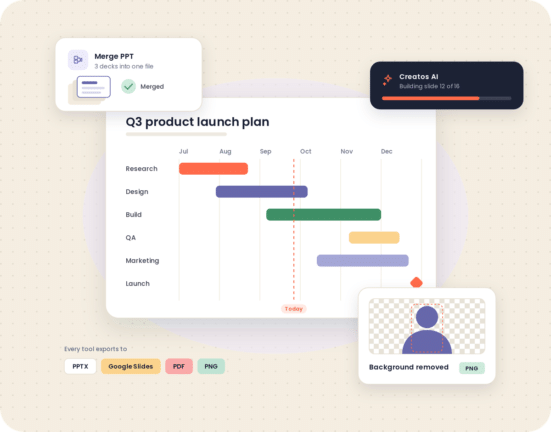
Pick the job you need done. Each tool has a free tier and links to its own page, where it opens ready to use.
Describe your topic and the AI assembles a full deck from 40,000+ professionally designed slides, applies your brand theme in one click, and lets you edit anything inline.
Start from one of 200+ Gantt chart templates, drag tasks and dates into place, and download a chart that stays editable in PowerPoint or Google Slides.
Combine several PowerPoint files into one deck. Fonts, layouts, animations and image resolution are kept intact, and you can apply one master theme to all merged slides.
Pull specific slides out of a large presentation, or split one deck into separate files, without opening PowerPoint.
Crop, resize and enhance images so they sit cleanly on a slide, all in the browser.
Arrange several photos into one clean, slide-sized collage for team pages, event recaps and portfolio slides.
Paste or upload any text, pick a shape, color scheme and font, and download your word cloud as a PowerPoint slide, a high-res PNG, or a scalable SVG.
Paste a link, style the code, and download a slide-ready QR code for your last slide, handouts or event screens. Also makes vCard, email and calendar codes.
Most AI-powered presentation tools generate slides from scratch, which is why the output tends to look the same. Creatos AI works the other way round: it assembles your deck from 40,000+ slides built by professional designers, then lets you change any text, color, icon or chart directly on the slide.
Every tool on this page runs in Chrome, Safari or Edge, on Windows, Mac, Linux or ChromeOS. That makes these web-based presentation tools usable on a locked-down work laptop, a school Chromebook, or a borrowed machine before a meeting.
Combine slides from sales, marketing and finance into one deck, apply a single brand theme, and build the next quarterly review with Creatos AI.
Merge group-project slides into one file, pull out the slides you need for a lecture, and make a word cloud or Gantt chart for an assignment.
Consolidate speaker decks for a conference, add a QR code to the closing slide, and clean up speaker headshots without leaving the browser.
The tools make one thing each. The template library gives you the rest of the deck.
Ready-made project timelines for PowerPoint and Google Slides, to pair with the Gantt Chart Maker.
A growing library of free templates you can download without a membership.
Designs built for Google Slides, ready for anything you export from the tools above.
Every tool has a free tier. A membership lifts the limits and adds unlimited template downloads.
Access Lite ($18.99, 5 premium downloads a month) and Team Pro+ (2 seats, $173.87 a year) are also available. Full comparison on the Plans & Pricing page.
“Thanks to SlideUpLift. Now I can make smart presentations in a fraction of the time.”
Yes. Every tool on this page has a free tier. Creatos AI includes 2 free credits, and inline editing is always free. The Gantt Chart Maker gives you your first 2 charts free. Merge PPT and Split PPT are free with a 2 MB limit per file. A SlideUpLift membership removes the limits and adds unlimited template downloads.
No. All of SlideUpLift's presentation tools are web based and run in Chrome, Safari or Edge on Windows, Mac, Linux and ChromeOS. There is no software or plugin to download, which also makes them usable on locked-down corporate machines.
Yes. Creatos AI, the Gantt Chart Maker, and Merge and Split PPT all produce real, editable PowerPoint files. Merge PPT accepts .PPTX, .PPT, .POTX and .PPSX files. The image tools and the QR code generator export PNG files you insert onto a slide like any other picture.
Yes. Creatos AI and the Gantt Chart Maker export straight to Google Slides, and any PPTX file produced by the other tools can be opened and edited in Google Slides. PNG exports from the image tools and the QR code generator go in with Insert, Image.
It depends on whether you want a finished deck or help with an existing one. For building a deck, Creatos AI assembles a presentation from 40,000+ professionally designed slides, applies your brand theme in one click and exports to PowerPoint or Google Slides. For cleaning up visuals, the AI Background Remover strips image backgrounds in your browser. Both are free to try. For a comparison of third-party options, see our guide to the best presentation software in 2026.
Not as standalone products. SlideUpLift's tools focus on building, fixing and designing slide decks that open in PowerPoint and Google Slides. For ways to add interactivity to the deck itself, such as quizzes, slide interlinking and triggered animations, see our guide to interactive presentation ideas.
Merge PPT supports .PPTX (PowerPoint 2007 and later), .PPT (PowerPoint 97 to 2003), .POTX templates and .PPSX slide-show files. Images and charts are not compressed during processing, so the merged deck looks the same on a big screen as the originals did.
Files uploaded to Merge PPT are transferred over SSL, processed securely and deleted automatically within 24 hours. You can also remove a file yourself as soon as you have downloaded the result.
Yes. If you would rather hand the whole thing off, SlideUpLift's presentation design services cover full decks, and you can request individual custom slides for the tricky parts.
Free online presentation tools for PowerPoint and Google Slides. Nothing to install, and you keep the file.