
 Fall Sale
  Flat 40% off on our Unlimited Access Yearly Membership plan!


Thank You Slides for Presentations — Free PPT & Google Slides Templates
Free Thank You Slides for PPT and Google Slides


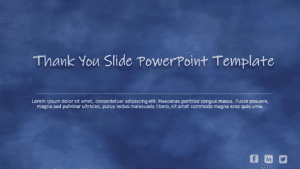
This lively slide is great for team meetings. Exudes a sense of gratitude with its design elements! With a navy backdrop and an array of hands re....


Transform your presentations with this cutting-edge “Thank You PowerPoint Template.” This template, created for professionals who wis....

Enhance your influence with this appreciation slide that beautifully conveys your thanks with flair and charm ! This design showcases a backdrop ....
Professional Thank You Slides

Enhance the flow of your presentation using this thank you slide design template! Great, for wrapping up your presentations with flair; this slid....

This Cool Thank You slide can be the final slide to express gratitude to the audience for their time, attention, or participation. It serves as a....

Check out this word cloud design showcasing thankfulness, in languages! Ideal for teachers or business folks wanting to show gratitude. It has a ....

Easily convey concepts using this slide expressing gratitude, tailored for business presentations. Thanks, to its striking cityscape background a....

Make sure to grab your audience’s interest, from the get-go, with this captivating slide dedicated to expressing gratitude in data-focused ....

Enhance your storytelling with this crafted gratitude template tailored for business expansion pitches! This eye-catching slide blends a polished....

Enhance the sharing of information effortlessly, with this science-inspired slide for expressing gratitude in presentations!. Ideal for teachers ....

Make your legal presentation more impactful, with this elegant thank you slide that simplifies complex concepts seamlessly integrated for effecti....

Enhance the professionalism of your presentations by using this thank you slide crafted for healthcare professionals. With a calming turquoise ba....

Enhance the flow of your presentation by incorporating this closing slide tailored for educators like you! This design elegantly embodies the spi....

Enhance your data exchange with this contemporary appreciation slide intended to make an impact on viewers’ minds, appreciative and engaged....

Create an impact with this attention-grabbing slide expressing gratitude! Crafted to make a mark on your audience’s mind, this template sho....
Related Presentations
-

Title Slides
246 templates>
-
Welcome Slide
47 templates>
-
Last Slide
65 templates>
-
Conclusion Slides
63 templates>




Professional Thank You Slides for Every Presentation
Whether you are closing a board meeting or wrapping up a creative pitch, your last slide needs to match the tone of your presentation. Here is how our thank you slide for PPT collection breaks down:
Professional & Corporate — Clean layouts with dedicated text boxes for email, phone, website, and “Next Steps” sections. Best for board meetings, client reports, and annual reviews.


Creative & Aesthetic — Bold typography, beautiful thank you backgrounds, and neon accents. Best for portfolios, agency pitches, and marketing presentations.



Animated — Subtle entrance effects, animation transitions, and smooth motion that bring your closing slide to life. Best for webinars, virtual pitches, and online meetings.



Thank You & Questions — A combined “Thank You” and “Any Questions?” layout on a single slide. Best for lectures, thesis defenses, and training sessions.


Cute & Fun — Playful designs with warm colours and friendly typography for casual or student presentations.



Industry-Specific — Designs matched to medical, science, legal, education, research, and data analytics presentations.


Simple & Minimalist — Clean backgrounds with a single bold message. Best for decks with strong existing branding


3D & Visual — Thank you for the images and 3D elements that add depth to your closing slideshow. Best for creative and tech presentations.



How to Create a Thank You Slide in PowerPoint
You do not need to build a thank you slide from scratch. Start with one of our templates above, or follow these steps to create one yourself in PowerPoint or Google Slides:
Step 1 — Start with the right layout. Open PowerPoint and insert a blank slide at the end of your deck, after your conclusion and before any appendix. Choose a layout with a centred title and a subtitle area, or start from a completely blank canvas.
Step 2 — Add your thank you message and contact details. Type “Thank You” or “Thank You for Your Time” as the main heading. Below it, add your name, job title, email address, phone number, and LinkedIn handle. Use vector icons next to each contact line instead of plain-text URLs — they look cleaner and are easier to read from the back row. Keep all text at 24-point font or above.
Step 3 — Insert a call to action or QR code. Decide what you want the audience to do next: visit a landing page, book a follow-up meeting, or scan a QR code. Place the CTA or QR code in the lower-right quadrant of the slide where the eye naturally lands last.
Step 4 — Apply your brand. Add your company logo, set your brand colours as the background, and match the fonts to the rest of your deck. If you are using one of our templates, every element — colours, fonts, icons, images — is already editable, so this step takes under a minute.
Step 5 — Test readability. Present in slideshow mode and step to the back of the room (or zoom out to 50% on screen). If you cannot read your email address, the font is too small. Increase size or remove any unnecessary elements until the slide passes the “back row test.”
Prefer a faster route? Browse our ready-made thank you slide templates above — pick a design, swap in your details, and download in under a minute.
What Is a Thank You Slide?
A thank you slide (also written as thankyou slide) is a closing page placed near the end of your PowerPoint presentation or Google Slides deck to express appreciation and signal that the main content has ended. It typically stays on screen during Q&A — making it the longest-viewed slide in your deck. Most presenters use it as the last slide or last page before the appendix, and it doubles as a practical space for contact details, a thank you note to the audience, and a call to action.
For seasonal presentations focused on gratitude and appreciation, explore our thanksgiving presentation templates for editable holiday-themed slides.
What Should a Thank You Slide Include?
The most effective thank you slides for presentation endings go beyond just the words “thank you.” Include:
- A call to action — tell your audience what to do next: visit a website, book a meeting, scan a QR code.
- Contact information — name, job title, email, phone, and LinkedIn. Nothing smaller than 24-point font — if the back row cannot read your email, the font is too small.
- Social media handles — displayed as vector icons, not text URLs.
- Thank you images or background — a professional background design or image that matches your presentation theme.
- A key takeaway or summary — one sentence or a relevant quote that reinforces your core message.
- A Q&A prompt (optional) — a visible “Any Questions?” header if you are inviting discussion.
Looking for thank you slide ideas and examples? Browse the templates above — each one demonstrates a different approach to ending your presentation, from minimalist closing slides to animated thank you PowerPoint designs.
Is a thank you slide necessary in a presentation?
It is not required, but it serves practical purposes: it signals the end of the presentation, provides a transition into Q&A, and gives you a place for contact information while the audience is most attentive. In business and academic settings, omitting one can feel abrupt.
Can I use these thank you slides for PPT in Google Slides?
Yes. All SlideUpLift thankyou slide templates work with PowerPoint, Google Slides, and Keynote. Download, open in your preferred tool, and edit directly.
Should a thank you slide include contact information?
Yes. Your closing slide often stays visible for several minutes during Q&A and as the audience leaves. Including email, phone, LinkedIn, and your website gives people a way to follow up when they are most likely to act. You can also add thank you images for a more polished look.
How do I create a thank you slide in Google Slides?
Open Google Slides, add a new slide at the end of your deck, and type your thank you message. Add your contact details, a logo, and a call to action. Alternatively, download any of our thank you slide templates — they are fully compatible with Google Slides. Simply open the downloaded file in Google Slides and edit directly
Where does the thank you slide go in a presentation?
After your conclusion and before any appendix or backup slides. If your deck has a separate questions slide, the typical order is: Conclusion → Thank You → Q&A → Appendix. The thank you slide usually stays on screen at the end of the presentation during discussion, which is why it should include your contact details. It is typically the last page the audience sees.
What is the difference between a thank you slide and a conclusion slide?
A conclusion slide summarises your key points. A thank you slide expresses gratitude and provides contact information. Many presenters use both in sequence as the ending of their slideshow. Others combine them into a single closing slide with a brief summary alongside the thank you message and contact details.
Are these templates free to download?
We offer both free and premium thank you slides. Free templates are fully editable with no account required. Premium options include animated designs, beautiful backgrounds, 3D elements, industry-specific layouts for students, medical, research, and legal presentations, and more variety. All templates include a royalty-free license