The Best SlidesCarnival Alternative for Business Presentations

Love the creativity of SlidesCarnival? Think of SlideUpLift as the upgrade made for the boardroom. Their designs are fun, colorful, and great for school projects or casual events - but business meetings demand more. You need clarity, structure, and a deck that helps you communicate real strategy with confidence. SlideUpLift gives you free, professionally designed templates plus the Creatos Editor - a live, AI-powered editor that lets you customize and finish your deck right in the browser, no downloads required.

That's where SlideUpLift steps in. It offers Free PowerPoint Templates that look clean, modern, and ready for any professional setting. Every slide is built to support business storytelling, not just decoration. You get cool slides that simplify complex ideas, whether you're presenting a roadmap, a pitch, or an executive update. Everything is 100% editable, so you can adjust icons, charts, and layouts in seconds.

SlideUpLift also understands the need for flexibility. You can use the templates across PowerPoint, Google Slides, or Canva without losing quality. The designs feel polished yet approachable, giving you aesthetic slides that match your brand. For many professionals, this becomes the go-to choice when they need modern templates that work fast and look sharp. It's the perfect mix of creativity, function, and business-ready impact.


Free

The free Carnival Slides Template is a vibrant and celebratory presentation template that can help set a positive and welcoming tone for your sli....

Free

This Circus Carnival slide theme features a classic circus-tent design, bringing a bold, playful energy to your presentation. Striped tent patter....

Free

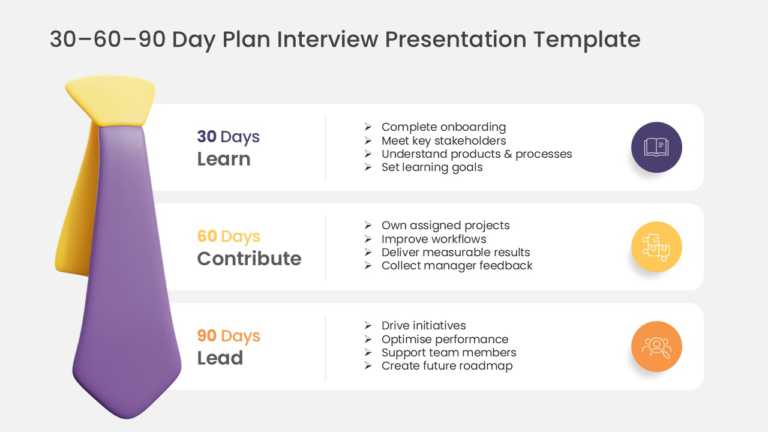
The Free PowerPoint Template is designed to present interview onboarding plans, role-specific objectives, and action items across the first 30, 6....

Free

The Father’s Day Celebration PowerPoint and Google Slides Template is designed to create presentations, posters, and visual communications for Fa....

Free

The Free Juneteenth PowerPoint Template is designed to present information about Juneteenth, cultural awareness, and historical significance thro....

Free

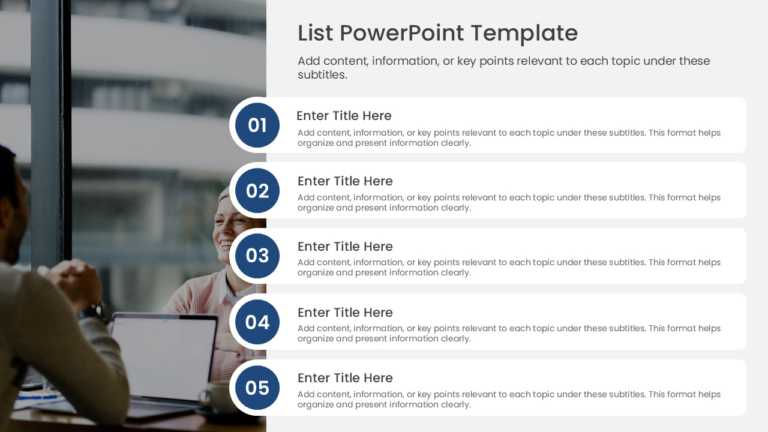
Designed for clarity and impact, enhance your presentations with this streamlined list template tailored for executive meetings. This layout allo....

Free

Craft a clear narrative with this stunning Free  New Year presentation background! Designed with a rich navy blue backdrop and elegant gold accen....

Free

This template is great for team meetings as it adds a friendly vibe to your office presentations with its design and interactive graphics that br....

Free

Share your ideas using this slide that will enhance your presentations effortlessly! Ideal for uplifting speeches and brainstorming sessions with....


Slides Carnival vs SlideUpLift: The Value Difference at a Glance

Here’s a quick overview that highlights how each platform serves a different audience. Use this table as your instant guide to choosing the right presentation partner.

Category SlidesCarnival SlideUpLift
Design style Casual, creative, illustrative Clean, professional, business-first
Best for School projects, personal use, casual events Business decks, pitches, executive updates
Editability Basic PowerPoint/Slides editing Fully editable icons, charts & layouts
Online editor None — download only Creatos Editor: live, in-browser, Canva-style drag-and-drop editing
AI assistance None Built-in AI to rewrite, restyle, and improve slide content instantly
Business tools None Built-in charts, diagrams, AI editing assistant
Price Free Free tier + premium library

Edit Instantly with the Creatos Editor — No Software Needed

SlidesCarnival gives you a file to download and edit yourself. SlideUpLift gives you that — plus a live, in-browser editor built for speed. With the Creatos Editor, you can customize any template directly in your browser: swap colors, resize layouts, and rearrange slides in real time, no PowerPoint or Google Slides required to get started. Built-in AI takes it further — rewrite slide copy, tighten your messaging, or restyle a layout with a single prompt, similar to how you’d use Canva’s AI tools, but purpose-built for presentations. It’s the difference between downloading a template and actually finishing your deck.

Is SlidesCarnival free?

Yes — SlidesCarnival offers free PowerPoint and Google Slides templates for personal and casual use. SlideUpLift also offers a large free library, with additional business-focused templates available on paid plans.

Can I use SlidesCarnival templates for business presentations?

You can, but their designs are optimized for casual and educational use. For pitches, board updates, or client-facing decks, a business-focused template library like SlideUpLift’s will save you formatting time and look more polished.

What's a good SlidesCarnival alternative for business presentations?

SlideUpLift is built specifically for professional use — with templates designed around business storytelling, editable charts and diagrams, and an AI editing assistant, rather than general-purpose creative layouts.

Does SlideUpLift have an online editor like Canva?

Yes — the Creatos Editor lets you edit templates directly in your browser, with drag-and-drop controls and built-in AI to help rewrite and restyle your slides. SlidesCarnival doesn’t offer an online editor; templates are download-only.