
 Happy New Year Flat 10% off on our Unlimited Access Yearly Membership plan!


Cool PowerPoint Templates
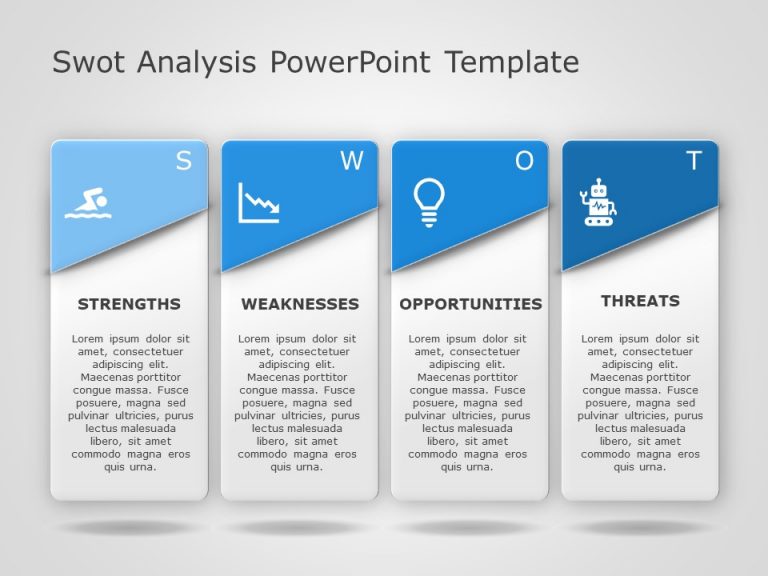
Share your perspective using this SWOT analysis template crafted to enhance your conversations effectively. With a banner, at the top and distinc....
 Download

The Executive Summary PowerPoint Template is a presentation template. It is made to help you deliver an impactful overview of your project or bus....

Happy Presidents Day Presentation Template Use this Happy Presidents Day PowerPoint template and Google Slides theme to create visually appealing....

Black History Month Presentation Template Use this Black History Month PowerPoint template and Google Slides theme to create visually appealing p....

This 30 60 90 day PowerPoint template is expertly designed to guide you through the first three months in a new role or project. This detailed te....

The 30 60 90 Day Plan Marketing Managers PowerPoint Template is a well-crafted PowerPoint template to help marketing managers outline their goals....

This 30 60 90 day plan PowerPoint template allows you to organize your objectives and tasks over three months. The template is divided into three....


Celebrate this Independence Day on the 4th of July and make it memorable with the Independence Day PowerPoint Template. The color scheme consists....

Celebrate the spirit of Independence with the Independence Day PowerPoint Template. It is designed to honor the pride and significance of July 4t....

Celebrate American freedom with the Independence Day PowerPoint Template. This special design pays tribute to America’s 4th of July celebra....

Get into the spirit of freedom with the Independence Day PowerPoint Template, an option for presentations centered around the 4th of July. This t....

The 30 60 90 Day Plan PowerPoint Template is a practical map to effectively showcase your short-term goals and strategies. This template assists ....
How To Make Cool PowerPoint Slides?
Infographics are probably the best way to make your business presentations more attractive and attention-grabbing. It results in increased engagement as compared to other visual media. And also make sure to choose the font size appropriately, use strong contrast with the text, and try not to use too much text and too many colors on your PowerPoint slides.
How to make Cool PowerPoint presentation?
To make your presentations more appealing and memorable you need cool backgrounds, simple transitions, clean fonts, & attractive graphics to make the presentation more engaging.
Here are a few ways to make a cool presentation,
- Use a consistent theme
- Use more images & less text
- Use animations to highlight each bullet point
- Convey one message in each slide
- Use 2/4/8 rule - The 2/4/8 rule is-don't spend more than 2 minutes on a one slide, don't use more than 4 bullets per slide, and no more than 8 words per bullet.