
 Spring Sale
  Flat 10% off on our Unlimited Access Yearly Membership plan!


Cool PowerPoint Templates

Enhance your presentation, with this 3 circular team structure illustration that highlights team members roles and duties effectively and visuall....
 Download

Enhance your data presentation using this decision path diagram template tailored for the Vroom Yetton model. This tool simplifies decision makin....

Craft engaging presentations using this communication strategy template designed to elevate the quality of your messages and plans, for professio....
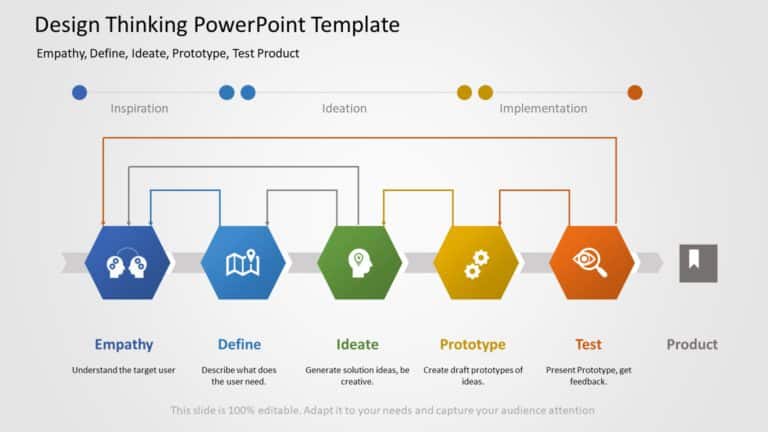
Start off by captivating your viewers immediately using this dynamic and immersive presentation template crafted specifically for the design thin....

Start off by captivating your audience with this template tailored for discussions, on enterprise architecture from the get go! With its sleek an....

Ideal, for team meetings and presentations is this template that visually represents the 70/20/10 learning model in an engaging manner. The styli....

Revamp your presentations with a dashboard focused on IT performance metrics to improve clarity and effectiveness! The template boasts a layout t....

Turn your information into insights using this interactive review table crafted for analyzing customer feedback effectively and efficiently. The ....

Elevate your information into insights using this crafted roadmap template created by experts, in the field!. Tailored for those in IT fields. Th....

Enhance the flow of your presentation by using this prioritization grid tailored for task organization purposes! The template showcases a combina....

This template is great, for team meetings as it offers a defined and organized method for analyzing risk management issues effectively using the ....

Wow your stakeholders, with this flowchart tailored for lead generation tactics!” This design provides an captivating depiction of your con....
How To Make Cool PowerPoint Slides?
Infographics are probably the best way to make your business presentations more attractive and attention-grabbing. It results in increased engagement as compared to other visual media. And also make sure to choose the font size appropriately, use strong contrast with the text, and try not to use too much text and too many colors on your PowerPoint slides.
How to make Cool PowerPoint presentation?
To make your presentations more appealing and memorable you need cool backgrounds, simple transitions, clean fonts, & attractive graphics to make the presentation more engaging.
Here are a few ways to make a cool presentation,
- Use a consistent theme
- Use more images & less text
- Use animations to highlight each bullet point
- Convey one message in each slide
- Use 2/4/8 rule - The 2/4/8 rule is-don't spend more than 2 minutes on a one slide, don't use more than 4 bullets per slide, and no more than 8 words per bullet.