 Fall Sale
  Flat 40% off on our Unlimited Access Yearly Membership plan!

Cool PowerPoint Templates

Enhance your storytelling, with this versatile team structure diagram template! With a white and blue design concept in place this template is id....


Make sure your presentation catches the eye with this template, for cost benefit analysis! Tailored for professionals looking to showcase informa....

Enhance your financial report presentation effortlessly with this template tailored for finance experts, like you! Showcase crucial financial ind....

Enhance your meetings with an pathway chart tailored for international market strategies that will grab your audiences attention and simplify com....

Enhance your storytelling capabilities using this all encompassing tracking tool tailored for project managers and their teams.This tool streamli....

Use this Tuckman’s Team Development Model 05 PowerPoint template to create visually appealing presentations in any professional setting. It....

Enhance the sharing of information, with this detailed analysis chart tailored for assessing capital costs. Utilize this template with an structu....

Enhance your presentations with this set of barrel icons tailored for simplifying intricate concepts! These icons are fully adjustable. Can be ea....

Make your presentations more polished, with this pyramid diagram thats perfect for showcasing leading and lagging HSE indicators in an concise ma....

Show off this eye catching funnel chart to impress those involved in sales pipeline management; its tailored for that purpose, with its gray colo....
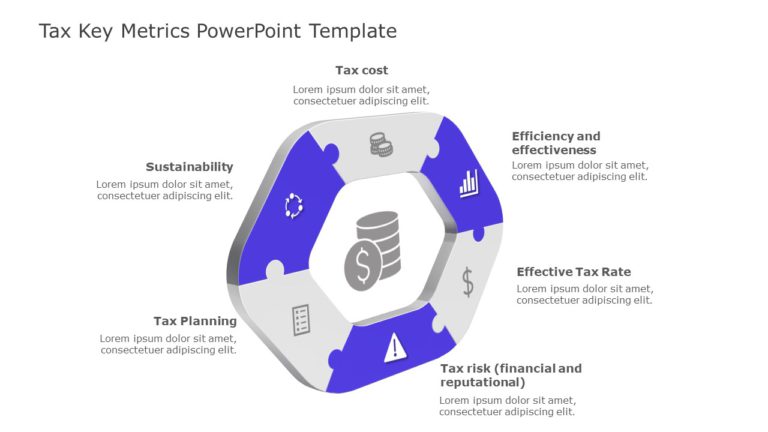
Uncover valuable insights, from your data using a chart tailored for analyzing tax metrics effectively! This attractive design showcases a blend ....

Present your presentations better using this service overview template designed for communication and effectiveness. With a design, in shades of ....
How To Make Cool PowerPoint Slides?
Infographics are probably the best way to make your business presentations more attractive and attention-grabbing. It results in increased engagement as compared to other visual media. And also make sure to choose the font size appropriately, use strong contrast with the text, and try not to use too much text and too many colors on your PowerPoint slides.
How to make Cool PowerPoint presentation?
To make your presentations more appealing and memorable you need cool backgrounds, simple transitions, clean fonts, & attractive graphics to make the presentation more engaging.
Here are a few ways to make a cool presentation,
- Use a consistent theme
- Use more images & less text
- Use animations to highlight each bullet point
- Convey one message in each slide
- Use 2/4/8 rule - The 2/4/8 rule is-don't spend more than 2 minutes on a one slide, don't use more than 4 bullets per slide, and no more than 8 words per bullet.