
 Happy New Year Flat 10% off on our Unlimited Access Yearly Membership plan!


Cool PowerPoint Templates

Easily share information using this attractive star rating review chart slide template, for displaying product reviews professionally in your pre....
 Download

Enhance your project management efficiency with this all encompassing engagement model template tailored for professionals, in the field! This vi....

Enhance your discussions by using this template to improve the flow of your presentation content! With its colorful puzzle layout design that vis....

Enhance your meetings with this template, for comparing products effectively! This presentation slide features bar charts that vividly represent ....

Looking to showcase your ideas? Check out this captivating banner template crafted to elevate your presentations ! The versatile design is divide....
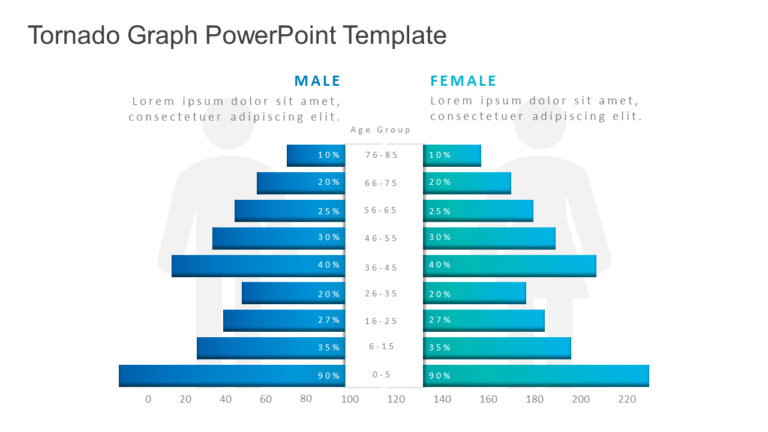
Enhance your presentation, with this Tornado Graph template that will capture your audiences attention effortlessly! With a color scheme of teal ....

Add impact and clarity to your presentations using this diagram that showcases the Patient Journey Experience in a way that resonates with health....

Make your customer journey clearer with this template that simplifies complex ideas and outlines the stages of customer interaction effectively f....

Share your concepts using this captivating city skyline roadmap aid crafted to lead your viewers through ideas effortlessly.This design showcases....

The Project Phases Planning Template above is a professionally designed slide for business professionals such as – Project Managers, Projec....

This dynamic template is ideal, for team meetings. Aims to simplify your approach to engaging with partners by using a distinctive hexagonal desi....

The Project Task Roadmap Template above is a PowerPoint Slide that is specifically designed to meet the presentation needs of Project Managers, P....
How To Make Cool PowerPoint Slides?
Infographics are probably the best way to make your business presentations more attractive and attention-grabbing. It results in increased engagement as compared to other visual media. And also make sure to choose the font size appropriately, use strong contrast with the text, and try not to use too much text and too many colors on your PowerPoint slides.
How to make Cool PowerPoint presentation?
To make your presentations more appealing and memorable you need cool backgrounds, simple transitions, clean fonts, & attractive graphics to make the presentation more engaging.
Here are a few ways to make a cool presentation,
- Use a consistent theme
- Use more images & less text
- Use animations to highlight each bullet point
- Convey one message in each slide
- Use 2/4/8 rule - The 2/4/8 rule is-don't spend more than 2 minutes on a one slide, don't use more than 4 bullets per slide, and no more than 8 words per bullet.