 Fall Sale
  Flat 40% off on our Unlimited Access Yearly Membership plan!

Cool PowerPoint Templates

Enhance your storytelling using this tool showcasing the ADDIE Development Process in a user friendly manner. Tailored to assist educators and pr....


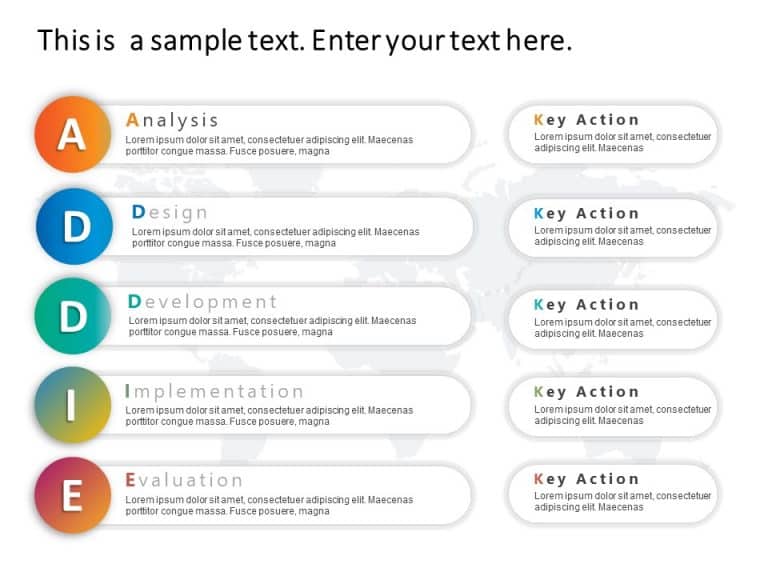
Enhance your narrative skills using this outline for the ADDIE design model!Ideal, for teachers,trainers,and project leaders,this guide breaks do....

Create a story using this appealing hierarchical layout template tailored for successful project management activities This tool breaks down intr....

Enhance communication efficiency using this interactive quadrant chart tailored for professional growth demonstrations! The layout combines a des....

Enhance your training techniques, with this process diagram template tailored for HR and organizational development experts! This template breaks....

Share your vision using this captivating HR process steps diagram template! Ideal, for HR professionals to navigate through stages of the hiring ....

Accomplishments Icons Accomplishments Icons are a set of high-quality, small images or symbols that can be used to illustrate concepts and ideas ....

Enhance the flow of your presentation using this captivating template with four steps to guide your audience through intricate processes effortle....

Enhance your storytelling using this tool crafted for strategic presentations. This design template showcases a magnifying glass motif that empha....

Enhance your data presentation using this template crafted for displaying routes, in construction endeavors.The lively design showcases a citysca....

Show off to people, with this attractive template created to effectively display crucial marketing strategies. The design includes parts, for Com....

Enhance your presentation flow by using this captivating template tailored for marketing strategies! With a backdrop and clear sections, for Cust....
How To Make Cool PowerPoint Slides?
Infographics are probably the best way to make your business presentations more attractive and attention-grabbing. It results in increased engagement as compared to other visual media. And also make sure to choose the font size appropriately, use strong contrast with the text, and try not to use too much text and too many colors on your PowerPoint slides.
How to make Cool PowerPoint presentation?
To make your presentations more appealing and memorable you need cool backgrounds, simple transitions, clean fonts, & attractive graphics to make the presentation more engaging.
Here are a few ways to make a cool presentation,
- Use a consistent theme
- Use more images & less text
- Use animations to highlight each bullet point
- Convey one message in each slide
- Use 2/4/8 rule - The 2/4/8 rule is-don't spend more than 2 minutes on a one slide, don't use more than 4 bullets per slide, and no more than 8 words per bullet.