 Fall Sale
  Flat 40% off on our Unlimited Access Yearly Membership plan!

Cool PowerPoint Templates

The Aesthetic PowerPoint Background is an appealing template created to elevate the aesthetics of your project presentations. It is ideal for edu....


The Aesthetic Slide Background is a PowerPoint background with a simple and professional design. The background has colors like blue and white. T....
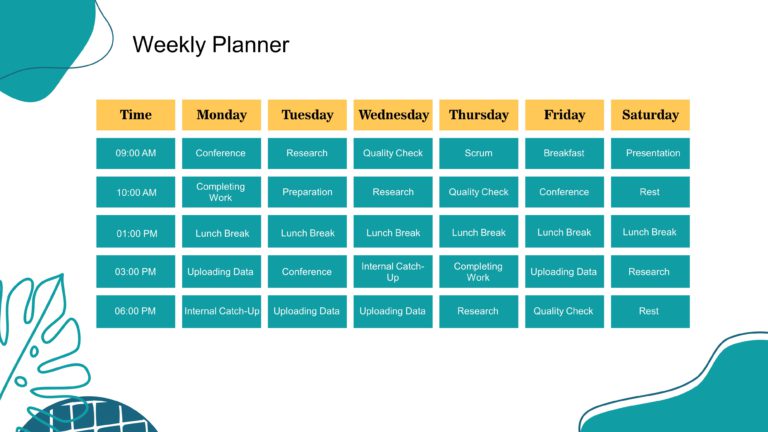
The Aesthetic Weekly Planner PowerPoint template is a visually pleasing template to help you organize your weekly schedule. This background templ....

The Aesthetic Google Slides Background PowerPoint template is an eye catching template grabbing the attention of the audience. The design feature....

30 60 90 day plan template helps you showcase your strategy in a captivating manner. The layout features a design with organized lists highlighti....

A flow chart is a diagram of the steps in a process and their sequence. It is used to document a process for better understanding, quality contro....

Presenting the 30 60 90 Managers Plan PowerPoint Template, a presentation crafted to assist managers in outlining their goals and milestones for ....

The 30 60 90 Day Plan PowerPoint Template is a tool created to assist professionals in organizing and presenting their objectives and actions for....

The PowerPoint Template for 4 Step Process Flow is an aid crafted to illustrate a process segmented into four distinct and simple steps. This tem....

A Chevron diagram is a flow diagram representing steps or actions in a process with the help of cyclic or linear arrows. This Chevron Process Flo....

A detailed flowchart is a close-up view of the process, typically showing various steps. This Detailed Process Flow PowerPoint Template is crafte....

The phase flow chart is a map that is presented in phases or parts where the points can be interlinked or interconnected to each other. The Phase....
How To Make Cool PowerPoint Slides?
Infographics are probably the best way to make your business presentations more attractive and attention-grabbing. It results in increased engagement as compared to other visual media. And also make sure to choose the font size appropriately, use strong contrast with the text, and try not to use too much text and too many colors on your PowerPoint slides.
How to make Cool PowerPoint presentation?
To make your presentations more appealing and memorable you need cool backgrounds, simple transitions, clean fonts, & attractive graphics to make the presentation more engaging.
Here are a few ways to make a cool presentation,
- Use a consistent theme
- Use more images & less text
- Use animations to highlight each bullet point
- Convey one message in each slide
- Use 2/4/8 rule - The 2/4/8 rule is-don't spend more than 2 minutes on a one slide, don't use more than 4 bullets per slide, and no more than 8 words per bullet.