

Download Free PowerPoint Templates & Google Slides Themes


This free table of contents slide is perfect for giving your audience a broad overview of the entire presentation’s structure in an engagin....


Enhance your meetings using this four-step approach crafted to streamline concepts easily accessible to a wider audience. Its structure suits wor....

Elevate your meetings with this free timeline presentation template created to highlight tariff adjustments effectively and clearly communicate c....

Use this Business Risk Factors template to create visually appealing presentations in any professional setting. Its minimalistic design and ready....

Enhance your presentation with this free six-step slide template that captivates attention and ensures a clear and structured display of your con....
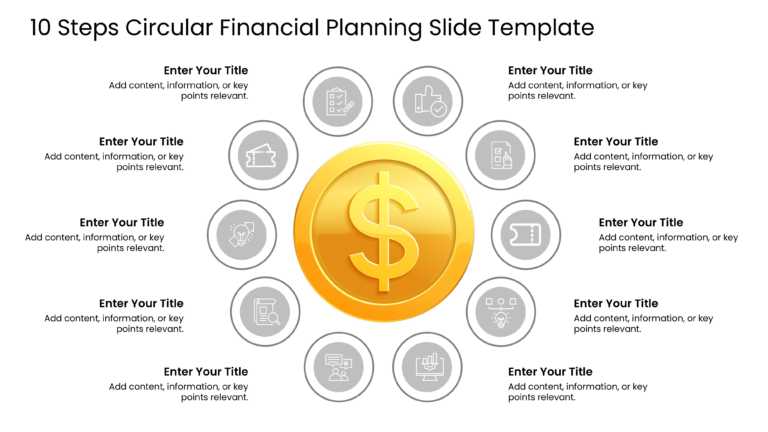
Enhance your planning with this circular layout template that makes your presentations more engaging and effective. Featuring a gold dollar sign ....
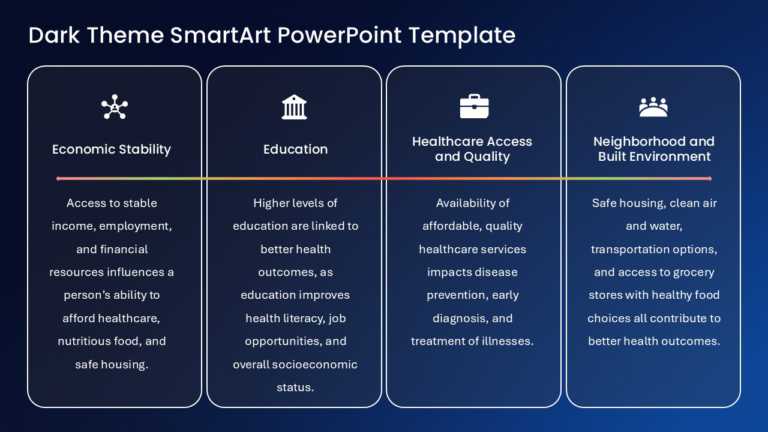
Ideal, for team meetings or updates to colleagues and partners, on topics related to Economic Stability Education Healthcare Access and Quality a....

Crafted to improve clarity and leave a lasting impression, on your audience is this encompassing maintenance template that is ideal for professio....

This appealing tool is perfect, for simplifying concepts in business forecasting tasks.The templates distinctive circular design enables you to c....
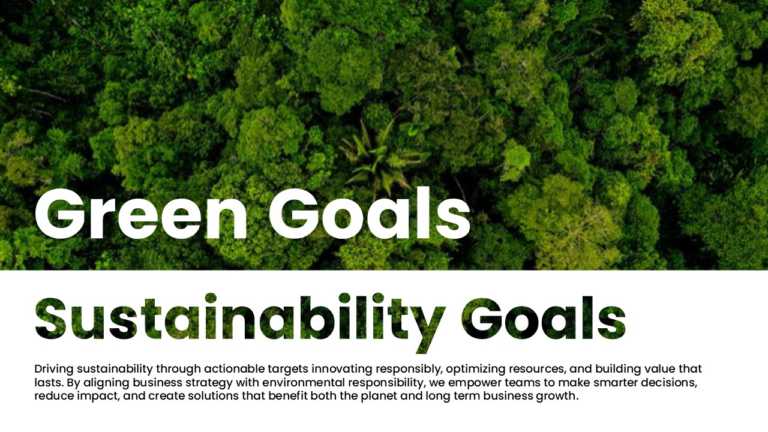
Create powerful visual stories with this eye-catching cover slide designed for environmental sustainability presentations. Featuring a vibrant gr....
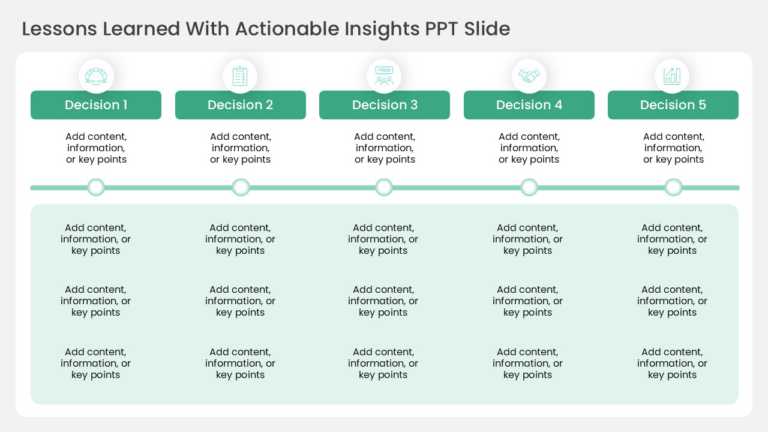
Elevate your meetings with this captivating slide that is crafted to capture insights and lessons learned effectively! The design of this templat....

The Father’s Day Celebration PowerPoint and Google Slides Template is designed to create presentations, posters, and visual communications for Fa....
Related Presentations
-

Professional
8,086 templates>
-
Business
6,450 templates>
-
Infographic
7,032 templates>
-
Simple
120 templates>
-
Powerpoint Themes
242 templates>





Key Features of High-Quality Free Presentation Templates
Not all presentation designs are the same — some are simply better executed. Our free slide templates come with practical features that help you build a polished slideshow quickly.
- Time-Saving Design: With our free PowerPoint templates, you get stunning, ready-made layouts so you don’t have to start from scratch. Just add your content, and you’re set — saving significant time. One study from Outbrain found that 47% of people spend over 8 hours building a presentation from nothing. With these templates, you skip the background design work and focus on your message.
- Fully Customizable: These templates are easy to tweak — change colors, text, images and charts directly in PowerPoint or Google Slides, no design skills needed.
- Professional Look and Feel: Each template is carefully crafted with modern visuals and fonts. Every slide is built for clarity and impact, giving your presentation a polished, credible look.
- Visual Elements Included: Icons, diagrams, tables and other graphics are built in, so you don’t have to design them yourself — just swap in your information.
- Variety of Layouts: Choose from a wide range of slide options — shapes, diagrams, charts, graphs and lists — so you can build a fresh presentation every time.
Alongside full templates, the collection includes free PowerPoint themes and background designs — coordinated colour-and-font sets you can apply across an entire deck. Browse them together here, or see the dedicated PowerPoint themes and backgrounds collections.
Who Can Benefit from Our Free Templates?
Here’s who can really make the most of them:
- Project Managers: Need to update your team or stakeholders on a project? With PowerPoint templates free download, you don’t have to mess with slide formatting. Just pick a project status template, add your details, and you’re ready. Ideal for weekly check-ins, launch reports, or wrap-up reviews — complete with visuals like Gantt charts or RAG status slides.
- Marketing Professionals: Whether you’re pitching a new campaign, sharing social media stats, or laying out a strategy, a solid template elevates your presentation. Our templates include pre-made slides for timelines, market breakdowns, and dashboards — helping you present a polished, professional look.
- Finance Teams and Analysts: Our free slide templates are built to make numbers easy to grasp with clear charts and tables. Build quarterly reports, budgets, forecasts, or investment pitches without spending time on design.
- Entrepreneurs and Startup Founders: Need a pitch deck that grabs attention? These templates give startups strong options for pitch decks, business plans, or product launches — so you can focus on your story while the design supports your pitch.
What Are the Common Mistakes to Avoid When Using Free PPT Templates?
Here’s how to avoid the common traps:
- Not Customizing the Content: Don’t leave the template’s sample text and images as-is — replace them with your own content. Adjust colors to match your brand, add your logo, and update details to feel current. This makes the free slides authentically yours rather than a generic layout.
- Overloading the Slides: A well-designed template makes it tempting to add too much, but restraint matters. Too much text or too many graphics can overwhelm your audience — keep it simple with short bullet points or concise phrases.
- Mixing Different Template Styles: Stick to one style for a consistent, polished look. Choose a design that fits your presentation and use it throughout for a professional result.
- Ignoring the Layout Structure: A well-structured template guides your text and images correctly — don’t disrupt that. Stick to the placeholders, keep font sizes consistent, and mind the spacing so your presentation stays clear and easy to follow.
- Choosing the Wrong Template for the Topic: Consider your subject matter first — an overly casual design won’t suit a serious board meeting. Take time to select a template that matches your topic. SlideUpLift organizes options by need (business, marketing, finance), making it easy to find the right fit.
Avoiding these common pitfalls can turn a good template into an excellent presentation. Choosing a solid free template is a shortcut — it saves time and energy so you can focus on your message. Adjust it to fit your needs, and you’re ready to present with confidence.
How to Customize Free Templates in PowerPoint vs. Google Slides?
Whether you’re working with free templates or free Google Slides templates, they both offer powerful editing capabilities. Here’s a quick comparison to help you customize your templates on either platform. Our powerpoint templates free library updates weekly, so there’s always something new to try.
| Feature | Microsoft PowerPoint | Google Slides |
| Editing Text & Colors | Use Home tab for formatting. Design > Variants for theme-wide color changes. | Use top toolbar for formatting. No theme-wide color option. |
| Adding Images | Insert > Pictures with advanced cropping and effects via Picture Format tab. | Insert > Image with basic cropping and border options. |
| Working with Charts | Insert > Chart with extensive customization via Chart Tools. | Insert > Chart with limited customization options. |
| Collaboration | Save to OneDrive for real-time editing (requires Microsoft 365). | Built-in real-time collaboration without extra software. |
| Master Slide Editing | View > Slide Master for powerful template-level changes. | View > Master with basic layout editing capabilities. |
| Animation & Transitions | Extensive options with custom timing and effects. | Basic animations with fewer options. |
Pro Tip: Start with PowerPoint if you need advanced design control and animations. Use Google Slides if collaboration and cloud access are your priorities. Both platforms seamlessly support SlideUpLift’s free templates.
What Is the Difference Between Free and Premium Licenses for PowerPoint Templates? (Commercial Usage Rights)
Understanding license types helps you use free templates confidently and legally. Here’s how SlideUpLift’s Free and Premium licenses compare:
| License Feature | Free License | Premium License |
| Usage Rights | Personal and business use for your own presentations | Extended commercial rights for client deliverables and agency work |
| Template Access | Curated collection of free PPT templates with regular additions | Unlimited downloads from entire library with thousands of templates |
| Customization | Full editing rights — colors, text, images, and layouts | Enhanced options with more slides, variations, and advanced elements |
| Redistribution | No resale or sharing — for your use only | No resale, but broader flexibility for client-facing projects |
| Team Access | Individual use only | Multi-user licenses available for teams and enterprises |
| Support | Standard access | Priority support with customization requests and faster responses |
Free template options work perfectly for your own business needs. Upgrade to Premium if you need broader commercial flexibility, a wider full PowerPoint templates library, or team access.
2025-2026 Design Trends Transforming Free Templates
Stay ahead with these design trends shaping today’s best free templates. For the best ppt templates free download picks each season, explore the full free library below.
- Minimalist Data Visualization
- What It Is: Clean charts and graphs prioritizing clarity.
- Why It Works: Audiences process information 60% faster with simple data presentation.
- Best For: Financial reports, KPI dashboards, quarterly reviews, executive summaries.
- Modern Twist: Animated data reveals that build progressively.
- Dark Mode Aesthetics
- What It Is: Dark backgrounds with vibrant accent colors and high-contrast text.
- Why It Works: Reduces eye strain in virtual meetings; creates a premium, modern feel.
- Best For: Tech presentations, product launches, creative pitches, evening events.
- Modern Twist: Gradient backgrounds shifting from deep blue to purple.
- 3D Elements & Isometric Graphics
- What It Is: Three-dimensional icons, isometric illustrations, and layered depth effects.
- Why It Works: Makes complex concepts tangible and easier to follow.
- Best For: Technology presentations, process explanations, product demos, training materials.
- Modern Twist: Animated 3D elements that rotate or shift perspective between slides.
- Bold Typography & Oversized Text
- What It Is: Extra-large headlines (80pt+) and text as the primary design element.
- Why It Works: Captures attention; ensures readability on all screen sizes.
- Best For: Mission statements, section dividers, inspirational quotes, brand manifestos.
- Modern Twist: Kinetic typography with staggered timing.
- Organic Shapes & Fluid Layouts
- What It Is: Curved lines, blob shapes, asymmetrical layouts, nature-inspired elements.
- Why It Works: Feels human and approachable.
- Best For: Creative agencies, wellness brands, education, HR presentations, culture decks.
- Modern Twist: Morphing shapes transitioning fluidly between slides.
- Implementation Tips:
- Mix Trends: Combine 2-3 trends per presentation.
- Stay Consistent: Adapt to your brand’s color palette.
- Test First: Preview your deck before presenting.
- Stay Current: We update these trends regularly.
Pro Tip: SlideUpLift’s free PPT presentation templates already incorporate these current design trends, so you can download editable, on-trend slides. Prefer working in Google Slides? Browse our complete Google Slides templates for even more professionally designed options.
What are free PowerPoint templates?
Free PowerPoint templates are professionally designed, ready-made slide layouts you can download and use at no cost. SlideUpLift offers 10,000+ templates covering business strategy, project management, marketing, timelines and education — each fully editable, with a new one added every Friday.
How do I download free templates?
Open any template on this page, choose PowerPoint or Google Slides format, and click download. These ppt templates free download as fully editable .pptx files, ready to edit offline in PowerPoint or online in Google Slides. Sign in with a free account and the file is on your device in seconds.
Can I use free templates commercially?
Yes — the free license covers personal and business use in your own presentations, for a lifetime. You can customise them fully and present them to clients or employers. The only restriction: templates can’t be resold or redistributed as files. For agency work and client deliverables, the premium license extends commercial rights
What topics do the free presentation templates cover?
These templates span project management (timelines, Gantt charts, 30-60-90 day plans), sales and marketing, finance dashboards, HR and onboarding, business strategy (SWOT, roadmaps, executive summaries), and pitch decks — organised by category and business function so you can filter to your use case.
How often are new free templates added?
A brand-new free template is published every Friday, and the free library grows continuously alongside it. If you need a design that isn’t in the collection, you can request it, and SlideUpLift will build it at no cost.
Are SlideUpLift's free templates really free? Do I need an account?
Yes — every template on this page costs nothing to download and is yours to keep. You need a free account to download; there’s no credit card, no trial clock and no watermark. A paid membership exists separately for the wider template library, but nothing on this page requires it.
How do free templates compare to paid templates?
Free and paid templates share the same design quality. Paid templates typically include more slide variations and advanced layouts, and a membership adds unlimited downloads across the full library. Free templates cover the essentials and are the best way to evaluate the design style before paying anything.
Do the free templates work with Google Slides and Keynote?
Yes — every free template works in Microsoft PowerPoint, Google Slides and Apple Keynote. Download as .pptx to edit offline, or open directly in Google Slides for real-time collaboration; layouts, fonts and charts stay intact either way.
Do you have free PowerPoint themes and backgrounds?
Yes — alongside full templates, SlideUpLift offers coordinated colour, font and layout sets you can apply across a whole deck. They’re included in this free collection and in the dedicated themes and backgrounds categories.
Are the free templates fully editable?
Yes — every element is editable: colours, fonts, text, images, icons, charts and layouts, with no locked objects or watermarks. Edit in PowerPoint, Google Slides or Keynote, or use Creatos AI to rewrite the content and apply your brand automatically.