 Fall Sale
  Flat 40% off on our Unlimited Access Yearly Membership plan!

Cool PowerPoint Templates

This 30 60 90 day PowerPoint template is expertly designed to guide you through the first three months in a new role or project. This detailed te....


The 30 60 90 Day Plan Marketing Managers PowerPoint Template is a well-crafted PowerPoint template to help marketing managers outline their goals....

This 30 60 90 day plan PowerPoint template allows you to organize your objectives and tasks over three months. The template is divided into three....


Celebrate this Independence Day on the 4th of July and make it memorable with the Independence Day PowerPoint Template. The color scheme consists....

Celebrate the spirit of Independence with the Independence Day PowerPoint Template. It is designed to honor the pride and significance of July 4t....

Celebrate American freedom with the Independence Day PowerPoint Template. This special design pays tribute to America’s 4th of July celebra....

Get into the spirit of freedom with the Independence Day PowerPoint Template, an option for presentations centered around the 4th of July. This t....

The 30 60 90 Day Plan PowerPoint Template is a practical map to effectively showcase your short-term goals and strategies. This template assists ....

The Marketing Awareness Campaign Planning PowerPoint Template is a resource created to help marketing professionals develop, structure, and prese....

The Executive Summary PowerPoint Template 22 is a presentation designed to showcase an organization’s significant accomplishments and upcoming in....

The 30 60 90 Sales Plan Detailed PowerPoint Template is designed for sales professionals. This helps develop a strategic plan for their first 3 m....
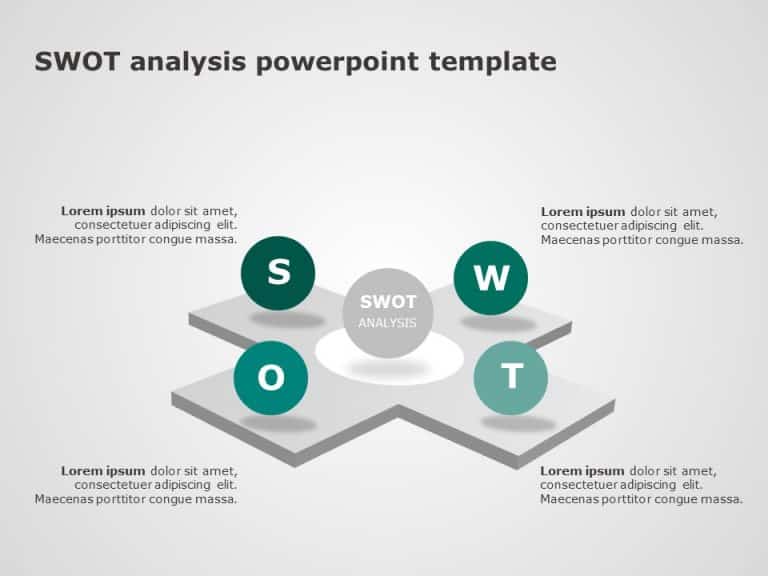
Enhance your presentations with this user SWOT analysis template, for sharing insights in a visually appealing way designed for professionals to ....
How To Make Cool PowerPoint Slides?
Infographics are probably the best way to make your business presentations more attractive and attention-grabbing. It results in increased engagement as compared to other visual media. And also make sure to choose the font size appropriately, use strong contrast with the text, and try not to use too much text and too many colors on your PowerPoint slides.
How to make Cool PowerPoint presentation?
To make your presentations more appealing and memorable you need cool backgrounds, simple transitions, clean fonts, & attractive graphics to make the presentation more engaging.
Here are a few ways to make a cool presentation,
- Use a consistent theme
- Use more images & less text
- Use animations to highlight each bullet point
- Convey one message in each slide
- Use 2/4/8 rule - The 2/4/8 rule is-don't spend more than 2 minutes on a one slide, don't use more than 4 bullets per slide, and no more than 8 words per bullet.