 Fall Sale
  Flat 40% off on our Unlimited Access Yearly Membership plan!

Cool PowerPoint Templates

Create a claim using this captivating chart crafted to simplify intricate details effortlessly! This template, with seven sections is ideal for d....


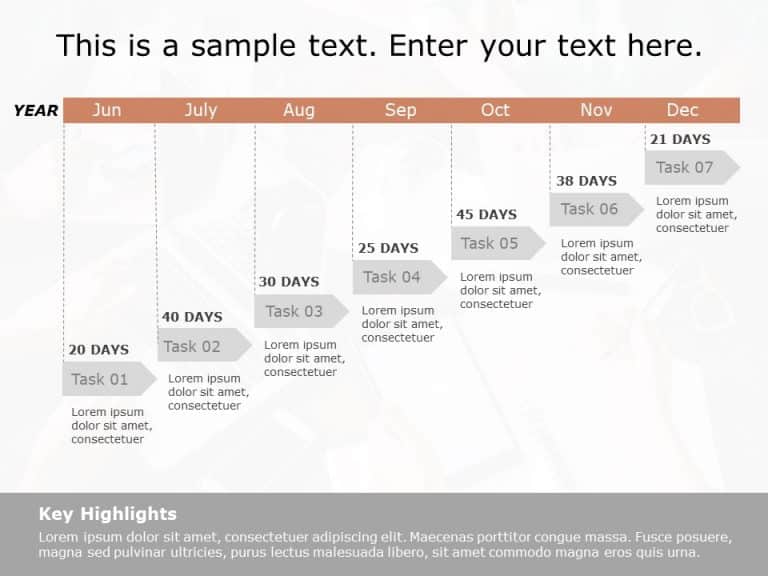
This Gantt Chart Template serves as a resource for arranging and displaying the scheduling of tasks across a timeline. It aids in determining the....

Spruce up your data presentations, with this eye catching template thats sure to impress your audience! With its vibrant mix of teal and purple s....

The Executive Summary PowerPoint Template for Sales Dashboards is crafted to present sales data effectively. This template helps sales teams and ....

This marketing template can be used to present a company’s strategy or key product features. It is a three-column table with the headers Customer....

The 3Cs Marketing PowerPoint Template is an effective slide template to present your marketing plan. This template revolves around the 3Cs market....

Enhance your presentation with this crafted structure, for job skills and qualities! Tailored for HR experts and team supervisors aiming to defin....

This Gantt Chart Template presents a horizontal structure for project visualization. It offers an overview of project phrases, task durations, an....

Experience sophistication and professionalism, with this cover design that creates an impression for your business proposals. Designed in a color....


The Executive Summary PowerPoint Template for Business Plans is designed to kickstart your business presentations with impact. This template stre....

Show your stakeholders an chart that clearly lays out the different stages of project execution to impress them! This handy template is crafted t....

The Executive Summary PowerPoint Template for Brands is a must-have presentation template for professionals. It is for those who aim to showcase ....
How To Make Cool PowerPoint Slides?
Infographics are probably the best way to make your business presentations more attractive and attention-grabbing. It results in increased engagement as compared to other visual media. And also make sure to choose the font size appropriately, use strong contrast with the text, and try not to use too much text and too many colors on your PowerPoint slides.
How to make Cool PowerPoint presentation?
To make your presentations more appealing and memorable you need cool backgrounds, simple transitions, clean fonts, & attractive graphics to make the presentation more engaging.
Here are a few ways to make a cool presentation,
- Use a consistent theme
- Use more images & less text
- Use animations to highlight each bullet point
- Convey one message in each slide
- Use 2/4/8 rule - The 2/4/8 rule is-don't spend more than 2 minutes on a one slide, don't use more than 4 bullets per slide, and no more than 8 words per bullet.