 Fall Sale
  Flat 40% off on our Unlimited Access Yearly Membership plan!

Cool PowerPoint Templates

The presentation of marketing strategies can be done using our 6 Steps Marketing Strategy PowerPoint Template. This template is specifically desi....


The AIDA Marketing Framework PowerPoint Template is a framework crafted to present the AIDA model. It includes aspects like Attention, Interest, ....

The 4 Steps Executive Summary PowerPoint Template is crafted to help individuals deliver a concise and impactful summary of a project or report. ....

The AIDA Marketing Framework PowerPoint Template is created to present your marketing strategy using the AIDA model. The AIDA model represents Aw....

The Digital Marketing Strategy PowerPoint Template is designed to present your online marketing strategies effectively. This template has eight s....

The Vertical Marketing Strategy PowerPoint Template is a visually appealing slide. It presents the journey segmented into different stages. The t....

The Digital Marketing Strategy Infographics PowerPoint Template serves as an effective communication resource to explain digital marketing strate....


The Free Employee Resume PowerPoint Template is a visual-heavy and easy-to-understand presentation template that can be used to present your skil....
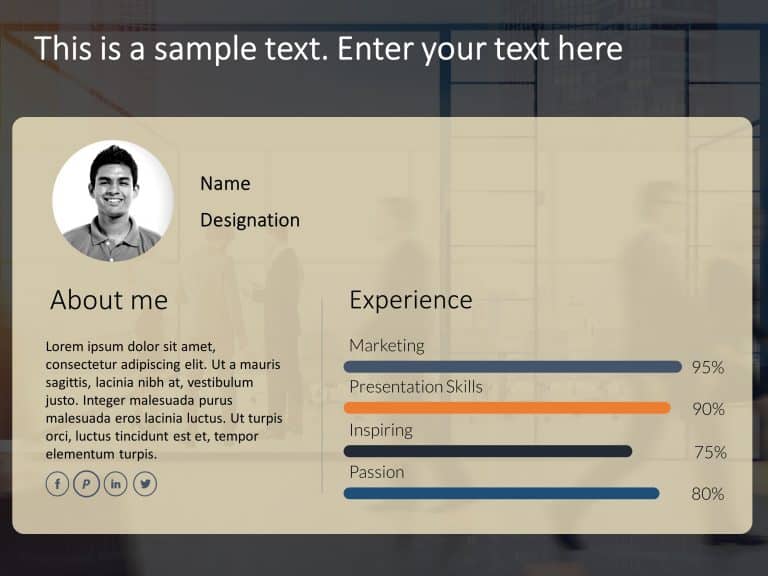
The Employee Resume PowerPoint Template is a polished and well-detailed presentation template that can be used to present your proficiencies and ....

Business Pitch Executive Summary with Need, Approach, Results and 4-Step Process PowerPoint Template
The Business Pitch Executive Summary PowerPoint Template assists you in conveying your business concepts with clarity and sophistication. This te....
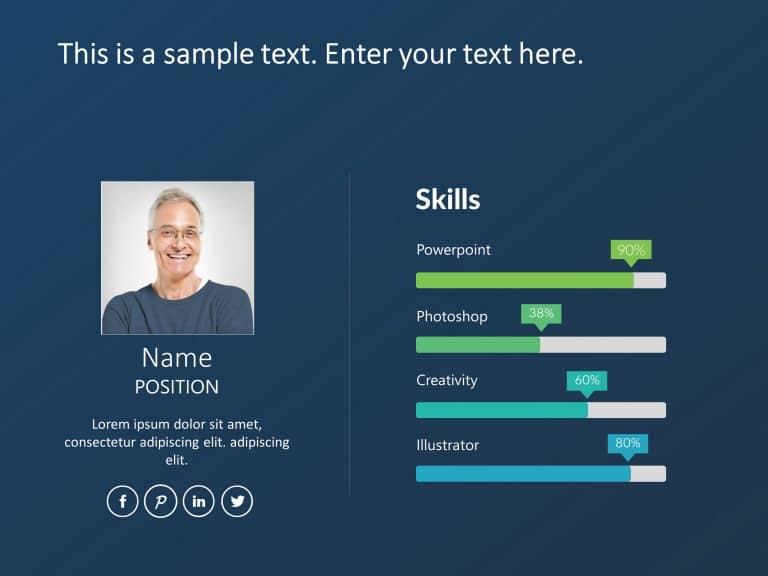
The Employee Resume PowerPoint Template is a minimalistic, simple, easy-to-understand template that can be presented to potential employers. The ....

The 7 P Marketing Mix PowerPoint Template is an appealing visual created for effectively presenting marketing strategies. This user-friendly temp....
How To Make Cool PowerPoint Slides?
Infographics are probably the best way to make your business presentations more attractive and attention-grabbing. It results in increased engagement as compared to other visual media. And also make sure to choose the font size appropriately, use strong contrast with the text, and try not to use too much text and too many colors on your PowerPoint slides.
How to make Cool PowerPoint presentation?
To make your presentations more appealing and memorable you need cool backgrounds, simple transitions, clean fonts, & attractive graphics to make the presentation more engaging.
Here are a few ways to make a cool presentation,
- Use a consistent theme
- Use more images & less text
- Use animations to highlight each bullet point
- Convey one message in each slide
- Use 2/4/8 rule - The 2/4/8 rule is-don't spend more than 2 minutes on a one slide, don't use more than 4 bullets per slide, and no more than 8 words per bullet.