 Fall Sale
  Flat 40% off on our Unlimited Access Yearly Membership plan!

Cool PowerPoint Templates

Show off to your audience with this eye catching template crafted for presentations that combines a sleek design, with lively colors to effective....


Elevate your meetings with this product comparison chart that streamlines your assessments, for side by side product comparisons at a glance.The ....

Make things easier, with this attractive product assessment chart! With a gray design scheme in place, for visual comparison of various products ....


Present information clearly using this free template, created to simplify intricate concepts effectively. With its color palette and organized la....
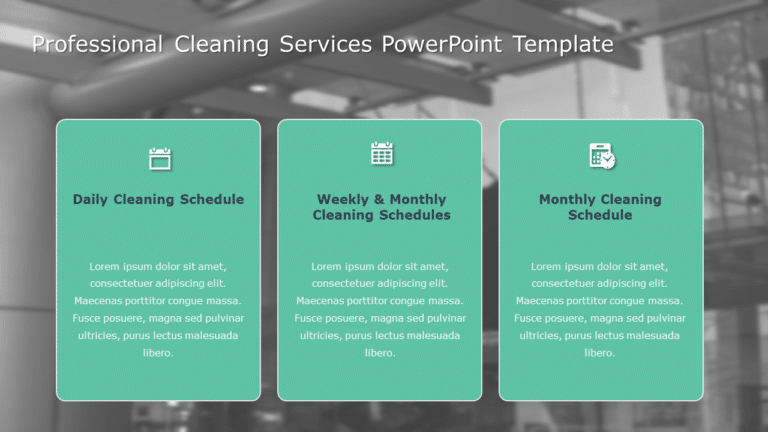
Enhance the appeal of your presentation using this crafted template designed for cleaning services! The layout is visually captivating with three....

Elevate your presentations with the Orange and Gray Profile Rejection Layout Slide Template thats crafted for clarity and impact! This striking s....

Create a story using this captivating presentation design template crafted to prepare the foundation for your concepts effectively with flair and....

This Next Steps template outlines the future actions that must be highlighted after a presentation or meeting. The visual elements of such Next s....

This template is great, for team meetings and discussions about virtualization as it offers an experience with its vibrant teal and purple color ....
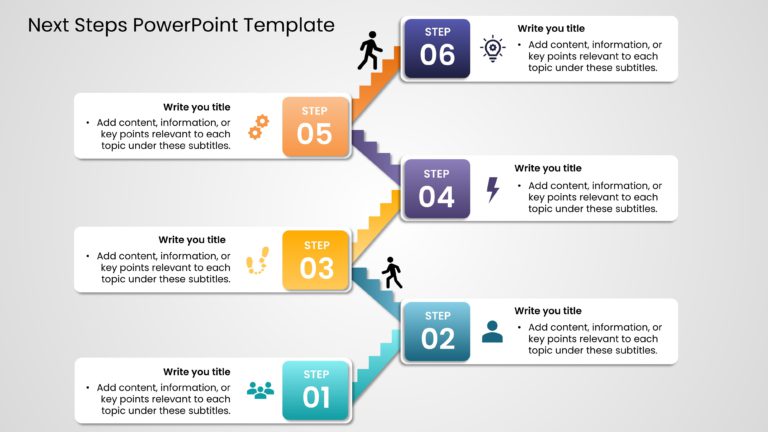
This Next Steps template visualizes the specific actions required to move forward on a project, task, or goal. Professionals can focus on actiona....

This Next Steps template outlines specific actions, tasks, or decisions to present at the end of a presentation. It highlights the steps to follo....

Craft compelling visual narratives using this captivating customer experience map graphic! This tool is crafted to assist you in depicting the fi....
How To Make Cool PowerPoint Slides?
Infographics are probably the best way to make your business presentations more attractive and attention-grabbing. It results in increased engagement as compared to other visual media. And also make sure to choose the font size appropriately, use strong contrast with the text, and try not to use too much text and too many colors on your PowerPoint slides.
How to make Cool PowerPoint presentation?
To make your presentations more appealing and memorable you need cool backgrounds, simple transitions, clean fonts, & attractive graphics to make the presentation more engaging.
Here are a few ways to make a cool presentation,
- Use a consistent theme
- Use more images & less text
- Use animations to highlight each bullet point
- Convey one message in each slide
- Use 2/4/8 rule - The 2/4/8 rule is-don't spend more than 2 minutes on a one slide, don't use more than 4 bullets per slide, and no more than 8 words per bullet.