 Fall Sale
  Flat 40% off on our Unlimited Access Yearly Membership plan!

Cool PowerPoint Templates

This modern, grey-themed template is perfect for business analysts and professionals. It helps visualize and communicate project phases and outli....


Crafted to be clear and impactful—utilize this dynamic stacked block infographic template to elevate your presentations with flair! Tailored for ....

Craft impactful presentations using this appealing chart template! Crafted in a blue color palette scheme to effectively highlight your companys ....

Craft impactful omni channel strategies, with this template that captures attention with its color palette and stylish typography design elements....
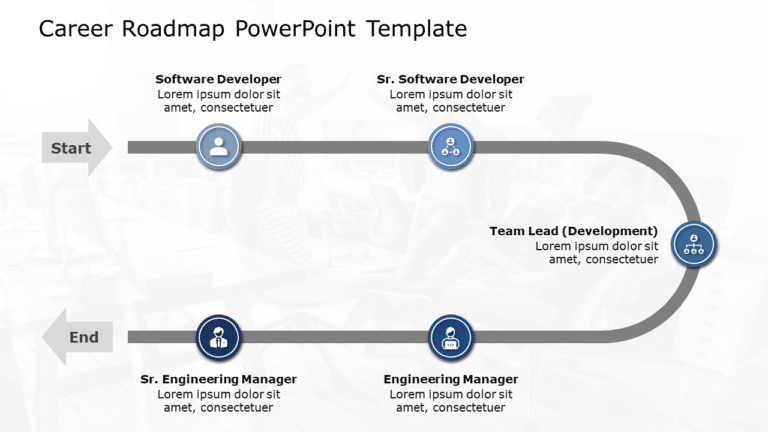
Enhance the quality of your presentations using this captivating roadmap template tailored for career development purposes! This attractive desig....

Enhance your presentations with an decision tree diagram specifically crafted for making strategic decisions stand out! This template boasts a gr....

Share information easily using this SDLC Waterfall template tailored for professionals, in the field of computer programming and development This....

Share your perspective using this format created to demonstrate the Pareto Principle in a manner. This attractive design showcases the 80/20 rule....

Craft engaging presentations using this crafted template specifically designed for business continuity planning purposes.You’ll find this c....

Enhance your data presentation using this four section team planning chart thats ideal, for team leaders and project managers alike. This templat....

Enhance your presentation, with this diagram tailored for displaying organizational hierarchies effectively! This design includes a vibrant color....

Lets grab peoples attention with this eye catching presentation focused on raising awareness, about the environment! This design includes a gray ....
How To Make Cool PowerPoint Slides?
Infographics are probably the best way to make your business presentations more attractive and attention-grabbing. It results in increased engagement as compared to other visual media. And also make sure to choose the font size appropriately, use strong contrast with the text, and try not to use too much text and too many colors on your PowerPoint slides.
How to make Cool PowerPoint presentation?
To make your presentations more appealing and memorable you need cool backgrounds, simple transitions, clean fonts, & attractive graphics to make the presentation more engaging.
Here are a few ways to make a cool presentation,
- Use a consistent theme
- Use more images & less text
- Use animations to highlight each bullet point
- Convey one message in each slide
- Use 2/4/8 rule - The 2/4/8 rule is-don't spend more than 2 minutes on a one slide, don't use more than 4 bullets per slide, and no more than 8 words per bullet.