 Fall Sale
  Flat 40% off on our Unlimited Access Yearly Membership plan!

Cool PowerPoint Templates
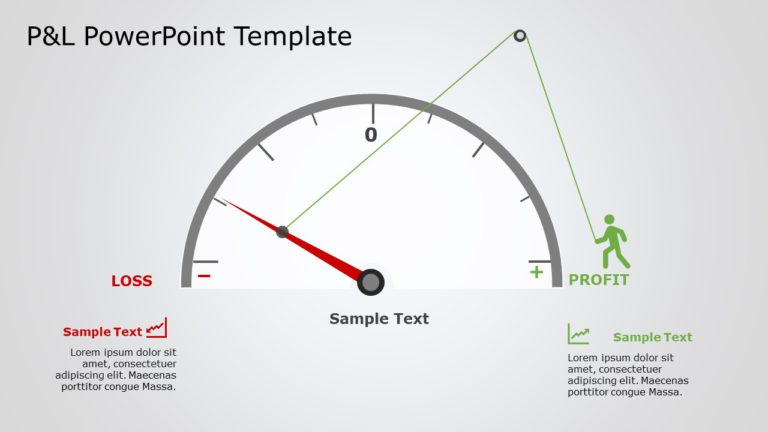
Present your performance boldly with this compelling profit and loss presentation template! The appealing gauge design effectively illustrates th....


Enhance your data presentation using this OODA Loop template crafted for making decisions effectively! This captivating slide showcases a diagram....

Illuminate your vision using this captivating template crafted for outlining project assumptions in business strategy development.This pleasing d....

Share your vision using this versatile prioritization matrix tailor made for project management tasks! This tool streamlines decision making by o....

Enhance the professionalism of your presentations using this captivating mind map template crafted for making decisions. This attractive format s....

Streamline your presentation flow with this visually engaging diagram that highlights the key challenges in online shopping. This template featur....

Enhance your influence with this captivating marketing strategy infographic design! This layout showcases a design that efficiently arranges esse....

Easily craft engaging narratives using this color coded project task list tailored for management needs! Ideal, for project leaders and teams see....

Enhance the impact of your presentation, with this template crafted for project management experts! This detailed design leads you through stages....

Craft compelling visual narratives using this captivating flowchart design tailored for project proposals! The template showcases a blend of gray....

Make complex concepts easier to understand with this checklist created for organizing tasks, in presentations on task management.The design of th....

Make it easier to share information using this template crafted to display the aspects of your business platform effectively. The sleek and polis....
How To Make Cool PowerPoint Slides?
Infographics are probably the best way to make your business presentations more attractive and attention-grabbing. It results in increased engagement as compared to other visual media. And also make sure to choose the font size appropriately, use strong contrast with the text, and try not to use too much text and too many colors on your PowerPoint slides.
How to make Cool PowerPoint presentation?
To make your presentations more appealing and memorable you need cool backgrounds, simple transitions, clean fonts, & attractive graphics to make the presentation more engaging.
Here are a few ways to make a cool presentation,
- Use a consistent theme
- Use more images & less text
- Use animations to highlight each bullet point
- Convey one message in each slide
- Use 2/4/8 rule - The 2/4/8 rule is-don't spend more than 2 minutes on a one slide, don't use more than 4 bullets per slide, and no more than 8 words per bullet.