 Fall Sale
  Flat 40% off on our Unlimited Access Yearly Membership plan!

Cool PowerPoint Templates

Get your message across confidently with this interactive 3D boxes layout created to present your priorities in an impactful way! The striking de....


Enhance your message with this captivating presentation template crafted to commemorate the legacy of Martin Luther King Jr.. With its arresting ....

Elevate your presentations with this all toolkit tailored for business preparedness that adds a touch of professionalism, to your slideshows.Its ....

Start off by grabbing your viewers interest, with this dynamic word cloud montage design right away!Tailored to illustrate points and thoughts vi....

Enhance the structure of your presentation, with this design showcasing a grey gear symbol that is great for technical conversations. It is craft....

Enhance your storytelling skills with the Kano Model Analysis Diagram template offered here! Ideal, for professionals seeking to analyze customer....

Enhance your presentation, with this eye catching funnel template crafted to display the stages of marketing. From raising awareness to making de....

Enhance your presentation with a closing slide tailored for purposes! Ideal, for graduation events or academic talks; this design showcases a cha....

Enhance your information into insights using this visually appealing circular diagram, for analyzing problems effectively and clearly presenting ....
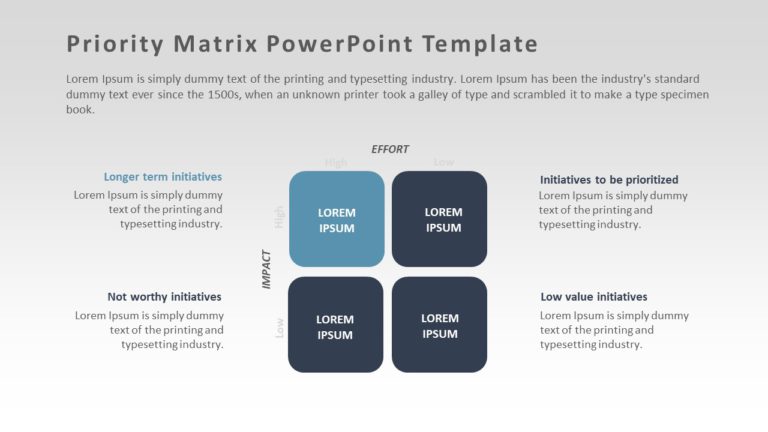
Create a story using this appealing priority matrix crafted for analyzing impact and effort effectively. The structured format of this template e....

Create a storyline using this crafted template, for meeting notes tailored for professionals. Ideal for gatherings and discussions alike; it feat....

Boost the impact of your data using this prioritization matrix template! Crafted to aid in visualizing your projects and tasks with clarity and p....
How To Make Cool PowerPoint Slides?
Infographics are probably the best way to make your business presentations more attractive and attention-grabbing. It results in increased engagement as compared to other visual media. And also make sure to choose the font size appropriately, use strong contrast with the text, and try not to use too much text and too many colors on your PowerPoint slides.
How to make Cool PowerPoint presentation?
To make your presentations more appealing and memorable you need cool backgrounds, simple transitions, clean fonts, & attractive graphics to make the presentation more engaging.
Here are a few ways to make a cool presentation,
- Use a consistent theme
- Use more images & less text
- Use animations to highlight each bullet point
- Convey one message in each slide
- Use 2/4/8 rule - The 2/4/8 rule is-don't spend more than 2 minutes on a one slide, don't use more than 4 bullets per slide, and no more than 8 words per bullet.