
 Happy New Year Flat 10% off on our Unlimited Access Yearly Membership plan!


Cool PowerPoint Templates

Designed for clarity and impact, enhance your presentations with this comprehensive timeline template tailored for tracking COVID-19 illness prog....
 Download

Create a story using this timeline layout to highlight your companys significant events from the last five years effectively and engagingly! The ....

Present ideas with this engaging hourly timeline template that keeps your audience on track! Perfect for project managers and team leaders, this ....

Designed for clarity and impact, enhance your presentations with this comprehensive timeline template that chronicles the significant events of t....

Use this template to showcase your plannings and executions in and organized horizontal format. The template has two sections labeled “Plan....

Enhance sharing information effortlessly with this timeline layout template; Ideal, for displaying your project progress or company successes; it....

Enhance your influence using this timeline layout crafted to highlight achievements efficiently!. Ideal, for project leaders and team supervisors....

Enhance your storytelling using this timeline layout created to highlight the progression of your company throughout the six years, with style an....

Present an assertion using this appealing timeline design that highlights significant dates and milestones in a compelling way. With its arrangem....

The Product Roadmap Timeline Template is made to create product roadmap timelines. It is divided into a timeline of 2 years. Each year has separa....

Streamline your presentation flow with this engaging timeline template designed for effective day planning. Perfect for professionals looking to ....
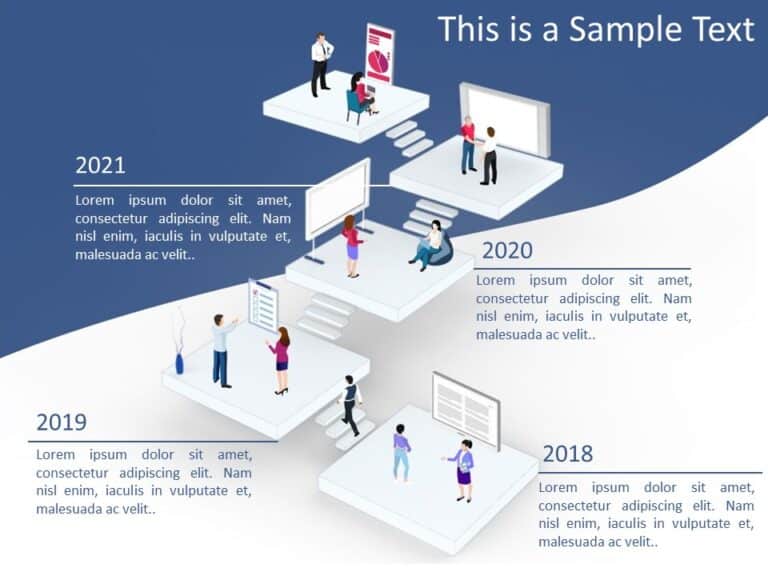
Maximize your impact with this visually engaging timeline template designed for PowerPoint and Google Slides! Perfect for showcasing your project....
How To Make Cool PowerPoint Slides?
Infographics are probably the best way to make your business presentations more attractive and attention-grabbing. It results in increased engagement as compared to other visual media. And also make sure to choose the font size appropriately, use strong contrast with the text, and try not to use too much text and too many colors on your PowerPoint slides.
How to make Cool PowerPoint presentation?
To make your presentations more appealing and memorable you need cool backgrounds, simple transitions, clean fonts, & attractive graphics to make the presentation more engaging.
Here are a few ways to make a cool presentation,
- Use a consistent theme
- Use more images & less text
- Use animations to highlight each bullet point
- Convey one message in each slide
- Use 2/4/8 rule - The 2/4/8 rule is-don't spend more than 2 minutes on a one slide, don't use more than 4 bullets per slide, and no more than 8 words per bullet.