
 Flat 4


How To Introduce Yourself Professionally [10 Examples + Templates]
Introducing yourself professionally means telling people who you are, what you do, and why it matters to them — in under a minute. The easiest way to do it is the present-past-future formula: start with your current role, add one or two relevant highlights from your past, and finish with what you want to do next.
In this guide, you’ll learn how to use that formula in a job interview, at the start of a presentation, in a meeting with a new team, and over email. You’ll also get 10 ready-to-use self-introduction examples, fill-in-the-blank templates, and About Me slide templates you can edit in PowerPoint or Google Slides.
How To Introduce Yourself Professionally (Quick Answer)
To introduce yourself professionally, follow these five steps:
- Greet the person and say your name. “Good morning, I’m Rahul Mehta.”
- State your current role (the present). Your job title, team or field of study.
- Share one or two relevant highlights (the past). An achievement, project or qualification that matters to your listener.
- Explain why you’re here or what’s next (the future). Your goal, or what you hope to contribute.
- Keep it to 30–60 seconds and tailor it to the person or audience in front of you.
Example: “Hi, I’m Rahul Mehta, a product designer at a fintech startup. Over the last four years, I’ve redesigned our app’s onboarding flow and run user research with more than 50 customers. I’m here today because I’d love to bring that user-first approach to your design team.”
A 3-Step Framework On How To Introduce Yourself Professionally (Present, Past, Future)
Introducing yourself properly and sensibly can be a confusing journey, especially when you try to gather your thoughts! When trying to introduce yourself, nervousness can manifest in various ways, like brain fog, long and frequent pauses, overuse of filler words like “um,” “so,” and more! To tackle this, follow a simple 3-step framework. It works in almost every professional situation because it moves in a natural order: who you are now, how you got here, and where you’re going.
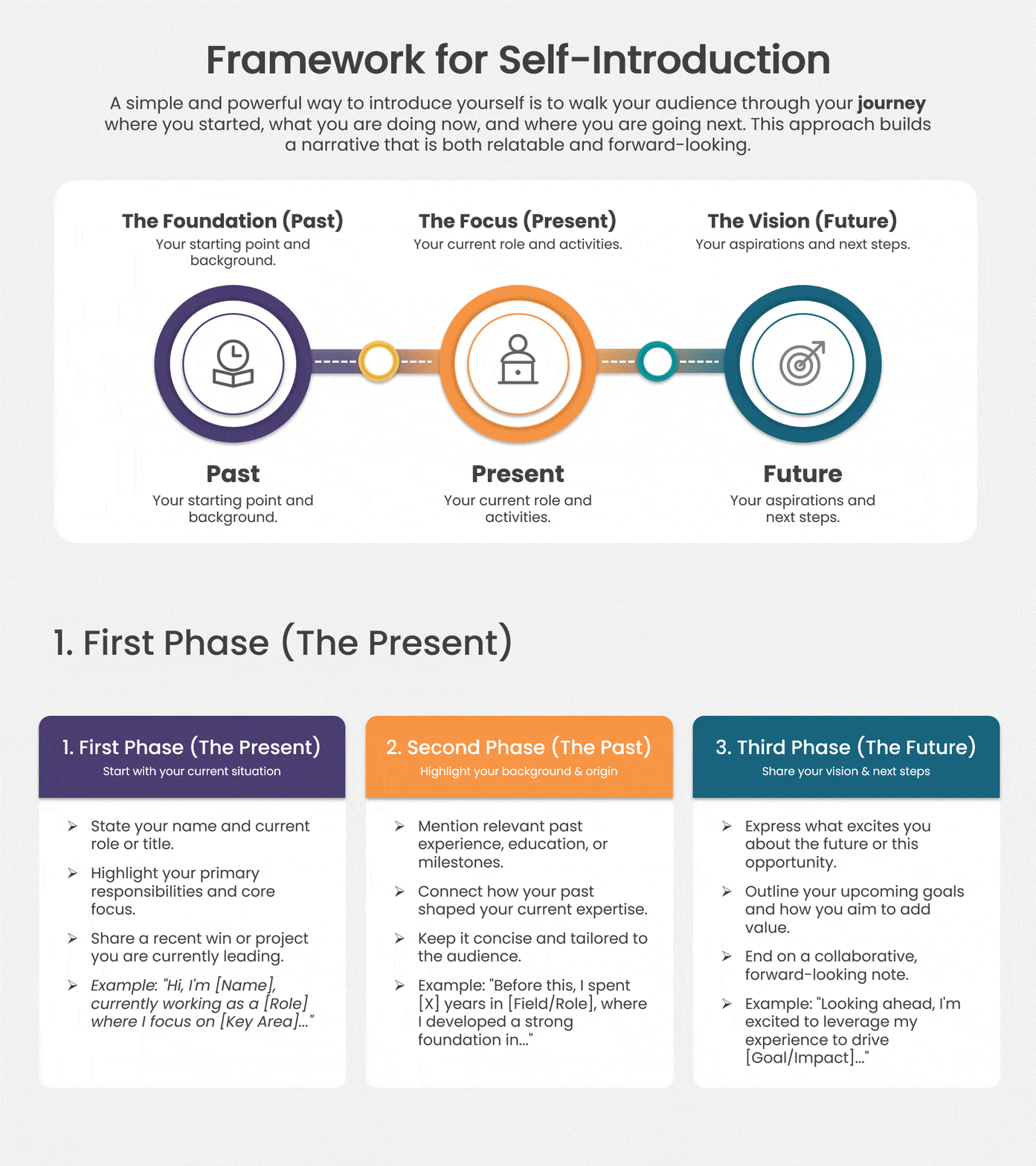
1. First Phase (The Present)
At the beginning of your introduction, remember to talk in the present tense! Why present tense? That is because, in the beginning, you introduce yourself with your name and job title, opening up the pathway to further elaborate on your projects, background, and expertise. Starting with the present gives your listener instant context, so everything you say next makes sense.
E.g.:
- Hi, I am Alisa, a data analyst working at the Brooklyn branch of XYZ company.
- Hi, I’m Dylan, a content writer focusing on optimizing web pages to help them rank on Google.
- Hi, I’m [name], a [job title] at [company or field], where I focus on [main responsibility].
2. Second Phase (The Past)
The second part of your introduction contains mainly two to three points of relevant experience, background, education, and past projects. Remember that this phase is usually spoken in the past tense! Also, this is the perfect opportunity to establish credibility and gain the trust of the person you are talking to.
E.g.:
- My background in computer science has helped me gain the skills to work with big data and identify insights for the company.
- I have been a writer for two years, and I have worked with multiple organizations where I have helped them gain organic traffic with the help of high-quality content.
- Before this, I [relevant experience or education], where I [one result or project you’re proud of].
3. Third Phase (The Future)
The last part of this framework, introducing yourself, mainly talks about your future goals. This is the perfect time for you to show that you are excited about what the future holds. Especially if you are in an interview, this is when you can show your eagerness for the opportunities at the company you are applying to.
E.g.:
- I am really happy to be here and hope to contribute significantly to the team.
- I am excited to help you gain more traffic to your website and increase your page rankings on Google.
- Now I’m looking to [goal], which is why I’m excited about [this role, team or session].
With the help of this easy framework, you can easily introduce yourself professionally without spending much time framing your sentences. All you have to do is remember the major highlights of your career and follow the three steps. Also, a good introduction is one of the best ways to keep your audience engaged. If you want to learn more rules on how to engage your audience, check out our blog on the golden rules to keep your audience engaged and learn more!
Tips On How To Introduce Yourself In An Interview
Now that you know the basic structure, let’s apply it to a job interview. These tips will help you know exactly what to say when you face the dreaded question, “Tell me about yourself.”
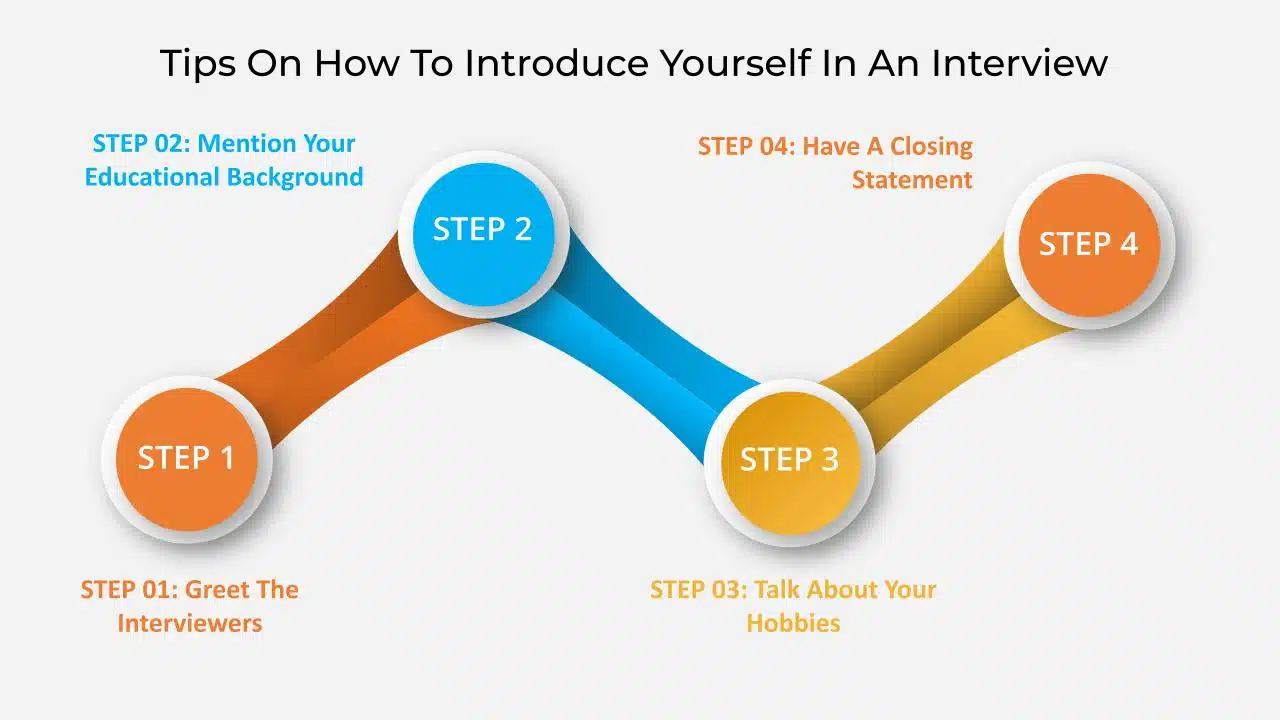
1. Greet The Interviewers
Start by simply greeting the interviewers — a warm “Good morning” or “Thank you for having me” goes a long way. Then introduce yourself with your name and your current role or most recent qualification (the first phase).
2. Talk About Your Educational Background
Once you have given a brief introduction, take a small step into the past (the second phase). Mention your degree and the university or college you graduated from, along with any projects or certifications that match the job description. If you are a fresher, mention your grades only if they genuinely make you stand out. If you are an experienced professional, keep education to one line and spend more time on your work achievements.
3. Talk About Your Hobbies
Mentioning a hobby or passion can help you build a personal connection with the interviewer and show a bit of your personality. Keep it to one sentence and, where possible, pick something that links to the role — for example, running a blog for a content role or organizing community events for a people-facing role. If you are a fresh graduate, you can also mention co-curricular activities you took part in.
4. Have A Closing Statement
One final tip on how to introduce yourself in an interview is to have a good closing statement (the third phase). A great closing statement usually contains your motivations for applying to that specific job role and how it aligns with your career goals. Talk about how you are ready for all the challenges and how your core skills will help the organization from your role. End on a confident, forward-looking note so the interviewer has a clear reason to keep talking with you.
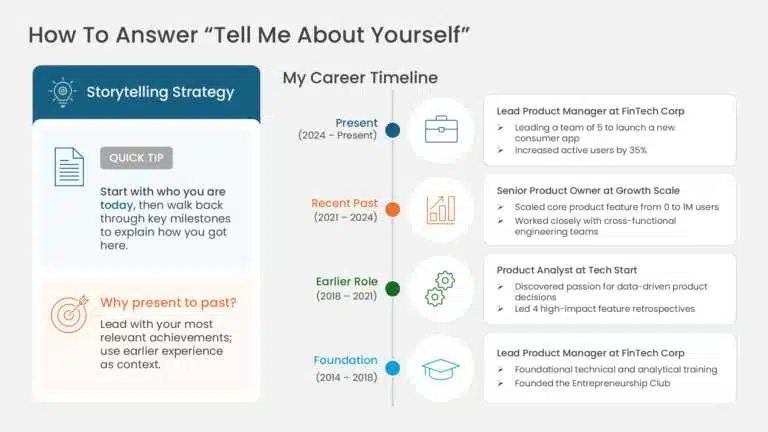
5. How To Answer “Tell Me About Yourself”
“Tell me about yourself” is usually the first interview question, and it is really an invitation to introduce yourself professionally. Use the same present-past-future order and keep your answer to around 60–90 seconds:
- Present: your current role and what you’re good at.
- Past: one or two achievements that match the job description.
- Future: why you want this role at this company.
Example: “I’m currently a customer success manager at a SaaS company, where I look after a portfolio of mid-sized accounts. In my previous role, I set up a quarterly review process for key clients, which helped us renew most of the accounts I managed. I’m now looking for a role where I can work with larger enterprise customers, and that’s what drew me to this position.”
6. Introducing Yourself In An Online Or Video Interview
The structure stays the same on a video call, but a few details change:
- Look at your camera, not the screen, while you speak — it reads as eye contact.
- Test your audio, lighting and internet connection at least 10 minutes before the call.
- Keep your background simple and make sure your display name is correct.
- Pause briefly after your introduction, as video calls often have a slight delay.
If the interviewer asks you to prepare a short presentation about yourself, follow our job interview presentation guide and start from one of our interview presentation templates.
Tips On How To Introduce Yourself In A Presentation
Introducing yourself during a presentation is a different ball game than when you give a self-introduction in an interview. Your name and job title follow the same rules when introducing yourself, but the overall structure differs. A good introduction in a presentation helps to keep your slideshow interactive and fun! Follow these five tips to catch the eye of your audience when talking about yourself in a presentation.
1. Be Bold
Grab your audience’s attention before you even say your name. Open with a thought-provoking question, a surprising fact about your topic, or a short story — this is also the easiest way to start a presentation without saying “good morning.” For more opening ideas, see our guide on how to start a presentation.

2. Be Clear & Concise
After grabbing your audience’s attention, start talking about yourself directly and clearly state your name, title, and relevant experience. Avoid rambling and talking about unnecessary details.
3. Establish Credibility
Quickly highlight the qualifications or experience that make you the right person to speak on this topic — one or two points are enough. For example: “I’ve led our customer research team for three years, and this talk is based on what we learned from those interviews.” This builds trust without sounding like you’re reading out your resume.
4. Connect With The Audience
Finding common ground with your audience is an important tip when it comes to introducing yourself during a presentation, as it can help create a personal connection with them. Try using an anecdote or personal experience to create a connection. Our storytelling tips for presentations can help you shape a short, relevant anecdote.
5. Brief The Presentation
Give a quick outline of the presentation and everything you will cover, giving the audience a clear idea of what to expect and maintaining focus. For two complete presentation-opening scripts, see Examples 4 and 5 further down this page
Want to keep your audience engaged after your introduction? Try these interactive presentation ideas.
What To Put On An Introduction Slide About Yourself
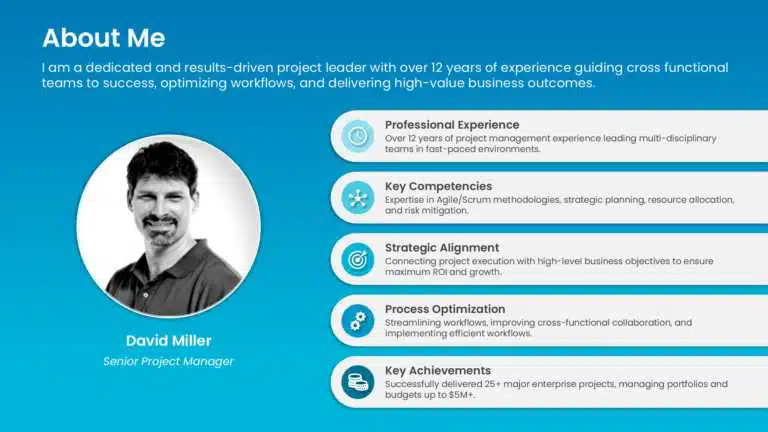
If you’re introducing yourself with a slide, keep it simple — the slide should support what you say, not repeat it. A strong About Me slide usually includes:
- Your name — the largest text on the slide.
- Your current role, team or field of study.
- A clear, professional photo.
- Two or three skills, achievements or areas of expertise, written as short phrases.
- One personal detail, such as a hobby or fun fact, to make you memorable.
- Optional: your email, LinkedIn URL or portfolio link.
Design Tips For An About Me Slide
- Use short phrases instead of paragraphs. The 5-5-5 rule is a handy limit for text on a slide.
- Use one good photo and a few icons rather than many images.
- Match the tone to the setting: formal for interviews and client pitches, more relaxed for team meetings and classrooms.
How To Structure A 5-Minute Presentation About Yourself
If you need more than one slide, use this simple outline:
- Title slide with your name and role (see these title slide ideas).
- About Me: who you are today.
- Your journey: a personal timeline of your education and key roles.
- Strengths and skills: a personal SWOT analysis works well here.
- Achievements or projects you’re proud of.
- Goals: what you want to do next.
- Thank you slide with your contact details.
For a longer, career-focused version, follow our career presentation guide.
How To Introduce Yourself In A Meeting Or To A New Team
Meeting introductions are much shorter than interview answers — usually 10 to 20 seconds when everyone is going around the table. Cover three things:
- Your name and role.
- What you work on, or how you’re connected to this meeting.
- One line on how you can help the group, or what you’re looking forward to.
Example: “Hi, I’m Daniel from the finance team. I manage our vendor payments, so I’m here to answer any questions about the new invoicing process.”
If you’re joining a new team, follow up your spoken introduction with a short email or team-channel message (see Example 9 below), and ask each teammate for a quick 15-minute chat in your first week. In virtual meetings, turn your camera on when it’s your turn, unmute only when you speak, and make sure your display name shows your full name. Our guide to virtual meeting etiquette covers the rest. If you’re presenting on behalf of a group, here’s how to introduce your project team members — and you can use our meet the team slides to do it visually.

Tips To Follow When You Are Talking About Yourself
Now that you know how to introduce yourself during an interview and a presentation, with the help of the 3-step framework. Here are a few tips to keep in mind before talking about yourself and while you are giving your introduction.
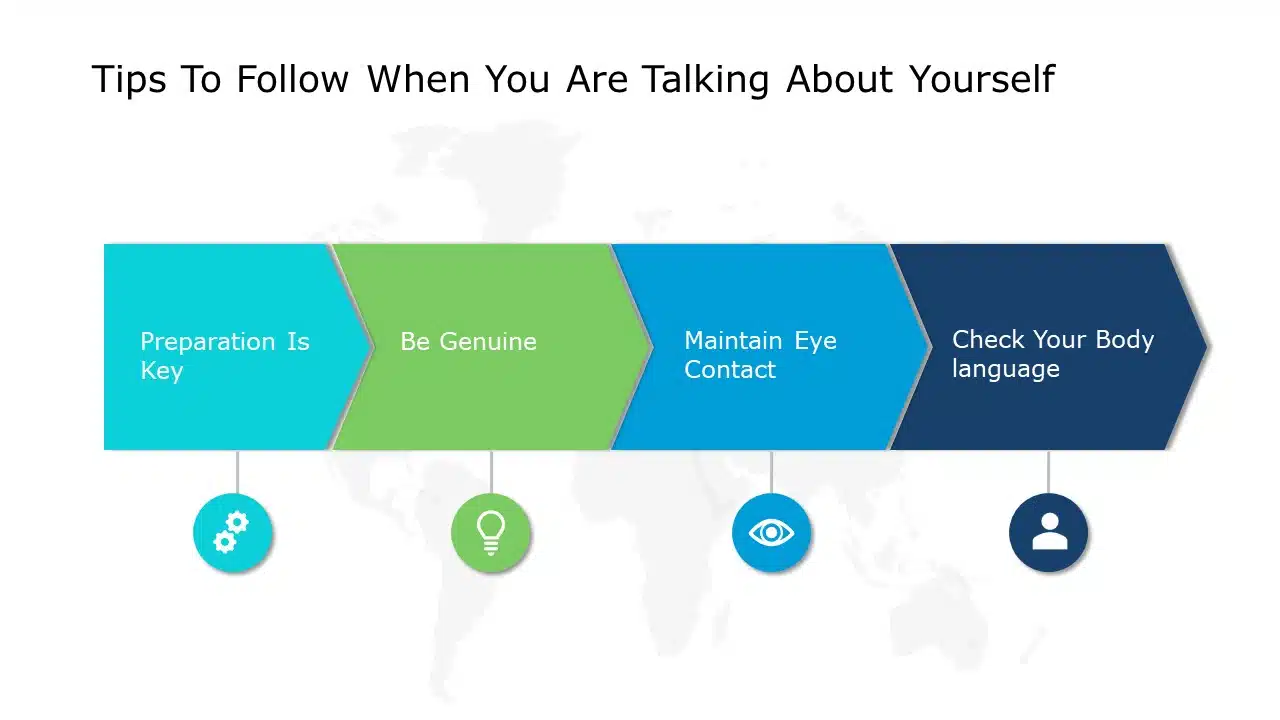
1. Preparation Is Key
Being prepared to introduce yourself is essential, as it’s often the first step when delivering an informative speech, starting a presentation, or attending an interview. Practicing your introduction with family or friends can highlight areas for improvement. This not only boosts your confidence but also ensures your delivery is clear, structured, and engaging.
Record yourself once on your phone — you’ll quickly spot filler words and rushed sentences.
2. Be Genuine
Being genuine and sincere is an important tip when it comes to talking about yourself. Everyone values honesty and sincerity, and being genuine helps build trust between you and others faster.
3. Maintain Eye Contact
Always remember to maintain eye contact when you are talking about yourself. Looking around while talking shows that you are nervous, and it might even look like you are not interested. Always look at your interviewer when speaking, and if you are presenting, then keep looking at everyone, making them feel like you are personally talking to them.
On a video call, look at your camera rather than at the faces on your screen.
4. Keep Your Body Language In Check
When you start talking about yourself, make sure you aren’t speaking too fast, mumbling, or visibly fidgeting, as these can undermine your introduction. Be relaxed and think before you speak, and ensure that your tone is clear and audible; this shows that you are confident and makes you look professional. Also, try to smile or nod from time to time as if you are in a normal conversation.
To build these habits further, read our guide to improving your presentation skills.
How Long Should Your Introduction Last?
There’s no fixed rule, but most professional introductions should last between 30 seconds and a minute. Going much longer risks losing your listener’s attention. Adjust the length to the situation:
| Situation | Suggested length |
|---|---|
| Round-the-table meeting introduction | 10–20 seconds |
| Networking event or elevator pitch | 20–30 seconds |
| Start of a presentation | 30–60 seconds |
| “Tell me about yourself” in an interview | 60–90 seconds |
| Self-introduction email | 4–6 short sentences |
Things To Avoid When Introducing Yourself Professionally
When you think about how to give an introduction about yourself, there are a few things that you need to avoid. They may seem small, but they play a major part in the grand scale of things! These include:
- Don’t recite your resume. Keep your introduction short and sweet (around 30 seconds to a minute).
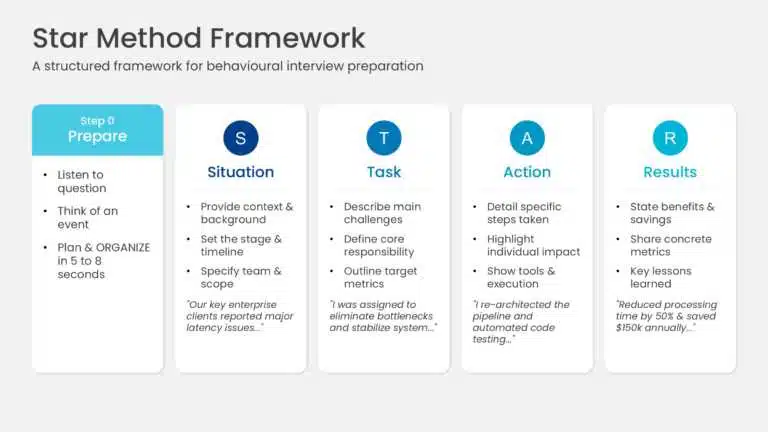
- Don’t just list your skills — back each one with a quick example. The STAR interview method is a simple way to do this.
- Don’t include skills that aren’t relevant to the role, as they can confuse the interviewer.
- Don’t use too much jargon; keep your language clear so everyone can follow.
- Don’t sound flat. Show enthusiasm when talking about yourself — a lack of interest can come across as off-putting.
- Don’t apologize or downplay yourself (“Sorry, I’m bad at this” or “I’m just a junior…”).
- Don’t use the same introduction everywhere — tailor it to the person, event and role.
10 Examples Of How To Introduce Yourself Professionally
To help you understand how a good introduction should sound, here are 10 self-introduction examples for interviews, presentations, meetings, networking and email. Copy the structure, then swap in your own details.
Example 1: Experienced Professional In A Job Interview (SEO Content Writer)
I’m Dylan, a seasoned SEO content writer with a passion for crafting compelling narratives that drive results. With a strong foundation in SEO best practices and a keen eye for detail, I’ve successfully developed and executed content strategies for two years. My experience spans a diverse range of industries, from student accommodation to medicine, where I’ve honed my skills in crafting engaging content across various CMS platforms.
I’m particularly drawn to XYZ Company because of its reputation for multiple growth opportunities. Your commitment to helping people and pushing for growth aligns perfectly with my professional goals. I’m excited to contribute my expertise in SEO and content creation to elevate XYZ Company’s online presence and drive organic growth.
Example 2: Fresher In A Job Interview (Data Analyst)
“Hello everyone, I’m Alisa, a recent graduate with a degree in Computer Science. My passion for data and problem-solving led me to pursue a career in data analysis. While I’m new to the professional world, I’m eager to apply my academic knowledge and analytical skills to real-world challenges.
I’m particularly interested in XYZ Company because of its reputation for data handling and visualization. I believe my strong foundation in statistics, data visualization, and programming languages combined with my enthusiasm for learning will make me a valuable asset to the team.”
Example 3: Career Switcher In A Job Interview
“I’m Kavya, and for the past six years I’ve worked as a high school maths teacher. Planning lessons for more than 150 students taught me how to break complex ideas into simple steps, and last year I completed a certificate in instructional design. Since then, I’ve built two e-learning modules for a local non-profit. I’m now moving into corporate learning and development full-time, and your focus on employee training is exactly the kind of work I want to do.”
Example 4: Opening A Presentation At Work
“Good morning, everyone. How many of you spent more than an hour last week just searching for a file? You’re not alone. I’m Neha Kapoor, and I manage IT operations for our regional offices. Over the past year, my team moved our department onto a single shared-drive system. In the next 15 minutes, I’ll show you what changed, what we learned, and three steps your team can copy.”
Example 5: Opening A Class Or College Presentation
“Hi everyone, I’m Arjun, a second-year economics student. I chose this topic because I worked part-time at a local café last summer and watched our menu prices change three times. Today, I’ll explain what causes inflation, how it affects students like us, and what we can do to plan for it.”
Example 6: Introducing Yourself To A New Team
“Hi everyone, I’m Sara, and I’ve just joined the marketing team as a content strategist. Before this, I spent three years writing for a travel brand, where I ran the company blog and newsletter. Here, I’ll be looking after our blog and customer stories, so if you hear great feedback from a client, please send it my way. I’m looking forward to working with all of you.”
Example 7: Virtual Meeting With A New Client
“Hello everyone, thanks for having me. I’m Mei Lin, and I’m the account manager for your team. I’ll be your main point of contact during onboarding over the next eight weeks. Before we start, I’d love to hear what a successful launch looks like for each of you.”
Example 8: Networking Event (30-Second Version)
“Hi, I’m Omar. I’m a UX researcher, and I help healthcare apps understand why patients stop using them. Most recently, I ran a study with a hospital network that led to a simpler appointment-booking flow. I’m here because I want to meet more people working in digital health — what brings you here?”
Example 9: Self-Introduction Email To A New Colleague
Subject: Introduction – Ananya Rao, new HR business partner for Sales
Hi Mark,
I’m Ananya Rao, and I’ve just joined as the HR business partner for the sales team. I’ll be supporting hiring, onboarding and performance reviews for your region, so we’ll be working closely together.
Before joining, I spent five years in HR at a retail company, where I helped set up a new onboarding programme for store managers.
Would you have 15 minutes this week for a quick call? I’d love to understand your team’s priorities for the next quarter.
Best regards,
Ananya
Example 10: Short Professional Bio (LinkedIn Or Company Website)
“I’m a chartered accountant with eight years of experience in audit and financial planning for manufacturing companies. I currently lead a team of five at a mid-sized firm, where I help clients prepare for audits and plan their cash flow. Outside work, I mentor commerce students preparing for their professional exams.”
Fill-In-The-Blank Templates For Introducing Yourself
Copy the template that fits your situation and replace the words in brackets.
Template 1: Job Interview (“Tell Me About Yourself”)
“I’m currently a [job title] at [company], where I [main responsibility]. Before that, I [relevant past role or education], where I [achievement with a result]. I’m now looking to [career goal], which is why this [role] at [company] really interests me.”
Template 2: Opening A Presentation
“[Hook: a question, fact or short story]. I’m [name], [role] at [company or school]. I’ve [one credential related to the topic]. In the next [X] minutes, I’ll cover [point 1], [point 2] and [point 3], so you’ll leave knowing [what the audience gains].”
Template 3: Meeting Or New Team
“Hi everyone, I’m [name], and I’ve just joined as [role] on the [team name] team. I’ll be working on [main focus], so feel free to reach out about [topic]. I’m looking forward to working with you.”
Template 4: Networking (30 Seconds)
“Hi, I’m [name]. I’m a [role] who helps [type of people or companies] [solve which problem]. Recently, I [one achievement]. I’m here to [your goal for the event] — what brings you here?”
Template 5: Self-Introduction Email
Subject: Introduction: [Your name], [role] at [company]
“Hi [Name], I’m [your name], [role] at [company]. I’m reaching out because [reason]. [One line of relevant background]. Would you be open to a [15-minute call / quick chat] this week? Best regards, [Your name] | [Phone] | [LinkedIn URL]” Want to present your introduction visually? Browse our self-introduction templates.
About Me PowerPoint Templates To Introduce Yourself
SlideUpLift has a wide range of About Me PowerPoint templates for interviews, presentations and team introductions. All of them work in PowerPoint and Google Slides. Here are some of our favourites:
Interview Resume Presentation PowerPoint Template
An animated deck, including a professional qualifications slide, to walk interviewers through your background.

About Me Slide PowerPoint Template
A single slide with room for your photo, a short bio and five key highlights — ideal for one-slide introductions.

Resume PowerPoint Template
A one-page resume slide with your photo, about section, education, skills and work experience.

Professional Resume Slide
A resume slide covering experience, education, skills, interests, career objective and contact details.

Fun About Me Slide
An illustrated slide with sections for your introduction, skills and expertise, achievements and professional goals — great for team meetings and classrooms.
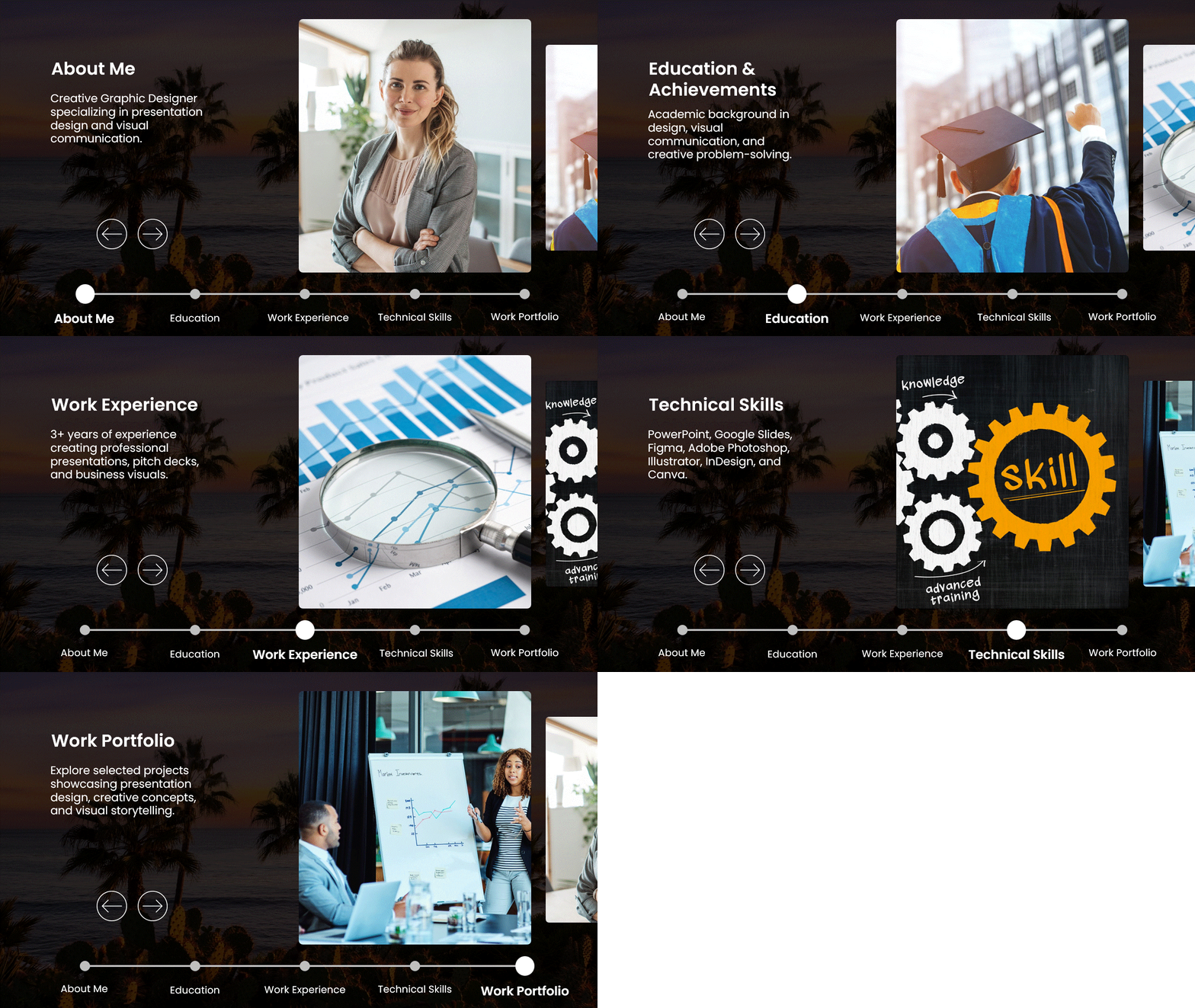
Animated About Me PowerPoint Slide
An animated slide with tabs for About Me, Education, Work Experience, Technical Skills and Work Portfolio.
Why Hire Me Presentation Template
A circular five-reason layout to close an interview presentation with the strongest reasons to hire you.
Final Thoughts
A professional introduction doesn’t need to be long or perfect — it needs to be clear, relevant and confident. Start with who you are today, add one or two highlights from your past, and finish with where you’re headed. Practise it out loud a few times, tailor it to each situation, and use one of our About Me PowerPoint templates when you want your introduction to look as good as it sounds.
FAQs
-
How do you introduce yourself professionally?
Greet the person, say your name and current role, share one or two relevant achievements, and end with your goal or why you’re there. Keep it to 30–60 seconds.
-
What is the typical format for a self-introduction?
Most self-introductions follow a present-past-future format: who you are now (name and role), how you got here (relevant experience or education), and what’s next (your goal or reason for being there).
-
How do I introduce myself professionally to my coworkers?
Share your name, your new role and team, what you’ll be working on, and how they can reach you. Follow up with a short email or team-channel message and set up quick one-to-one chats in your first week.
-
How do I introduce myself in a presentation?
Open with a hook, then state your name, role and why you’re qualified to speak on the topic. Finish with a one-line preview of what the audience will learn.
-
How do I give a self-introduction in an online interview?
Use the same structure as an in-person interview, but look at the camera while speaking, check your audio and lighting beforehand, and keep your background simple.
-
How do I do a 2-minute self-introduction?
Use the present-past-future structure with more detail in each part: about 30 seconds on your current role, about a minute on two or three key experiences or achievements, and about 30 seconds on your goals and why you’re interested in the opportunity.
-
Are there any things I should avoid when talking about myself?
Yes. Avoid reciting your whole resume, using too much jargon, over-sharing personal details, sounding unenthusiastic, avoiding eye contact and slouching.
-
How long should an introduction last?
Most professional introductions should last 30 seconds to a minute. A “tell me about yourself” interview answer can run 60–90 seconds, while a quick meeting introduction should take 10–20 seconds.
Table Of Content


Related posts from the same category

4 Jul, 2025 | SlideUpLift
Why Your Conclusion Slide Matters—And How To Get It Right
Picture this: You've delivered an amazing presentation. Great start solid middle... but then... the ending just... flops. The energy drains. People shuffle out, already thinking about lunch. Sad, isn't it?
![Best Professional Presentation Examples To Inspire You [+ Premium Templates]](https://slideuplift.com/wp-content/uploads/2023/08/Best-professional-powerpoint-examples.jpg "Best Professional Presentation Examples To Inspire You [+ Premium Templates]")
22 Aug, 2024 | SlideUpLift
Best Professional Presentation Examples To Inspire You [+ Premium Templates]
It’s crucial for professionals to deliver outstanding and engaging presentations that convey essential information to their teams and stakeholders. Most professional PowerPoint themes are the backbone of corporate presentations and

6 Jan, 2021 | SlideUpLift
How To Start a Presentation : Make A Strong First Impression
Presenting well requires preparation, and the first step is mastering the art of the opening statement. You may pique your audience's curiosity by crafting a captivating introduction to your presentation.

27 Sep, 2023 | SlideUpLift
15 Bad PowerPoint Slides Examples to Avoid
This blog shows common bad PowerPoint slide examples and explains why they fail to engage audiences. It highlights mistakes like too much text, poor colors, and cluttered layouts. The guide

6 Feb, 2026 | SlideUpLift
How To Make A Professional PowerPoint Presentation With Practical Tips
This blog shows how to make professional presentations with clear structure, engaging visuals, and effective delivery. It highlights using AI tools like ChatGPT and Copilot with ready-made templates to quickly

14 Feb, 2023 | SlideUpLift
How to Make a Presentation: A Step-by-Step Guide
Quick answer: To make a presentation, work in this order — (1) write your one-sentence takeaway before you open any software, (2) outline your slides as plain text, (3) set

13 Sep, 2023 | SlideUpLift
How to Write a Presentation: Outline, Script & Examples
Quick Answer To write a presentation, work in this order: (1) write your message as one full sentence with a verb, (2) build an outline of 3–5 main points before

23 Aug, 2024 | SlideUpLift
The Best PowerPoint Presentation Examples To Get Inspired By!
Engaging presentations are the secret sauce of effective communication. They bring life to your ideas and transform information into inspiration. They are the heartbeat of any memorable message, connecting with
22 Jul, 2024 | SlideUpLift
10 Best Financial Presentation Examples For PowerPoint
Presenting large data in a concise format in a presentation is just as important as it affects the efficiency of your business decision-making process. To make your work easy, we

7 Sep, 2023 | SlideUpLift
How to Hire a Presentation Designer?
Presentations have a special power, whether used in business, education, or public speaking. They can enlighten, convince, incite any information. An effective presentation is the key to winning over stakeholders,