 Fall Sale
  Flat 40% off on our Unlimited Access Yearly Membership plan!

Cool PowerPoint Templates
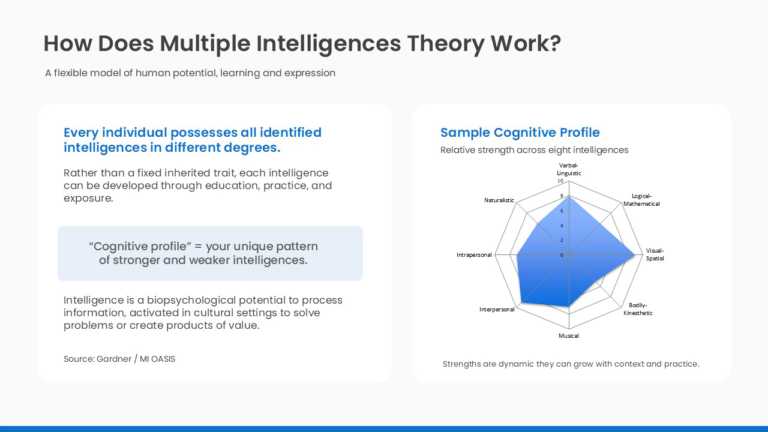
The Dashboard PowerPoint Template is designed to present multiple intelligences assessment results and learning profiles using a structured dashb....


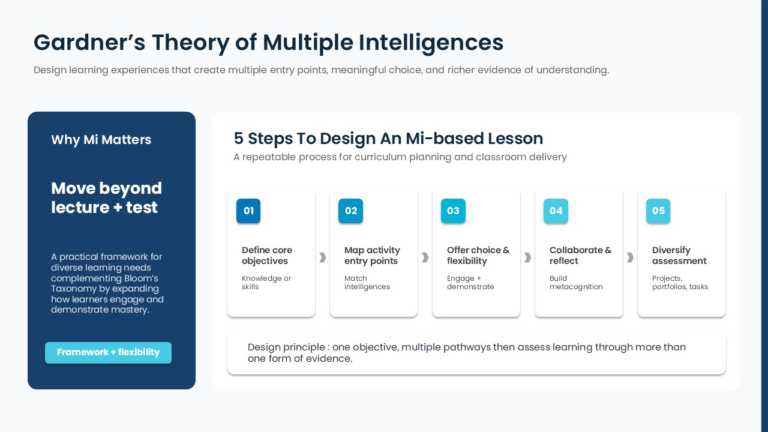
The Framework PowerPoint Template is designed to present instructional strategies based on multiple intelligences using a structured infographic ....
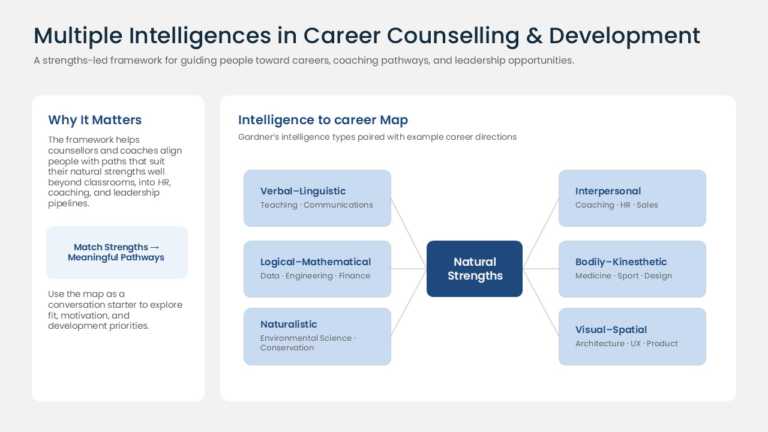
The Diagram PowerPoint Template is designed to present the relationship between multiple intelligences and career pathways using a structured dia....
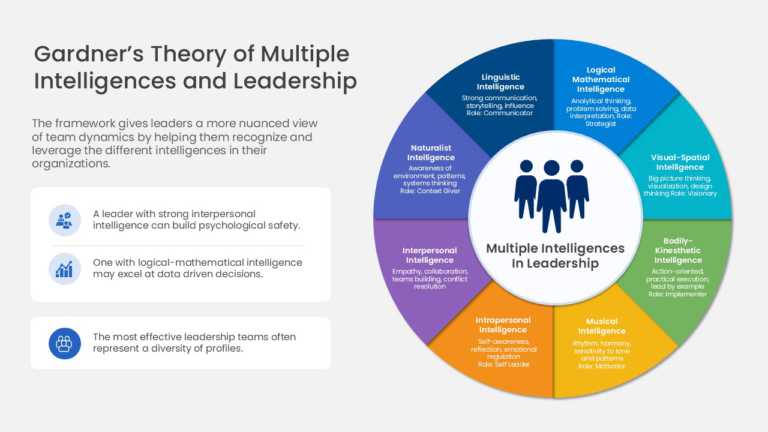
The Leadership PowerPoint Template is designed to present leadership competencies and multiple intelligence concepts using a structured wheel dia....

The Presentation Theme is designed to present project management concepts, planning activities, and project updates using coordinated presentatio....
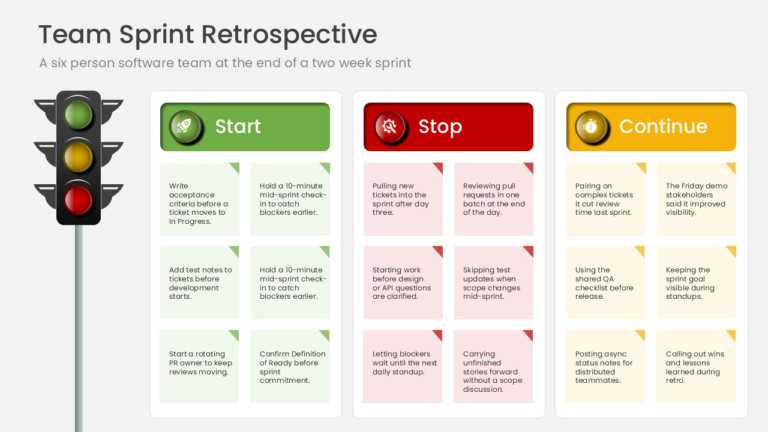
The Presentation Template is designed to facilitate sprint retrospectives and team feedback sessions using the Start, Stop, Continue framework. I....
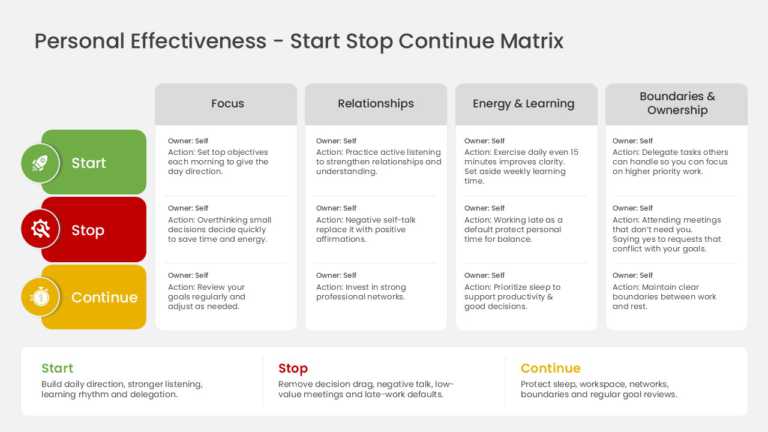
The Personal Development Start Stop Continue Presentation Template is designed to facilitate personal reflection, performance reviews, and develo....
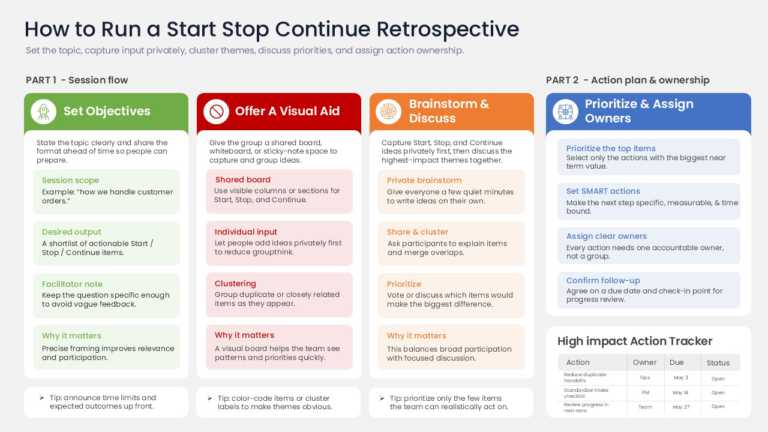
This PowerPoint Template is designed to present feedback, retrospectives, and continuous improvement discussions using a structured Start, Stop, ....
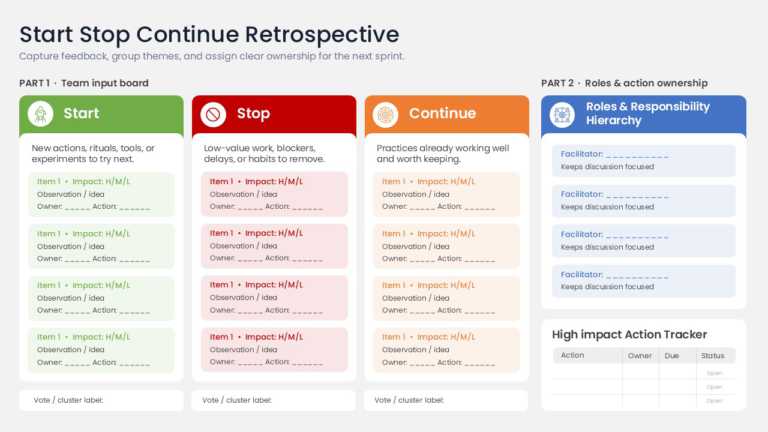
This PowerPoint Template is designed to facilitate team retrospectives and feedback sessions using the Start, Stop, Continue framework. It helps ....
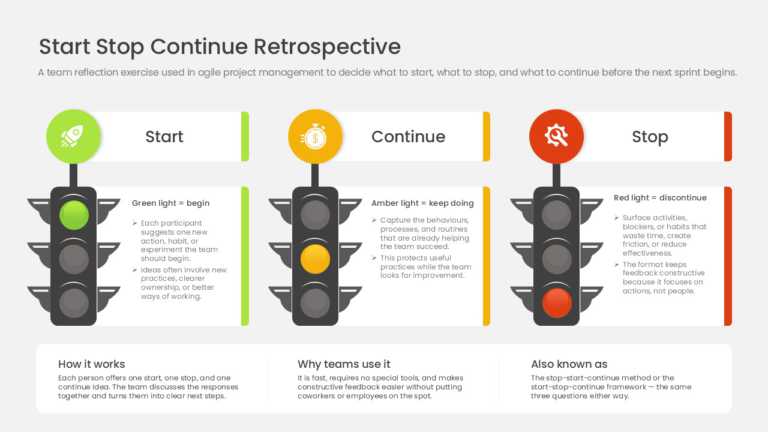
This PowerPoint Template is designed to facilitate agile retrospectives and continuous improvement discussions using the Start, Stop, Continue fr....
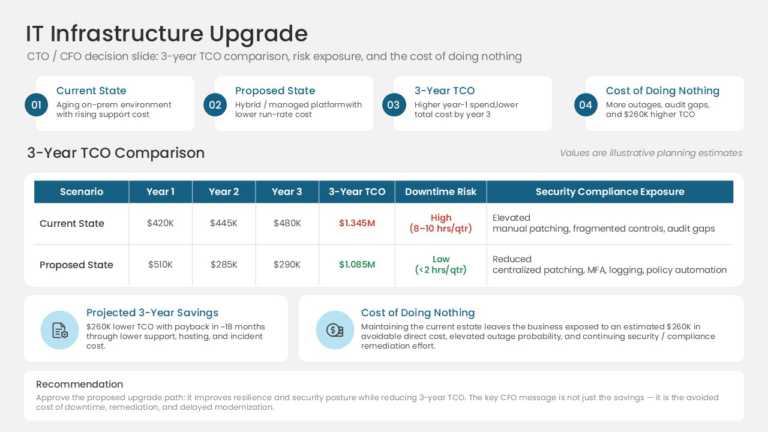
The IT Infrastructure Cost Benefit Analysis Presentation Template is designed to present the costs, benefits, and financial impact of IT infrastr....

The Animated Template is designed to introduce team members, roles, and responsibilities using animated slides with structured profile layouts. I....
How To Make Cool PowerPoint Slides?
Infographics are probably the best way to make your business presentations more attractive and attention-grabbing. It results in increased engagement as compared to other visual media. And also make sure to choose the font size appropriately, use strong contrast with the text, and try not to use too much text and too many colors on your PowerPoint slides.
How to make Cool PowerPoint presentation?
To make your presentations more appealing and memorable you need cool backgrounds, simple transitions, clean fonts, & attractive graphics to make the presentation more engaging.
Here are a few ways to make a cool presentation,
- Use a consistent theme
- Use more images & less text
- Use animations to highlight each bullet point
- Convey one message in each slide
- Use 2/4/8 rule - The 2/4/8 rule is-don't spend more than 2 minutes on a one slide, don't use more than 4 bullets per slide, and no more than 8 words per bullet.