 Fall Sale
  Flat 40% off on our Unlimited Access Yearly Membership plan!

Cool PowerPoint Templates

The Business Presentation Appendix PowerPoint And Google Slides Template helps users present supporting data, methodology, and source documentati....


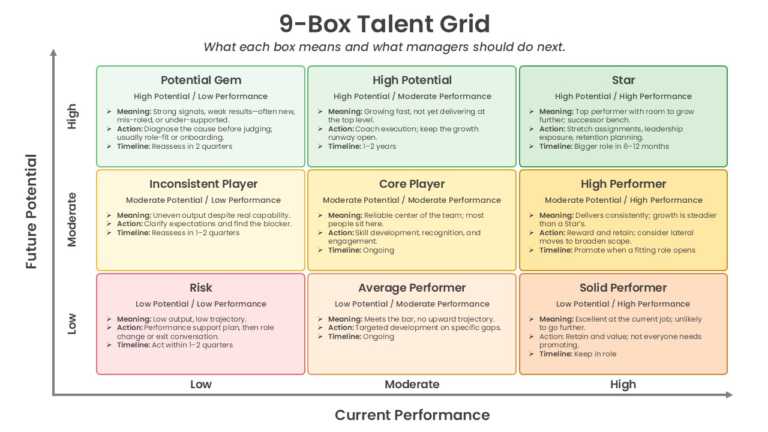
The Animated PowerPoint Template is designed to present employee performance and potential assessments using an animated 9-box grid framework. It....
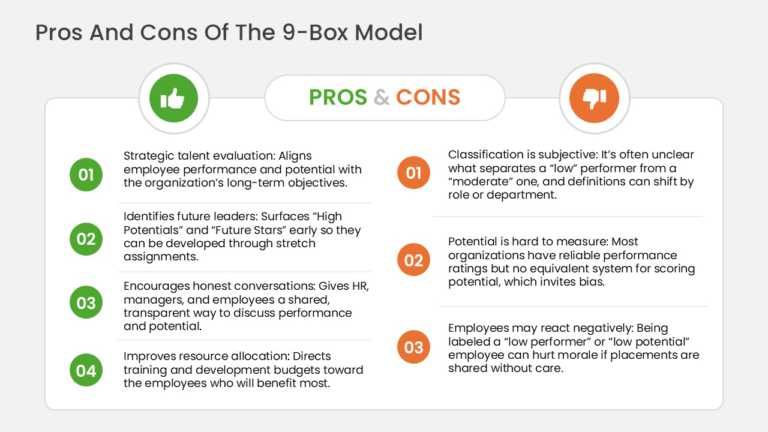
The Pros and Cons Slide PowerPoint Template is designed to present the advantages and limitations of the 9-box talent matrix using a structured c....

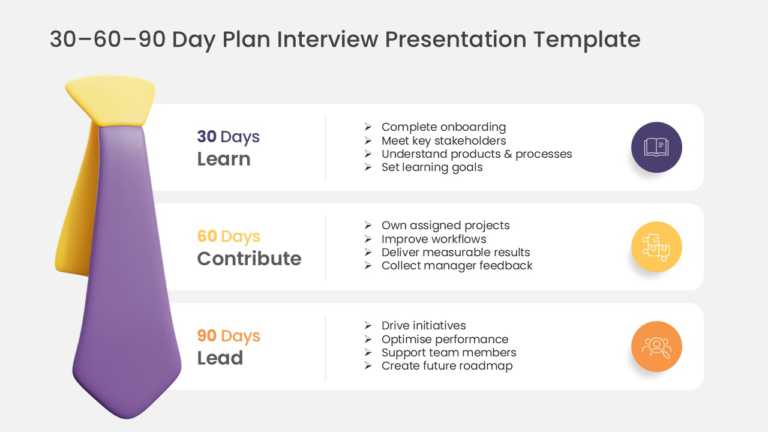
The Free PowerPoint Template is designed to present interview onboarding plans, role-specific objectives, and action items across the first 30, 6....
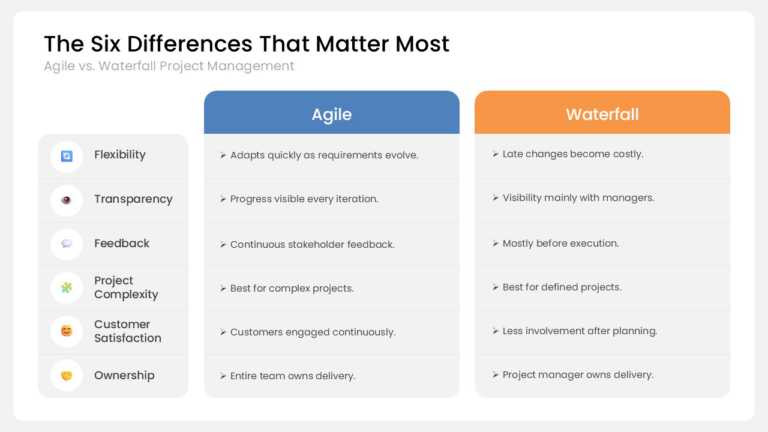
The PowerPoint Template is designed to compare Agile and Waterfall project management methodologies using a structured matrix layout. It helps pr....
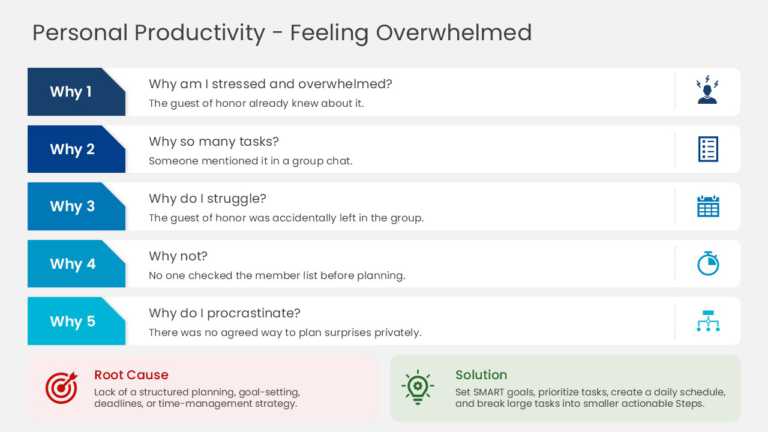
The PowerPoint Template is designed to present root cause analysis using the proven 5 Whys methodology in a concise one-page layout. It helps qua....

The PowerPoint Template is designed to present the 5 Whys root cause analysis method through structured training and problem-solving layouts. It ....

The Animated PowerPoint Template is designed to present environmental topics, sustainability initiatives, and climate-related concepts using coor....

The Presentation Template is designed to present sustainable business strategies, environmental initiatives, and business plans using structured ....
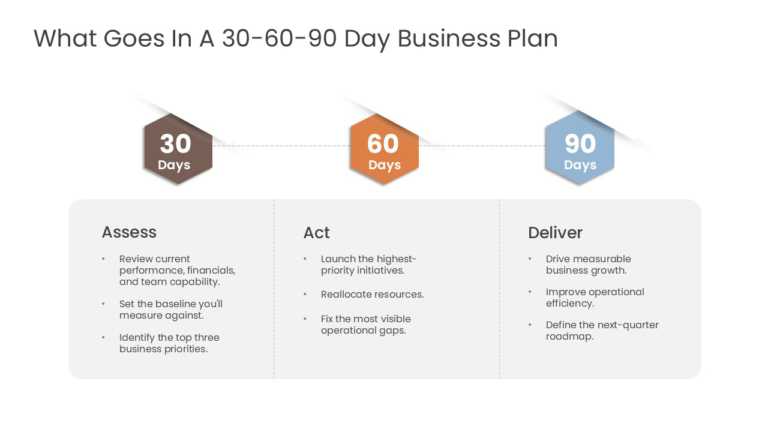
The PowerPoint Template is designed to present business goals, priorities, and action plans across the first 30, 60, and 90 days using structured....

The Presentation Template is designed to deliver project management training through structured presentation layouts covering key concepts, proce....
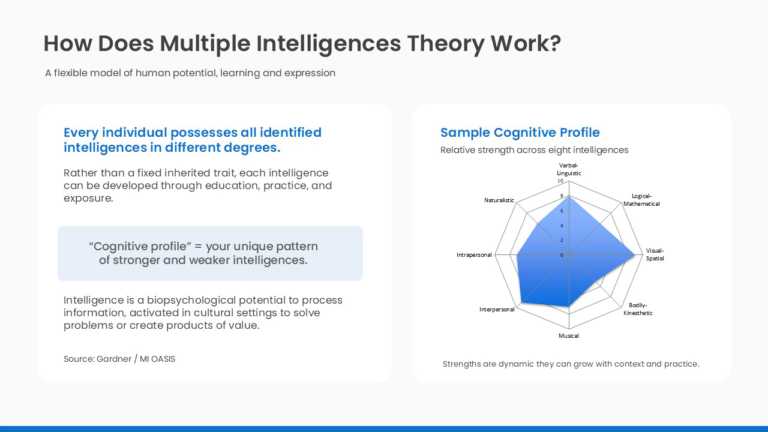
The Dashboard PowerPoint Template is designed to present multiple intelligences assessment results and learning profiles using a structured dashb....
How To Make Cool PowerPoint Slides?
Infographics are probably the best way to make your business presentations more attractive and attention-grabbing. It results in increased engagement as compared to other visual media. And also make sure to choose the font size appropriately, use strong contrast with the text, and try not to use too much text and too many colors on your PowerPoint slides.
How to make Cool PowerPoint presentation?
To make your presentations more appealing and memorable you need cool backgrounds, simple transitions, clean fonts, & attractive graphics to make the presentation more engaging.
Here are a few ways to make a cool presentation,
- Use a consistent theme
- Use more images & less text
- Use animations to highlight each bullet point
- Convey one message in each slide
- Use 2/4/8 rule - The 2/4/8 rule is-don't spend more than 2 minutes on a one slide, don't use more than 4 bullets per slide, and no more than 8 words per bullet.