

 Flat 1


9 Types of Presentation You Must Know (+ Tips)
The blog explains nine key types of presentations—from informative, demonstrative, and persuasive to instructional, inspirational, entertaining, sales/pitch, status/progress, and educational/training—clarifying their purposes and when to use each for effective communication; it also offers practical guidance on choosing the right format and delivering with clarity to engage audiences and achieve specific goals.
Introduction
Are you tired of giving the same old boring presentation, using the same format every time? Have you ever wondered if there are different types of presentations to achieve different objectives?
If any of these questions resonate with you, this blog is the perfect resource.
In today’s world, presentations are an essential part of almost every profession. At some point in your life, whether you are a student, business professional, or teacher, you will have to deliver a presentation. But do you know there are different types of presentations, each with a specific purpose and objective?
This blog will cover all the essential types of presentation that you should be familiar with. We will explain each type, its purpose, and some tips to deliver it effectively.
Let us delve into the different types of presentations and explore them together.
Why Do We Need Different Types of Presentations
- Different goals require different approaches: Presentations may aim to inform, persuade, train, inspire, or sell. Each objective needs a specific structure and delivery style to be effective.
- Audiences have different expectations: Executives, clients, students, and teams consume information differently. Choosing the right presentation type ensures the content matches their needs and attention span.
- Content varies in complexity: Data-heavy topics need informative formats, while processes require demonstrative or instructional presentations for clarity and understanding.
- Engagement levels differ by context: Some situations require interaction and discussion, while others demand concise, one-way communication. Presentation types help balance engagement appropriately.
- Decision-making vs. learning needs: Persuasive and sales presentations support decision-making, while educational and training presentations focus on knowledge transfer and skill-building.
- Time and setting matter: Short meetings, workshops, virtual meetings, and conferences all demand different presentation formats to deliver the message effectively.
- Better clarity and retention: Matching the presentation type to the purpose improves comprehension, retention, and audience response.
Different presentation types are needed to align communication goals, audience expectations, content complexity, and context—ensuring clearer messages, stronger engagement, and better outcomes.
What are the Different Types of PowerPoint Presentations
To effectively communicate ideas and information, it is important to understand the different types of presentations and the purpose of your presentation, which can be used for different audiences. Below is a list of different types of presentations:
- Informative Presentations
- Demonstrative Presentations
- Persuasive Presentations
- Instructional Presentations
- Inspirational Presentations
- Entertaining Presentations
- Sales Presentations and Pitch Presentations
- Status, Progress, and Problem-Solution Presentations
- Educational and Training Presentations
Let’s explore them one by one:
- Informative Presentations
- Definition: An informative presentation is created to share knowledge, facts, data, or clear explanations about a topic. The main purpose is to help the audience understand something better, not to persuade or sell. These presentations focus on accuracy, clarity, and structured information, making complex ideas easier to digest.
- When to Use
- Sharing company performance or business results
- Presenting research findings or survey data
- Explaining complex information in a simple way
- Updating leadership or stakeholders with factual insights
- Communicating industry trends or market analysis
- Common Examples
- Quarterly or annual business review
- Market research or competitor analysis deck
- Product or service overview presentation
- Financial or operational report presentation

- Demonstrative Presentations
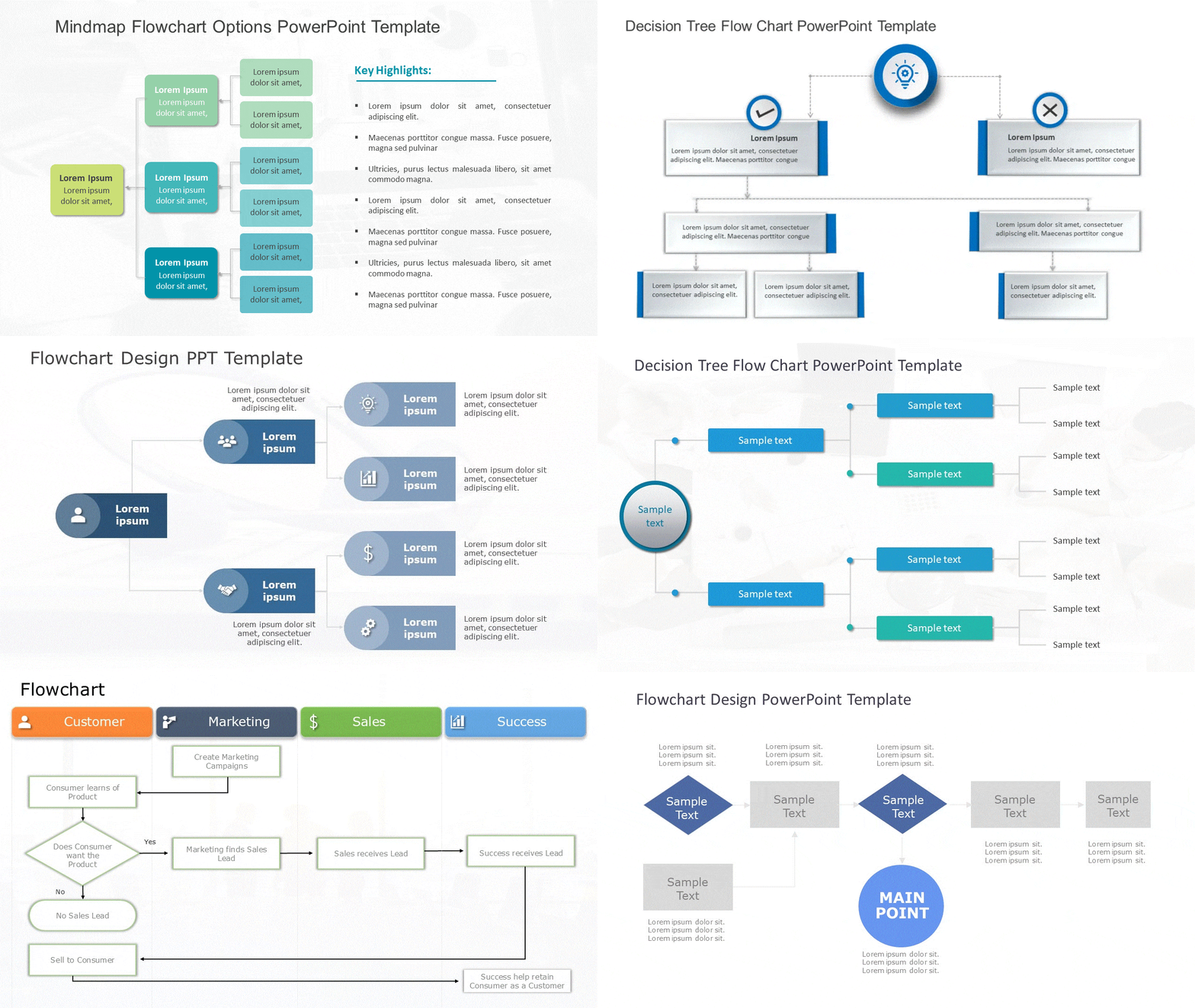
- Definition: A demonstrative presentation is designed to show how something works rather than just talk about it. It focuses on visual explanation, step-by-step guidance, and real use cases so the audience can clearly see a process, product, or system in action.
- When to Use
- Showing how to use a product or tool
- Explaining a workflow or internal process
- Launching new software or features
- Training users on practical tasks
- Helping audiences understand “how it works.”
- Common Examples
- Product demo presentation
- Software walkthrough slides
- Process flow or system overview deck
- Feature explanation presentation
- Persuasive Presentations
- Definition: A persuasive presentation is built to influence the audience’s thinking, opinion, or decision. It combines facts, logic, storytelling, and emotion to convince listeners to agree with an idea or take a specific action.
- When to Use
- Proposing new ideas or strategies
- Requesting budget or resource approval
- Driving organizational or cultural change
- Convincing investors or stakeholders
- Gaining support for decisions or initiatives
- Common Examples
- Business proposal presentation
- Strategy recommendation deck
- Change management presentation
- Investor or stakeholder pitch

- Instructional Presentations
- Definition: An instructional presentation is created to teach the audience how to complete a task or follow a process correctly. It focuses on clarity, sequence, and learning outcomes, ensuring the audience knows exactly what to do and how to do it.
- When to Use
- Training employees on new tools or systems
- Explaining company processes or policies
- Teaching step-by-step workflows
- Standardizing how tasks are performed
- Reducing mistakes through clear instructions
- Common Examples
- Employee onboarding presentation
- How-to or SOP training deck
- Tool or system training slides
- Internal process documentation

- Inspirational Presentations
- Definition: An inspirational presentation is designed to motivate, energize, and emotionally connect with the audience. Instead of focusing heavily on data, it emphasizes vision, purpose, stories, and ideas that encourage people to think bigger or feel inspired to act.
- When to Use
- Inspiring teams during growth or change
- Communicating the company vision or mission
- Leadership or motivational talks
- Kicking off major initiatives or events
- Boosting morale and engagement
- Common Examples
- Leadership keynote presentation
- Vision and values deck
- Motivational or culture presentation
- Town hall or all-hands talk

- Entertaining Presentations
- Definition: An entertaining presentation focuses on keeping the audience engaged, relaxed, and interested while still delivering a message. It often uses visuals, humor, storytelling, or interaction to make the content enjoyable and memorable.
- When to Use
- Making informal sessions more engaging
- Breaking the ice in meetings or workshops
- Increasing audience attention and participation
- Adding fun to internal or external events
- Keeping energy high during long sessions
- Common Examples
- Team-building presentation
- Company event or celebration deck
- Quiz or interactive presentation
- Fun recap or highlight slides

- Sales Presentations and Pitch Presentations
- Definition: Sales and pitch presentations are designed to convince an audience to buy, invest, or say yes to an idea. They focus on value, benefits, solutions, and outcomes rather than just features.
- When to Use
- Pitching products or services to clients
- Presenting solutions to customer problems
- Raising funds or attracting investors
- Demonstrating competitive advantages
- Closing deals or partnerships
- Common Examples
- Sales pitch deck
- Investor pitch presentation
- Product or service sales deck
- Startup demo presentation

- Status, Progress, and Problem-Solution Presentations
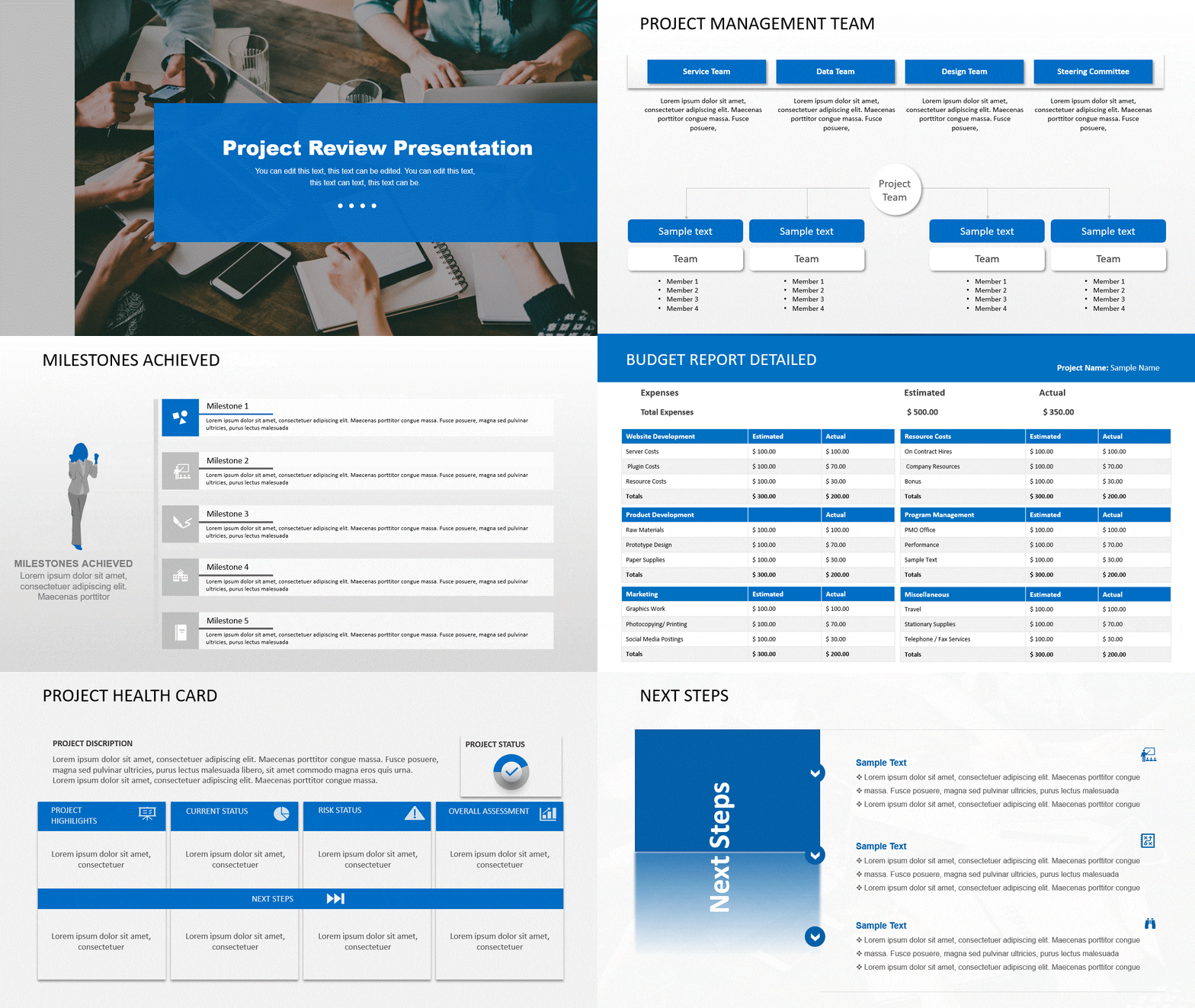
- Definition: These presentations are used to report current status, track progress, and highlight problems along with solutions. The goal is transparency, alignment, and clear decision-making.
- When to Use
- Reporting project progress to stakeholders
- Reviewing milestones and timelines
- Highlighting risks or blockers
- Discussing issues and proposed solutions
- Aligning teams on next steps
- Common Examples
- Project status update presentation
- Progress review deck
- Problem–solution presentation
- Risk or issue escalation slides
- Educational and Training Presentations
- Definition: Educational and training presentations are structured to help people learn new concepts, skills, or frameworks. They are detailed, well-organized, and focused on long-term understanding rather than quick updates.
- When to Use
- Conducting corporate training programs
- Teaching new skills or concepts
- Running workshops or seminars
- Supporting long-term learning initiatives
- Sharing best practices and frameworks
- Common Examples
- Employee training presentation
- Workshop or seminar slides
- Learning module deck
- Professional development presentation

Comparison of Different Types of Presentations
| Presentation Type | Primary Goal | Key Element | Best For |
| Informative Presentations | Share facts, data, or knowledge clearly | Structured information and accuracy | Business reports, updates, briefings, and data sharing |
| Demonstrative Presentations | Show how something works | Step-by-step visuals and examples | Product demos, process explanations, software walkthroughs |
| Persuasive Presentations | Influence opinions or decisions | Logical arguments and emotional appeal | Proposals, strategy approvals, stakeholder buy-in |
| Instructional Presentations | Teach how to perform a task or process | Clear instructions and learning flow | Leadership talks, vision sharing, and company events |
| Inspirational Presentations | Motivate and energize the audience | Vision, stories, and emotional connection | Leadership talks, vision sharing, and company events |
| Entertaining Presentations | Engage and hold attention | Visuals, humor, and interaction | Team events, icebreakers, informal meetings |
| Sales Presentations and Pitch Presentations | Sell a product, service, or idea | Value proposition and problem–solution story | Client pitches, investor decks, deal closing |
| Status, Progress, and Problem-Solution Presentations | Share updates and address challenges | Clear status, metrics, and action plans | Project reviews, stakeholder updates, and issue resolution |
| Educational and Training Presentations | Build knowledge and develop skills | Structured learning and practice | Workshops, courses, and employee training programs |
How to Choose the Right Type of Presentation for Your Audience?
Use this checklist to quickly determine the best presentation type based on your audience, goals, and context.
1. Define Your Presentation Objective
Before choosing a presentation type, clearly identify your goal.
Ask yourself:
- Are you trying to inform your audience with facts or data?
- Do you want to persuade them to agree or take action?
- Are you aiming to teach or train a specific skill or process?
- Is the goal to motivate or inspire?
- Are you trying to sell, pitch, or propose something?
Your objective determines whether you need an informative, persuasive, instructional, inspirational, or sales presentation.
2. Understand Your Audience
Knowing your audience helps you select the right format and tone.
Check the following:
- What is their knowledge level (beginner, intermediate, expert)?
- What are their expectations from this presentation?
- Do they prefer data-driven, visual, or story-based content?
- Are they decision-makers, learners, or general listeners?
Matching your presentation type to audience preferences increases engagement and retention.
3. Analyze Your Content Complexity
Your content should guide how your presentation is structured.
Consider:
- Is the content fact-heavy or conceptual?
- Does it require a step-by-step explanation?
- Can visuals simplify the message?
- Should information be broken into sections or phases?
Complex content works best with instructional or demonstrative presentations, while high-level ideas suit informative or inspirational formats.
4. Evaluate Time Constraints
Time plays a major role in choosing the right presentation style.
Ask:
- How much time do you have to present?
- Can the message be delivered clearly within that time?
- Do you need a quick overview or a detailed explanation?
Short timeframes favor focused, informative, or persuasive presentations, while longer sessions allow for training or interactive formats.
5. Decide the Level of Audience Interaction
Determine how actively your audience should participate.
Consider:
- Will there be questions or discussions?
- Are polls, demos, or group activities required?
- Is the presentation one-way or collaborative?
High interaction works best with instructional, training, or entertaining presentations.
6. Use Visuals Strategically
Visuals should support your message, not replace it.
Check if your presentation needs:
- Charts or graph for data explanation
- Diagrams for processes or workflows
- Images or videos for storytelling
- Slide-based structure for clarity
The right visuals enhance understanding and make presentations more memorable.
7. Align with the Presentation Setting
The environment affects tone, style, and delivery.
Ask:
- Is the setting formal or informal?
- Is it in-person, virtual, or hybrid?
- Is the audience internal or external?
Business meetings suit structured formats, while workshops and events allow more flexible or engaging presentation types.
8. Stay Flexible and Adaptable
Even with planning, adjustments may be needed.
Be prepared to:
- Change pace based on audience response
- Simplify explanations if needed
- Skip or expand sections based on time
Flexibility ensures your message lands effectively, even when conditions change.
Final Quick Check
If your objective, audience, content, time, and setting align, you’ve chosen the right presentation type. Right match = better engagement, clearer communication, stronger impact.
Virtual vs Hybrid Presentations: Comparison Table
| Aspect | Virtual Presentations (Webinars) | Hybrid Presentations (Mixed Audience) |
| Audience Type | Fully remote audience | A combination of in-person and remote audience |
| Primary Goal | Deliver clear, engaging content to online participants | Engage both in-room and remote audiences equally |
| Key Challenge | Maintaining attention and interaction online | Balancing experience for two audience types |
| Technology Used | Video conferencing platforms, screen sharing, chat tools | Cameras, microphones, conferencing tools, and room setup |
| Audience Engagement | Polls, chat, Q&A, reactions | Live Q&A, moderator-managed interaction, digital feedback |
| Slide Design | Large fonts, minimal text, high contrast visuals | Slides are readable both on screens and in the room |
| Interaction Management | The presenter manages engagement directly | Dedicated moderator manages questions and flow |
| Presenter Focus | Camera presence and clear online delivery | Switching attention between in-person and remote groups |
| Setup Requirements | Tech check for audio, video, and internet | Tech check plus room audio-visual coordination |
| Best For | Webinars, online training, virtual meetings | Town halls, conferences, and workshops with mixed attendance |
Virtual presentations focus on engaging remote audiences using interactive tools and clear visuals, while hybrid presentations require careful planning and technology to create an inclusive experience for both in-person and remote participants.
Delivery Methods for Effective Presentations
The way you deliver a presentation can be just as important as the content itself. Choosing the right delivery method helps you communicate your message clearly, connect with your audience, and present with confidence. Different delivery styles suit different situations, content types, and comfort levels.
When selecting a delivery method, consider how complex your content is, how much interaction you want, and how confident you feel speaking without a script. Understanding the strengths of each method allows you to choose the most effective approach for your presentation.
Extemporaneous Delivery
- What It Is: An extemporaneous presentation is delivered using an outline or brief notes rather than a full script. The speaker speaks naturally, adapting to the audience and the moment.
- Why It Works
- Sounds conversational and engaging
- Allows flexibility and audience interaction
- Helps build a stronger connection with listeners
- Best Used For
- Business presentations
- Classroom lectures
- Conferences and meetings
- How to Prepare
- Practice your key points out loud
- Rehearse using bullet notes, not full sentences
- Record yourself or practice with a friend to refine your delivery
Manuscript Delivery
- What It Is: A manuscript presentation involves reading directly from a fully written script. Every word is planned in advance to ensure accuracy and consistency.
- Why It Works
- Ensures precise wording
- Reduces the risk of saying the wrong thing
- Ideal for formal or sensitive situations
- Best Used For
- Official announcements
- Legal or compliance presentations
- Policy statements or press briefings
- How to Improve Delivery
- Practice reading the script multiple times
- Add notes for pauses, emphasis, and tone
- Look up frequently to maintain eye contact with the audience
Memorized Delivery
- What It Is: A memorized presentation requires committing the entire presentation to memory and delivering it without notes or a script.
- Why It Works
- Allows full eye contact
- Appears confident and polished
- Keeps the presentation focused and concise
- Best Used For
- Short, high-impact presentations
- Product pitches
- Formal introductions or speeches
- Tips for Success
- Focus on understanding ideas, not memorizing word-for-word
- Practice delivering the message in different ways
- Build familiarity to reduce anxiety and increase confidence
Impromptu Delivery
- What It Is: An impromptu presentation is delivered with little or no preparation. It often happens unexpectedly and relies on quick thinking.
- Why It Works
- Demonstrates confidence and adaptability
- Shows strong communication skills
- Can feel authentic and natural
- Best Used For
- Q&A sessions
- Team discussions
- On-the-spot updates or responses
- How to Handle Impromptu Speaking
- Pause briefly to gather your thoughts
- Use a simple structure: point → example → takeaway
- Use time-buying phrases like “That’s a great question” to stay composed
Effective presentation delivery depends on choosing the right method—extemporaneous for flexibility, manuscript for precision, memorized for impact, and impromptu for spontaneity.
What Are Some Common Presentation Mistakes to Avoid?
Across all presentation types, certain mistakes consistently reduce clarity, engagement, and impact. Avoiding these common issues helps ensure your message is understood, remembered, and acted upon.
- Lack of Clear Purpose
- One of the most common mistakes is starting a presentation without a clear goal. When the objective isn’t defined, the content feels scattered and unfocused.
- Avoid this by: Clearly deciding whether your goal is to inform, persuade, teach, inspire, or sell before creating slides.
- Overloading Slides with Information
- Crowded slides filled with text, charts, or data overwhelm the audience and distract from your message.
- Avoid this by: Using concise points, strong visuals, and speaking the details instead of placing everything on the slide.
- Ignoring the Audience
- Presentations fail when they don’t consider the audience’s knowledge level, interests, or expectations.
- Avoid this by: Tailoring your language, examples, and depth of content to your audience.
- Poor Structure and Flow
- Jumping between topics without a clear structure makes presentations hard to follow.
- Avoid this by: Organizing content with a clear beginning, middle, and end, and guiding the audience through each section.
- Weak Visual Design
- Inconsistent layouts, small fonts, and low-quality visuals reduce credibility and comprehension.
- Avoid this by: Using clean slide layouts, readable fonts, and visuals that support your message.
- Reading Directly from Slides
- Reading slides word-for-word disengages the audience and lowers impact.
- Avoid this by: Using slides as prompts while delivering the message naturally.
- Lack of Engagement
- Presentations that don’t involve the audience often lose attention quickly.
- Avoid this by: Asking questions, encouraging discussion, or using interactive elements where appropriate.
- Poor Time Management
- Trying to cover too much in a limited amount of time leads to rushed or incomplete delivery.
- Avoid this by: Prioritizing key points and adjusting content to fit the available time.
- Weak Closing or No Clear Takeaway
- Ending without a summary or next step leaves the audience unsure of what to remember or do.
- Avoid this by: Closing with a clear takeaway, conclusion, or call to action.
Common presentation mistakes include unclear objectives, overloaded slides, poor structure, weak visuals, lack of engagement, and missing takeaways. Avoiding these improves clarity, confidence, and audience impact.
Wrapping It Up
Understanding the different kinds of presentations, including common presentation types, is crucial for delivering an impactful and compelling message. By knowing the forms of presentation and their specific goals, you can tailor your content and delivery to achieve your desired outcome.
Whether you’re looking to inform, demonstrate, persuade, instruct, inspire, or entertain, the key is to know your audience and engage them through your content and delivery. By implementing the tips for each type of presentation, you can create a powerful and engaging presentation using presentation software that leaves a lasting impression.
Remember, practice makes perfect. Take the time to rehearse and refine your presentation to ensure you deliver it confidently and clearly.
FAQs
-
What are some effective ways to begin and end a presentation?
An effective presentation begins with a strong hook, such as a surprising statistic, a short story, or a thought-provoking question. This immediately captures attention and establishes relevance.
To end a presentation effectively, summarize the main points, reinforce the core message, and close with a clear call to action, takeaway, or memorable quote to leave a lasting impression.
-
How can I make my presentation more engaging and interactive?
You can make any presentation more engaging by using clear visuals, real-world examples, and audience interaction. Incorporate images, charts, or short videos to support key points.
Interactive elements such as live polls, Q&A sessions, small group discussions, or audience questions help maintain attention and improve retention.
-
How do I improve my presentation skills?
Improving presentation skills starts with regular practice. Rehearse out loud, record yourself, and review pacing, clarity, and body language.
Seeking feedback from peers and observing skilled presenters can also help you refine storytelling, confidence, and delivery over time.
-
How do I handle a Q&A session effectively?
To handle a Q&A session effectively, prepare in advance by listing likely questions and practicing concise answers.
During the session, listen carefully, pause before responding, and answer clearly. If you don’t know an answer, it’s best to say you’ll follow up later rather than guess.
-
What are the main types of presentations and their key characteristics?
The main types of PowerPoint presentations include informative, persuasive, demonstrative, instructional, inspirational, and sales presentations.
Each type serves a different purpose but relies on clear structure, relevant visuals, and audience-focused communication to be successful.
-
Can you give examples of presentations used in business settings?
Common business presentations include sales and pitch presentations, project status updates, training sessions, strategy briefings, and problem-solution presentations.
These presentations focus on clarity, data visualization, and actionable insights to support decision-making.
-
How do informative and persuasive presentations differ?
Informative presentations focus on educating the audience by presenting facts, data, and explanations clearly.
Persuasive presentations aim to influence opinions or decisions by emphasizing benefits, addressing objections, and appealing to logic or emotion.
-
Which type of presentation is best for educational purposes?
Informative and instructional presentations are best suited for educational and training purposes.
They break complex information into structured sections, use visual aids, and often include interaction to support learning and retention.
-
Are there specific presentation types recommended for virtual meetings?
Virtual presentations are most effective when content is concise, visually clear, and interactive.
Using polls, chat features, Q&A tools, and minimal slide text helps maintain engagement and reduces screen fatigue in online meetings.
-
How do you choose the right type of presentation for your audience?
To choose the right presentation type, consider your goal and your audience’s needs. Use informative or instructional presentations for learning, persuasive or pitch presentations for influence, and status or problem-solution presentations for decision-making.



Related posts from the same category

8 Jan, 2026 | SlideUpLift
How to Prepare for a Presentation: A Simple Guide for Beginners
This blog explains how to prepare for a presentation step by step. It covers goal setting, content structuring, slide design, practice, and handling questions. Beginners can also learn common challenges,

7 Jul, 2025 | SlideUpLift
PowerPoint Shortcuts: The Beginner-to-Pro Keyboard Cheat Sheet
PowerPoint is one of the most powerful tools for creating presentations. However, working in PowerPoint can become time-consuming, especially when you have to click through menus for every small task.

10 Nov, 2021 | SlideUpLift
PowerPoint Presentation Tips: How to Make a Good PowerPoint Presentation
A well-crafted PowerPoint presentation can have a lasting impact on your audience. However, creating an effective presentation can be daunting, especially if you are unsure how to make it engaging

24 Apr, 2025 | SlideUpLift
Boost Your Presentation Skills: Tips for Better Results
This blog explains how to boost your presentation and public speaking skills with practical tips for planning, practicing, and delivering more engaging talks. It covers key areas like audience awareness,

8 Feb, 2022 | SlideUpLift
Ten Presenting Styles : What Kind Are You?
Do you feel nervous when it comes to public speaking? Don’t worry; you’re not alone. Do you know that according to research, one of the biggest phobias in 2014 was

20 Aug, 2021 | SlideUpLift
Storytelling Tips to Change the Way You Present Ideas
A piece of oft-given advice surrounding making presentations is that in order to engage an audience, your presentation and speech need to have a narrative. And we wholeheartedly agree with

6 Jan, 2026 | SlideUpLift
Presentation Tips for Structuring Messages and Effective Storytelling
This blog breaks down practical presentation tips to help you plan, design, and deliver slides that truly stand out. It covers how to simplify text, use visuals effectively, and maintain

25 Mar, 2019 | SlideUpLift
15 PowerPoint Hacks You Didn’t Know for More Effective Presentations
Quick Answer: The most useful PowerPoint hacks include playing a video continuously behind your content, using Sections and Summary Zoom for smooth navigation, applying Morph transitions, embedding fonts before sharing,

6 Feb, 2026 | SlideUpLift
How To Make A Professional PowerPoint Presentation With Practical Tips
This blog shows how to make professional presentations with clear structure, engaging visuals, and effective delivery. It highlights using AI tools like ChatGPT and Copilot with ready-made templates to quickly
4 Jul, 2025 | SlideUpLift
Why Your Conclusion Slide Matters—And How To Get It Right
Picture this: You've delivered an amazing presentation. Great start solid middle... but then... the ending just... flops. The energy drains. People shuffle out, already thinking about lunch. Sad, isn't it?