 Fall Sale
  Flat 40% off on our Unlimited Access Yearly Membership plan!

Cool PowerPoint Templates

Craft compelling visual narratives using this all encompassing tool tailored for risk management purposes.You can utilize this template that boas....


Enhance your presentations with a look using this crafted Hanukkah PowerPoint template! Designed to commemorate the Festival of Lights, in style ....

Share a message using this design tailored for team gatherings! With its contemporary structure, in place this presentation slide enables you to ....

Check out this template tailored for keeping track of conference meeting notes effectively and engagingly.The appealing design simplifies the pro....
Enhance your presentation with this engaging cover template influenced by the essence for a unique touch that captivates attention right from the....

Enhance your meetings with this crafted onboarding template that is tailored to elevate the experience, for clients seamlessly navigating through....

Easily break down concepts using this captivating rebranding strategy template! Created to assist you in expressing your brands evolution; this p....
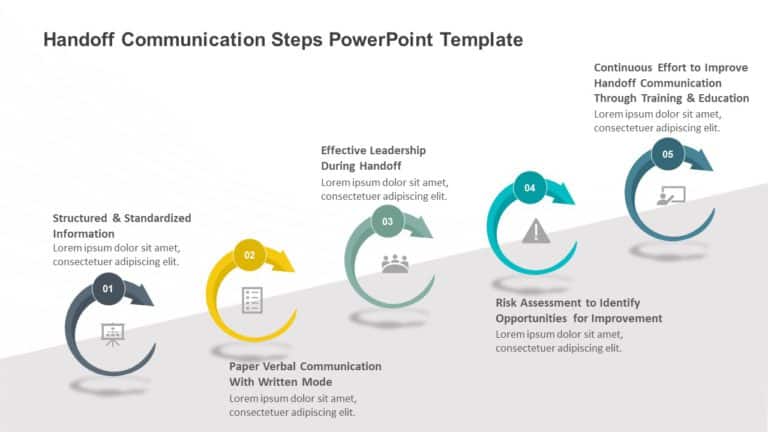
Create a story using this manual on efficient communication handovers.Your go to tool, for enhancing the exchange of information. Perfect for hea....

Enhance your effectiveness with this crafted presentation tool that simplifies your handover approaches effortlessly.The layout of this template ....

Elevate your data with this all template created to develop data backup plans effectively! With a sleek and contemporary design, on each slide to....

Backup & Recovery Presentation Template Use this Backup & Recovery PowerPoint template to create visually appealing presentations in an....

Make complex concepts easier to grasp using this guide tailored for tactics. This appealing blueprint includes a defined and vibrant design that ....
How To Make Cool PowerPoint Slides?
Infographics are probably the best way to make your business presentations more attractive and attention-grabbing. It results in increased engagement as compared to other visual media. And also make sure to choose the font size appropriately, use strong contrast with the text, and try not to use too much text and too many colors on your PowerPoint slides.
How to make Cool PowerPoint presentation?
To make your presentations more appealing and memorable you need cool backgrounds, simple transitions, clean fonts, & attractive graphics to make the presentation more engaging.
Here are a few ways to make a cool presentation,
- Use a consistent theme
- Use more images & less text
- Use animations to highlight each bullet point
- Convey one message in each slide
- Use 2/4/8 rule - The 2/4/8 rule is-don't spend more than 2 minutes on a one slide, don't use more than 4 bullets per slide, and no more than 8 words per bullet.