 Fall Sale
  Flat 40% off on our Unlimited Access Yearly Membership plan!

Cool PowerPoint Templates

Easily craft engaging slides using this diagram of overlapping circles tailored for comparing and contrasting ideas effectively! With its eye cat....


Elevate your presentations using the Pentagon Training Framework template for powerful communication! Tailored for professionals, in training and....

Showcase your ideas using this captivating infographic tailored for training and development sessions. This design template incorporates a gradie....

This template is great, for team meetings as it provides an interesting way to showcase the link between causes and outcomes in any process analy....
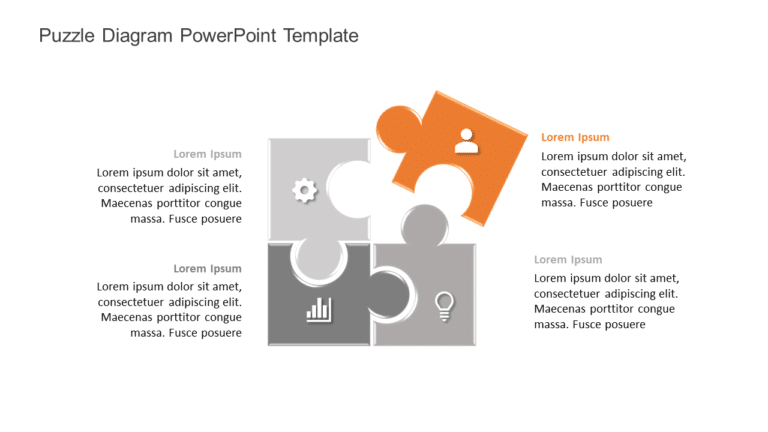
Enhance your business concepts with a puzzle infographic that visually links your ideas together seamlessly ! This template is crafted to assist ....

Make a statement with this incident response plan template, for cybersecurity and risk management professionals. This visually appealing slide hi....

Craft compelling visual narratives using this all encompassing project management template! Crafted to enhance your project organization process ....

Create a story using this appealing budget pricing proposal template that aims to simplify intricate financial details.This slide boasts a design....

Make sharing information with this stylish and contemporary pricing plan comparison template that features a theme for a sophisticated look and f....

Simplify sharing information using this format tailored for strategic projects. A template, with a sleek and contemporary look that employs a liv....

Enhance your influence using this captivating template crafted to showcase growth and advancement visually. With a color scheme of teal and purpl....

Enhance the look of your presentations using this captivating hexagon features template that effectively highlights steps or features in a visual....
How To Make Cool PowerPoint Slides?
Infographics are probably the best way to make your business presentations more attractive and attention-grabbing. It results in increased engagement as compared to other visual media. And also make sure to choose the font size appropriately, use strong contrast with the text, and try not to use too much text and too many colors on your PowerPoint slides.
How to make Cool PowerPoint presentation?
To make your presentations more appealing and memorable you need cool backgrounds, simple transitions, clean fonts, & attractive graphics to make the presentation more engaging.
Here are a few ways to make a cool presentation,
- Use a consistent theme
- Use more images & less text
- Use animations to highlight each bullet point
- Convey one message in each slide
- Use 2/4/8 rule - The 2/4/8 rule is-don't spend more than 2 minutes on a one slide, don't use more than 4 bullets per slide, and no more than 8 words per bullet.