 Fall Sale
  Flat 40% off on our Unlimited Access Yearly Membership plan!

Cool PowerPoint Templates
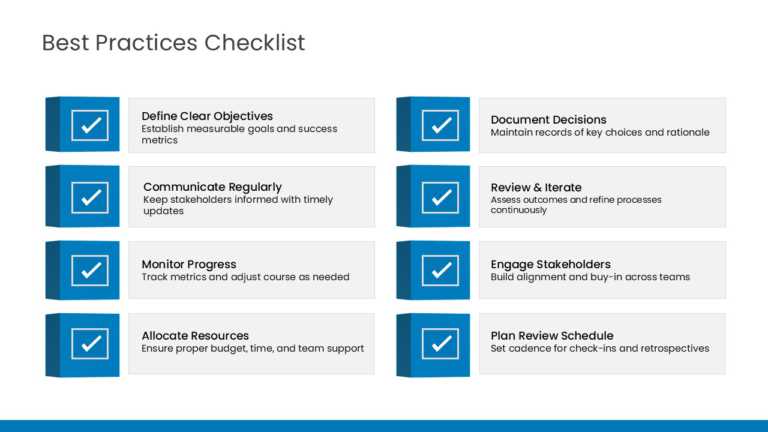
Eight checklist cards, each marked with a bold checkmark icon, lay out project execution best practices in a grid. The cards cover practices such....


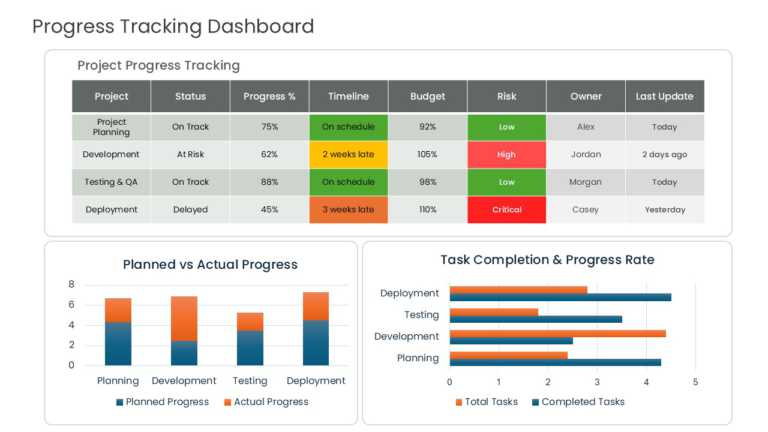
Planned and actual progress sit side by side in a multi-column dashboard table. Columns track task status, percent complete, schedule adherence, ....
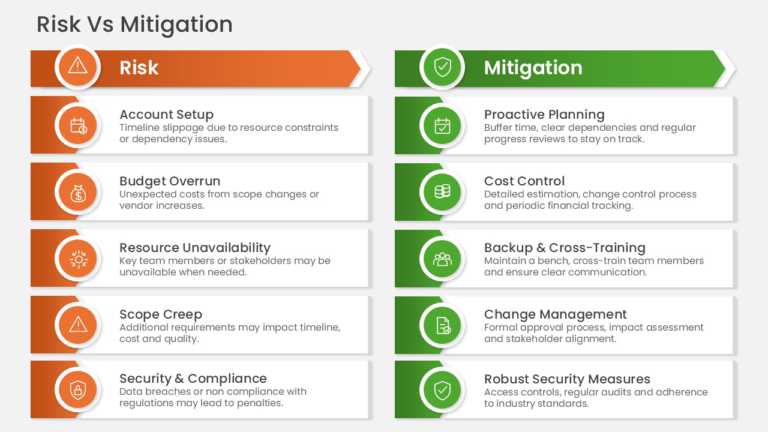
Two columns pair five project risks with their mitigation actions in a side-by-side comparison table. Rows address schedule slippage, budget over....
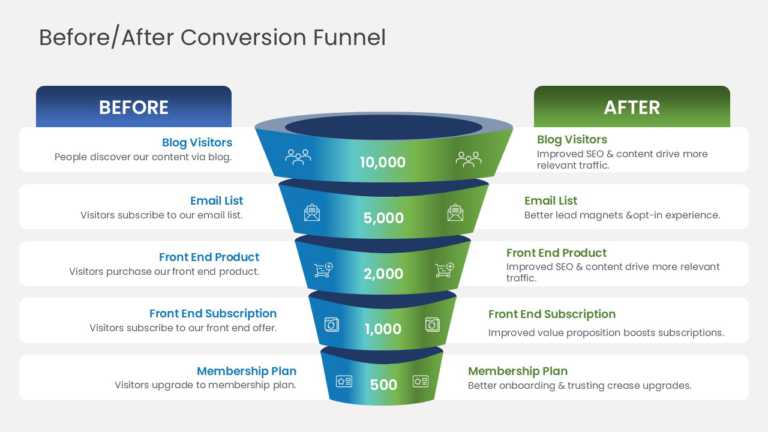
Baseline and optimized conversion paths are compared across a five-stage funnel diagram. Stages run from blog visitors and email subscribers to f....
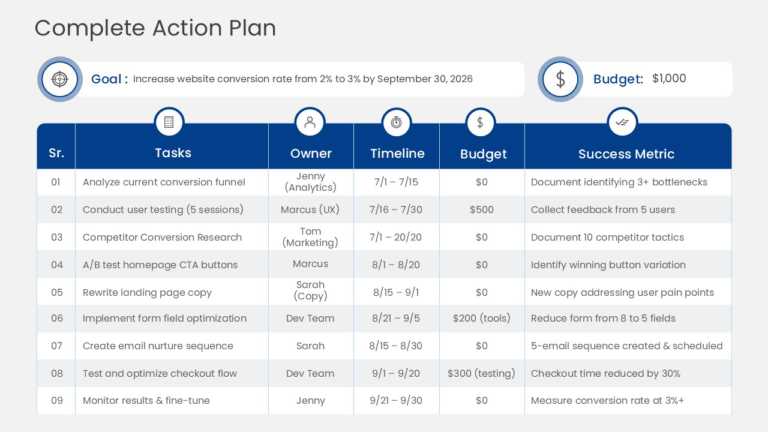
Strategic goals appear in a top banner, and a structured table below breaks them into actionable tasks. Columns capture task description, owner, ....
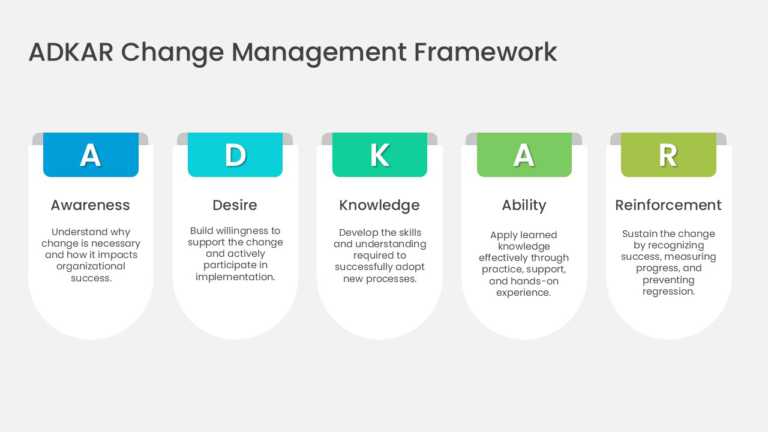
The ADKAR Change Management 5 Card Framework PowerPoint And Google Slides Template helps users explain the five elements required to support succ....
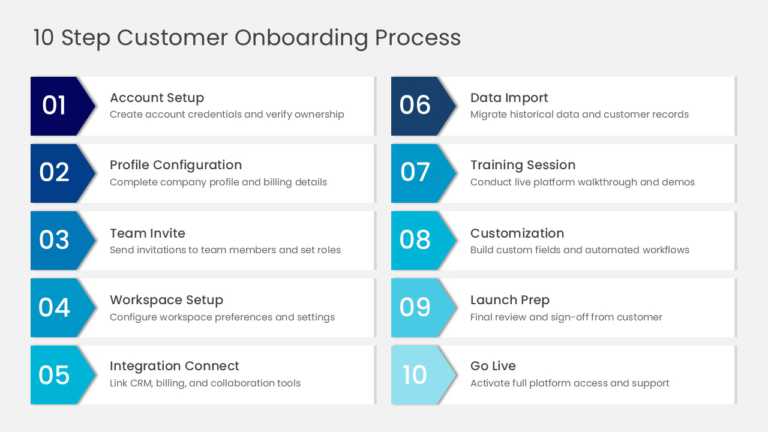
The 10 Step Customer Onboarding Workflow PowerPoint And Google Slides Template helps users present a structured customer onboarding journey from ....
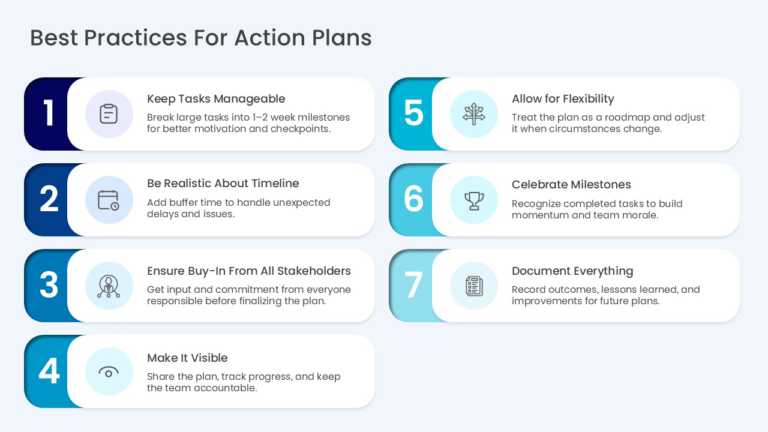
The Best Practices List Infographic PowerPoint And Google Slides Template helps users communicate practical guidelines for creating and managing ....
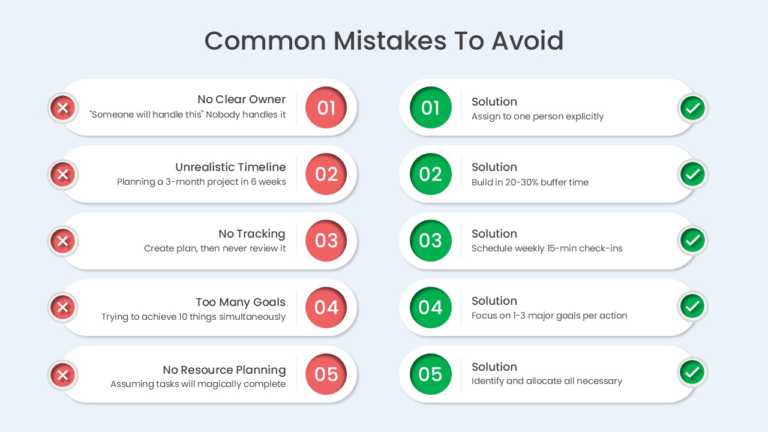
The Mistakes And Solutions 5 Row Comparison PowerPoint And Google Slides Template helps users identify common planning mistakes and present pract....
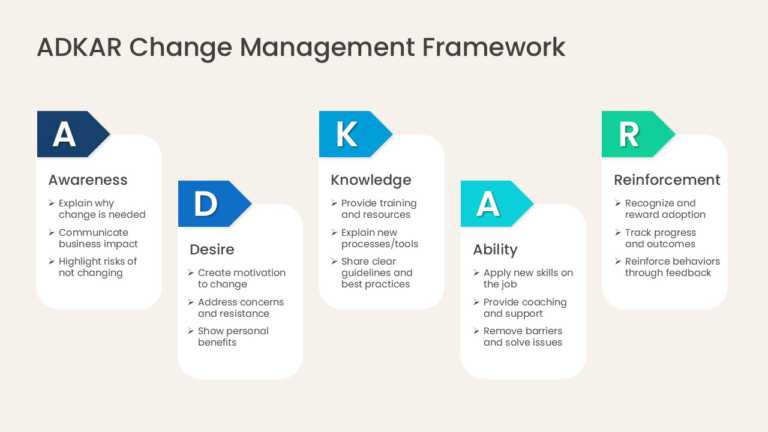
The ADKAR Model 5 Stage Process PowerPoint And Google Slides Template helps users present the ADKAR model as a clear sequence for guiding individ....
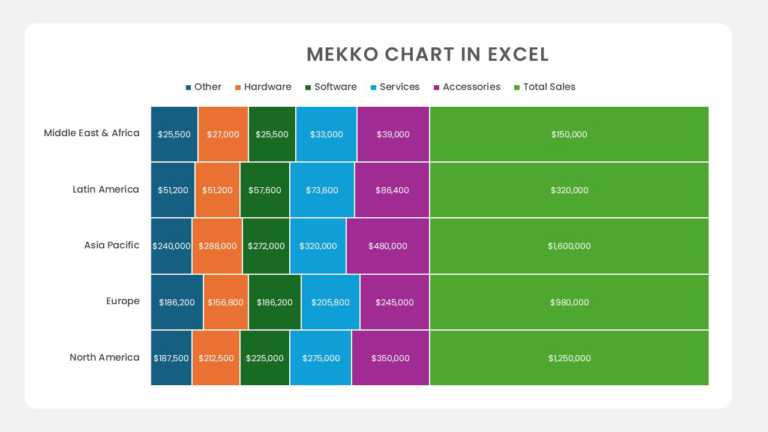
The Regional Product Sales Mekko Chart PowerPoint And Google Slides Template helps users compare product sales across multiple regions and unders....
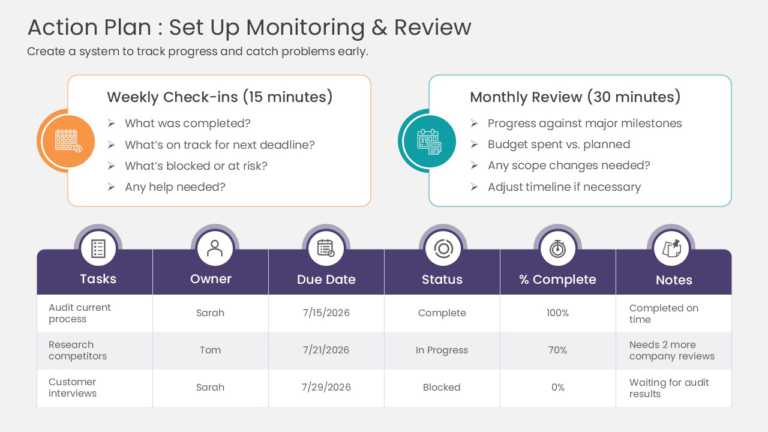
The Project Monitoring and Review Framework PowerPoint And Google Slides Template helps users track action plan progress, review task performance....
How To Make Cool PowerPoint Slides?
Infographics are probably the best way to make your business presentations more attractive and attention-grabbing. It results in increased engagement as compared to other visual media. And also make sure to choose the font size appropriately, use strong contrast with the text, and try not to use too much text and too many colors on your PowerPoint slides.
How to make Cool PowerPoint presentation?
To make your presentations more appealing and memorable you need cool backgrounds, simple transitions, clean fonts, & attractive graphics to make the presentation more engaging.
Here are a few ways to make a cool presentation,
- Use a consistent theme
- Use more images & less text
- Use animations to highlight each bullet point
- Convey one message in each slide
- Use 2/4/8 rule - The 2/4/8 rule is-don't spend more than 2 minutes on a one slide, don't use more than 4 bullets per slide, and no more than 8 words per bullet.