 Fall Sale
  Flat 40% off on our Unlimited Access Yearly Membership plan!

Cool PowerPoint Templates

HR SWOT Analysis PowerPoint Template A SWOT analysis is performed by a professional or a business to understand its strengths, weaknesses, opport....


Project Team SWOT Analysis template is a project management tool that helps project managers showcase their team’s strengths, weaknesses, opportu....

Self SWOT Analysis Template is a blue-gray-themed template that helps you visualize and communicate your strengths, weaknesses, opportunities, an....

Wow your audience, by using this agenda format that is crafted to improve the flow of your presentations! The layout showcases a color palette th....

Craft compelling visual narratives using this captivating SWOT analysis template! Featuring a hexagonal design aesthetic that enables you to effe....

SWOT analysis is an effective tool used to evaluate where a business stands and to create strategies for growth and improvement. Our SWOT Analysi....

SWOT is an analytical framework that helps individuals, working professionals, and businesses understand their capabilities and the areas they ne....

Create a storyline, with this slide crafted for training sessions focused on skill enhancement.The design of this template is contemporary and po....

Show off to stakeholders with this SWOT analysis chart template that’s sure to impress them all ! Use this tool to showcase your strengths ....

Craft compelling visual narratives using this SWOT analysis grid template! Tailored for professionals, in the world to effectively showcase the s....

Detailed Agenda PowerPoint & Google Slides Template The Detailed Agenda PowerPoint & Google Slides Template is a perfect choice for organ....
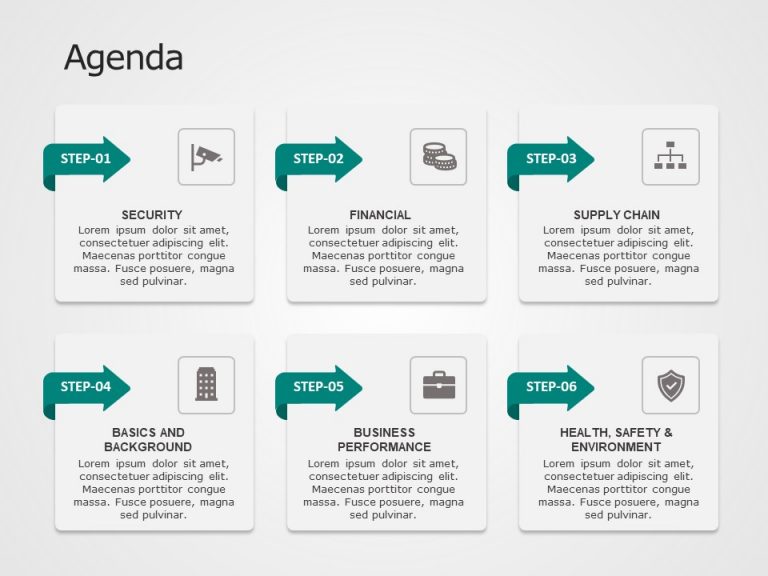
Agenda 6 Steps PowerPoint & Google Slides Template A well-organized and efficient management structure is essential for any business to succe....
How To Make Cool PowerPoint Slides?
Infographics are probably the best way to make your business presentations more attractive and attention-grabbing. It results in increased engagement as compared to other visual media. And also make sure to choose the font size appropriately, use strong contrast with the text, and try not to use too much text and too many colors on your PowerPoint slides.
How to make Cool PowerPoint presentation?
To make your presentations more appealing and memorable you need cool backgrounds, simple transitions, clean fonts, & attractive graphics to make the presentation more engaging.
Here are a few ways to make a cool presentation,
- Use a consistent theme
- Use more images & less text
- Use animations to highlight each bullet point
- Convey one message in each slide
- Use 2/4/8 rule - The 2/4/8 rule is-don't spend more than 2 minutes on a one slide, don't use more than 4 bullets per slide, and no more than 8 words per bullet.