 Fall Sale
  Flat 40% off on our Unlimited Access Yearly Membership plan!

Cool PowerPoint Templates
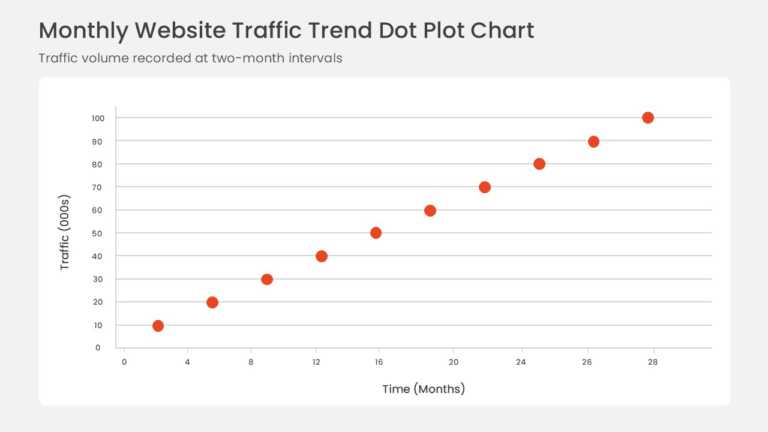
Data points plotted on horizontal and vertical axes form a scatter plot with a fitted linear trendline. The rising pattern shows a positive corre....


Opportunities are positioned on a bubble chart by market attractiveness and competitive position, and bubble size adds a third measure for revenu....
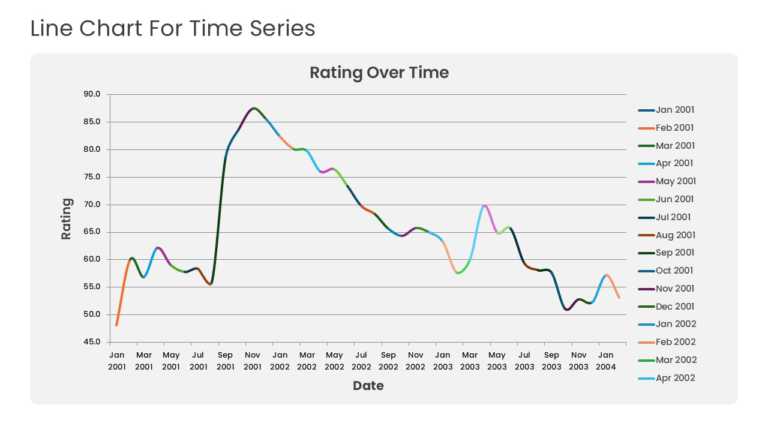
Multiple years of historical data run across a time-series line graph with point markers and gridlines. The layout highlights baseline momentum, ....
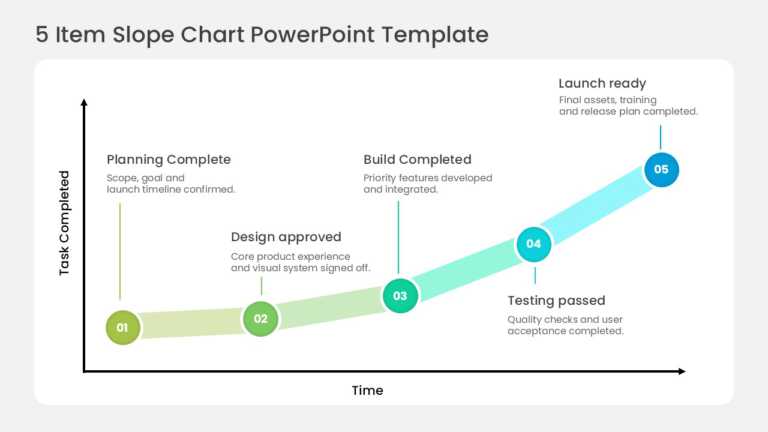
Five circular nodes climb an upward slope, tracking milestone completion across sequential delivery phases. The stages run from scope confirmatio....

This four-slide deck follows a consulting-grade narrative built on a teal-to-lime gradient palette over soft grey cards. The cover splits into a ....
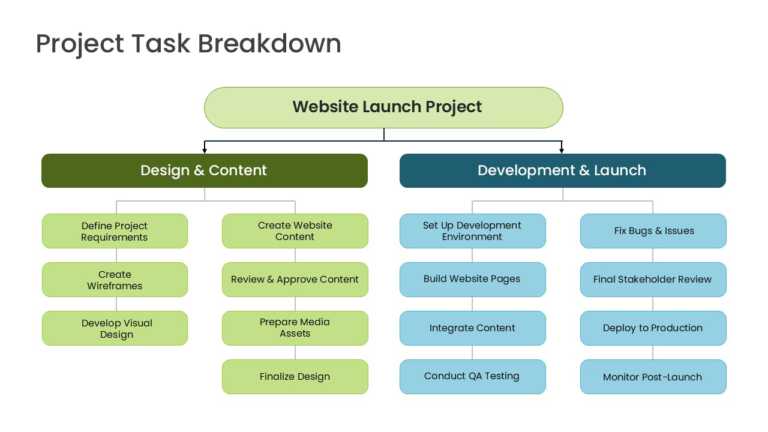
This slide presents a three-tier hierarchical work breakdown structure on a clean white canvas. A single pale-green root node labeled Website Lau....

Six segments divide a clock dial into the stages of a business presentation. The segments cover opening context, agenda, key insights, recommenda....
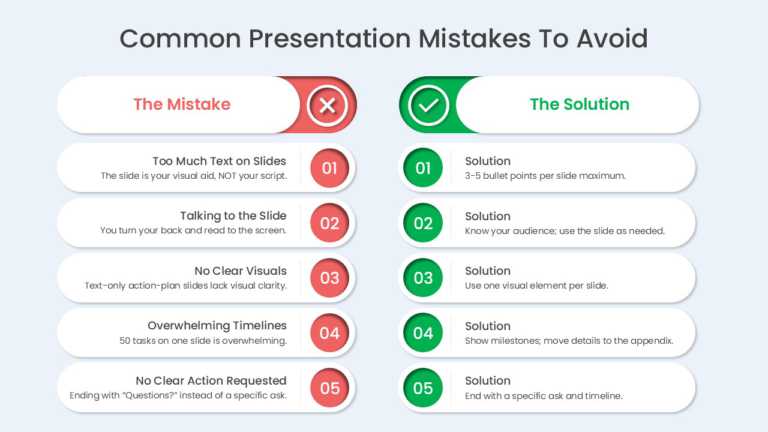
Three cards set common presentation design mistakes against their fixes. The cards address text-heavy slides, reading directly from the screen, a....

Discovery, scoping, planning, execution, and optimization form five sequential phases on a weekly action plan timeline. Each phase card carries a....

A three-slide deck presents a sustainable fashion campaign strategy built around circular product ideas. Editorial typography, text callouts, and....

Product longevity, circular innovation, and youth audience engagement anchor a three-slide modern fashion marketing deck. High-contrast typograph....
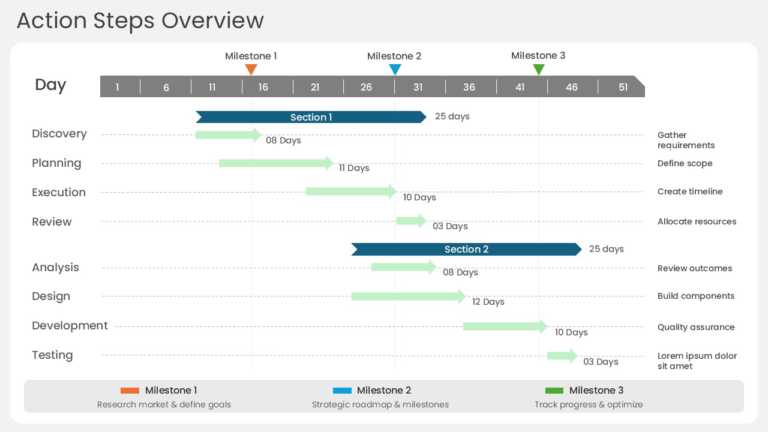
Horizontal task bars plot a project action plan across four sequential phases: discovery, planning, execution, and review. Each bar spans its sch....
How To Make Cool PowerPoint Slides?
Infographics are probably the best way to make your business presentations more attractive and attention-grabbing. It results in increased engagement as compared to other visual media. And also make sure to choose the font size appropriately, use strong contrast with the text, and try not to use too much text and too many colors on your PowerPoint slides.
How to make Cool PowerPoint presentation?
To make your presentations more appealing and memorable you need cool backgrounds, simple transitions, clean fonts, & attractive graphics to make the presentation more engaging.
Here are a few ways to make a cool presentation,
- Use a consistent theme
- Use more images & less text
- Use animations to highlight each bullet point
- Convey one message in each slide
- Use 2/4/8 rule - The 2/4/8 rule is-don't spend more than 2 minutes on a one slide, don't use more than 4 bullets per slide, and no more than 8 words per bullet.