



The 5-5-5-Rule-of-PowerPoint: Your Guide to Effective Design
Introduction
Have you ever seen a PowerPoint presentation with too much information on the slide? The problem with today’s presentations is that they draw attention away from the actual content, so instead of listening to the presenter, the audience tends to read what’s on the slide. It’s not enough to have a good-looking PowerPoint presentation; the goal is to clearly communicate your message in a format the audience can easily understand. This is where the 5-5-5 Rule for PowerPoint comes into play. Along the way, we’ll also share simple presentation tips like the 5-5-5 rule to help you design with clarity and purpose, what this rule is, why it is endorsed by many professionals, and how using all three elements of the 5-5-5 Rule can lead to a clearly defined and well-organized slide design.
We will give step-by-step guidelines for creating slides based on the 5-5-5 Rule, along with examples of common pitfalls to watch for and suggestions for when to stray from the rule. You will also see the similarities and differences between the 5-5-5 Rule and some similar recommendations like the 6×6, 7x7x7, and 10-20-30 rules. Finally, you will see examples of both sides of the rule in action. You will leave this blog with an understanding of how to create a clean and professional-quality slide using the 5-5-5 Rule.
What Does the 5-5-5 Rule Mean?
The 5-5-5 Rule is a quick guideline for clean slide design. It suggests using no more than five words per line and five lines per slide. You should also limit yourself to five text-heavy slides in a row.
This rule helps your audience focus on your core message. It prevents clutter and keeps your slides readable at a glance. With this approach, your presentation feels lighter, clearer, and more engaging.
Breaking Down the Three Elements of the 5-5-5 Rule
The rule’s strength lies in its simplicity, targeting words per line, lines per slide, and the sequence of your slides. Let’s explore each of these three elements in more detail to see how they work together to reinforce your main ideas and keep your audience engaged.
- Five Words per Line: This limit forces you to choose only the most important words. It keeps every line crisp, readable, and easy for your audience to scan during your talk.
- Five Lines per Slide: Limiting each slide to five lines prevents visual overload. It creates open space on the slide, which makes your design look balanced and helps key points stand out.
- Five Slides for any Idea: This reminds you to express one idea within five slides. Use visuals or diagrams between text slides to keep the flow engaging and avoid overwhelming your audience.
Creating slides with these three elements brings clarity and structure to your message. When used well, the 5-5-5 Rule gives your presentation a cleaner flow and a more professional feel.
Why Presentation Experts Recommend the 5-5-5 Rule?
The 5-5-5 Rule helps you design slides that feel clear and focused. It guides you toward cleaner layouts that support stronger communication.
- Improves Slide Clarity: This rule limits distractions and keeps every slide easy to read. Your audience understands your message faster because nothing feels cluttered.
- Enhances Visual Balance: With fewer lines and shorter text, your layout stays neat. Each element has space, which makes your slide look clean and well-structured.
- Boosts Audience Engagement: Simple slides help people stay focused on what you say. They follow your points easily without getting lost in heavy text.
- Supports Stronger Delivery: You rely more on speaking than reading from slides. This helps you sound confident and keeps your presentation natural.
- Maintains a Professional Look: Consistent text limits create a polished style. Your slides look intentional, organized, and ready for professional settings.
Using the 5-5-5 Rule makes a PowerPoint presentation attractive and far more engaging. It creates a smoother experience for both you and your audience.
How to Apply the 5-5-5 Rule? Step-by-Step Guide
Follow this step-by-step guide to apply the 5-5-5 Rule with confidence. Each step gives you a simple action you can use in any presentation.
- Plan your story: Write the core message for each slide before adding any text or visuals.
- Limit lines: Edit your content so each slide has no more than five clear lines.
- Shorten phrases: Trim long sentences and keep each line within five meaningful words.
- Use bullets: Turn paragraphs into short bullet points that highlight only key ideas.
- Add visuals: Replace heavy text with charts, icons, or images that explain concepts quickly.
- Space it out: Use white space to improve readability and create a cleaner design layout.
- Test readability: View your slides from a distance or on a phone to check clarity.
- Sequence wisely: Avoid placing five text-heavy slides together to keep attention high.
- Rehearse with slides: Practice speaking naturally while referring to your slides, not reading them.
- Iterate: Review your deck after rehearsal and refine any slide that feels heavy.
Apply these steps to any deck for clear, engaging communication. Small adjustments create slides that feel cleaner, sharper, and easier to follow.
Common Mistakes When Using the 5-5-5 Rule
- Using the rule too strictly: Some presenters treat the rule like a hard rule. This can limit creativity and create slides that feel empty.
- Cutting too much essential content: In an effort to follow the rule, many people remove key details. This makes the slides unclear and forces the audience to guess the meaning.
- Focusing only on word count: Some users focus only on numbers and ignore design. Good layout, spacing, and structure matter just as much as word limits.
- Skipping helpful visuals: Presenters sometimes avoid images because they focus only on text limits. Visuals can explain ideas faster and support the rule’s goal of clarity.
- Repeating the same slide style: Using the rule the same way for every slide can feel repetitive. Mixing visuals, diagrams, and icons keeps your deck more engaging.
- Ignoring audience needs: Not every audience prefers minimal slides. Some need data or explanations, so balancing text levels is important.
5-5-5 Rule vs Other Presentation Rules: A Clear Comparison
Before choosing the right slide design guideline, it helps to see how the 5-5-5 Rule stacks up against other popular rules. This quick comparison makes it easier to pick a style that fits your message and presentation goal.
Comparison Table: Differences Between the 5-5-5, 6×6, 7×7, and 10-20-30 Rules
| Presentation Rule | Key Idea | Text Limit | Best For | Main Strength |
| 5-5-5 Rule | Keep slides minimal and clean | 5 words per line, 5 lines per slide, 5 text-heavy slides max | Business talks, pitches, storytelling | Improves clarity and reduces clutter |
| 6×6 Rule | Balanced text and readability | 6 words per line, 6 lines per slide | General presentations | Offers slightly more room for content |
| 7x7x7 Rule | Flexible structure with more text | 7 words per line, 7 lines per slide | Informative or technical decks | Helps include more detailed points |
| 10-20-30 Rule | Simple rules for pitch decks | 10 slides, 20 minutes, 30-point font | Investor pitches and demos | Ensures concise delivery and readable text |
This comparison shows that every rule supports clear communication, but with different levels of flexibility. Choose the one that matches your content needs and your audience’s attention span. When in doubt, start simple and adjust as your story evolves.
When the 5-5-5 Rule May Not Be the Right Choice?
- When your topic needs detailed explanations: Some concepts require longer text, and short lines may cause confusion.
- When you present data-heavy content: Charts, tables, and metrics often need more space and supporting text.
- When your audience expects technical depth: Expert groups may need clearer definitions and detailed context on slides.
- When the slide must stand alone: Handouts or emailed decks often need full sentences for clarity.
- When branding requires specific layouts: Some templates or brand guidelines use more text by design.
- When storytelling depends on visuals, not text counts: Creative slides may break rules to achieve a stronger emotional impact.
- When delivering training or instructional content: Teaching materials sometimes require step-by-step details on each slide.
- When summarizing complex research: Academic or scientific decks often demand more explanation for accuracy.
Applying the 5-5-5 Rule in Quarterly Business Review Slides
This real-world QBR example shows how the 5-5-5 rule works in action. Each slide uses fewer words, clearer titles, and visual support to keep ideas sharp and easy to follow. It proves how structured slides can make business updates more engaging.
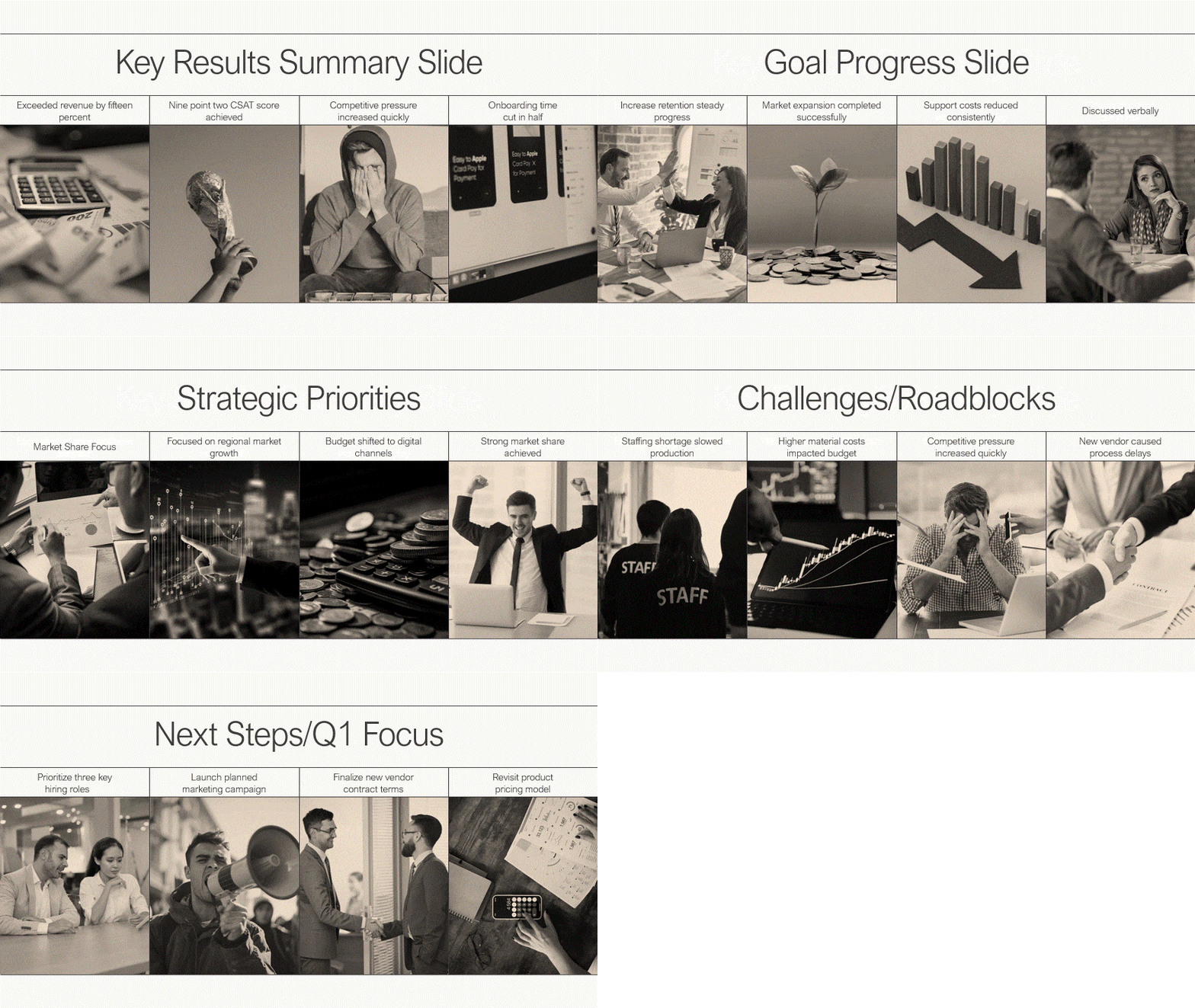
By applying the 5-5-5 rule, complex business results turn into clear, strong messages. Simple text, smart spacing, and visuals help the audience stay focused. This approach makes every slide more impactful and easier to remember.
Conclusion
In summary, the 5-5-5 rule is a powerful guideline for anyone looking to create effective PowerPoint presentations. A strong deck isn’t about stuffing slides with text—it’s about clarity, flow, and confidence. The 5-5-5 Rule gives you a simple structure that supports better presentation skills without making design feel overwhelming. When you use fewer words and cleaner layouts, your ideas land faster and feel more memorable. It also helps you speak with ease because your slides stop competing with your voice. As you refine your message within this limit, you start presenting with more intention and impact. Try applying the rule to your next deck and see how much smoother your entire story feels.
FAQs
-
What is the 5-5-5 rule of PowerPoint and why is it recommended for presentations?
The 5-5-5 rule of PowerPoint is a guideline suggesting no more than five words per line, five lines per slide, and five text-heavy slides in a row. It is recommended because it promotes simplicity, helping you deliver your key points clearly and making your next presentation more engaging.
-
Can I use the 5-5-5 rule for online presentations?
Yes, the 5-5-5 rule is highly effective for online presentations. Since virtual audiences can be easily distracted, short, clear slides are crucial for maintaining audience engagement. This rule ensures your content is easy to read on smaller screens and helps improve information retention, even in a digital environment.
-
Is the 5-5-5 rule always necessary for effective slides?
No, it’s not always necessary. The 5-5-5 rule is a guideline, not a strict command. The goal is simplicity and clarity. If your slide content is clearer with a slight variation, feel free to adapt. The effectiveness of your slides ultimately depends on how well they support you, the presenter.
-
How does the 5-5-5 rule differ from the five golden rules of PowerPoint?
Aspect 5-5-5 Rule Five Golden Rules Purpose Keeps text short and readable. Guides overall slide design and flow. Focus Area Limits words, lines, and text-heavy slides. Covers storytelling, visuals, contrast, and simplicity. Usage Best for reducing clutter quickly. Best for creating balanced, engaging presentations. -
How does the 5-5-5 rule improve audience engagement during PowerPoint presentations?
- It keeps slides simple, so viewers process ideas faster.
- It reduces text overload, helping people stay focused longer.
- It encourages you to speak more, which builds a stronger connection.
- It makes visuals stand out, creating a more memorable experience.
- It supports clearer storytelling with fewer distractions.
-
What are the main benefits of using the 5-5-5 rule in designing PowerPoint slides?
- It keeps the slides clean and easy to read.
- It reduces clutter and improves message clarity.
- It helps audiences focus on your main points.
- It encourages stronger storytelling and delivery.
- It creates a consistent, professional slide design.
-
Are there situations where you should not use the 5-5-5 rule in PowerPoint presentations?
Yes, there are exceptions. You should consider adapting the rule for a PowerPoint presentation that contains complex information, detailed data, or technical specs that require more explanation. In these cases, prioritizing accuracy over strict adherence to the rule is more effective.
-
What are some common mistakes people make when trying to use the 5-5-5 rule?
- Using five lines but filling each line with long, complex phrases.
- Adding visuals that still leave the slide feeling cluttered or busy.
- Following the rule strictly, even when the content needs more clarity.
- Forgetting to break up text-heavy slides with charts or images.
- Writing slides first and editing later instead of planning concise points.
-
Can you compare the 5-5-5 rule with other popular PowerPoint design guidelines?
Guideline Core Idea Best Used For 5-5-5 Rule 5 words per line, 5 lines per slide, 5 text-heavy slides max Clean, simple slides that support storytelling 6×6 Rule Max 6 words per line and 6 lines per slide Slightly more detailed content without clutter 7×7 Rule Max 7 words per line and 7 lines per slide Academic or informational slides with more text 10-20-30 Rule 10 slides, 20 minutes, 30-point font Investor pitches and high-impact business talks
Table Of Content



Related posts from the same category
5 Mar, 2026 | SlideUpLift
Quarterly Business Review (QBR): What It Is, Examples & How to Present One
A QBR, or quarterly business review, is a strategic meeting held every three months to evaluate business performance, review key metrics, and align on goals for the next quarter. QBRs

4 Mar, 2026 | SlideUpLift
What Is a Product Roadmap? A Complete Guide With Types, Examples, and Templates
Every product starts with an idea. Turning that idea into a shipped, successful product requires coordination across design, engineering, marketing, sales, and leadership. A product roadmap is the strategic tool
27 Feb, 2026 | SlideUpLift
How To Broadcast a PowerPoint Presentation Online [6 Working Methods]
If you have been looking for a way to broadcast a PowerPoint presentation online to a remote audience, you have probably run into tutorials that tell you to click Slide
27 Feb, 2026 | SlideUpLift
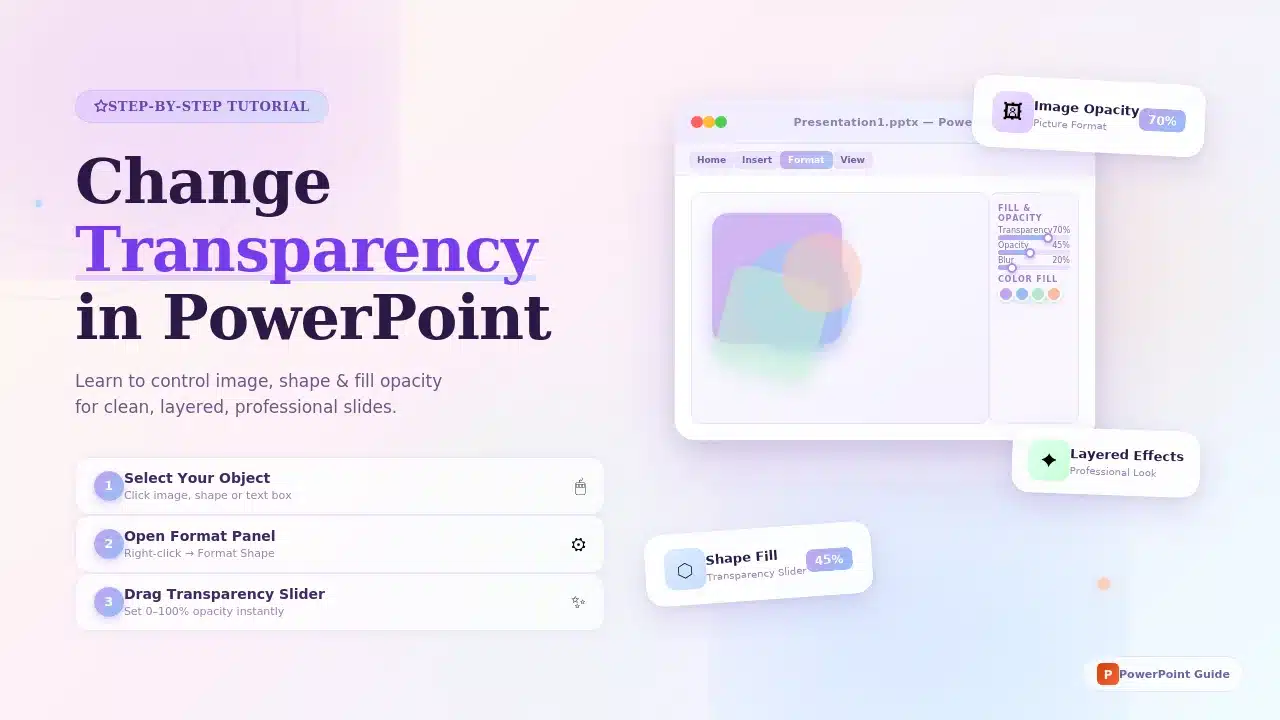
How to Change Transparency in PowerPoint (Step-by-Step Guide)
Learn how to use transparency in Microsoft PowerPoint to adjust the opacity of images, shapes, and text for cleaner, more professional slide designs. This step-by-step guide explains how to change

24 Feb, 2026 | SlideUpLift
Which Program Is Used to Open PPTX Files: Complete Guide
This blog explains which program is used to open PPTX files and how to view or edit presentations on Windows, Mac, and mobile devices. It covers tools like Microsoft PowerPoint,
20 Feb, 2026 | SlideUpLift
How to Create Engaging Academic Presentations: 10 Expert Tips + Templates
This blog is a complete guide on how to create engaging academic presentations, offering 10 expert tips for structuring content, designing slides, and delivering with confidence. It covers common mistakes

20 Feb, 2026 | SlideUpLift
How to Make Google Slides Play Automatically On A Loop? (Step-by-Step Guide)
This blog explains how to make presentations in Google Slides play automatically and loop without manual clicks. It covers clear step-by-step methods using auto-advance timings and the Publish to Web
18 Feb, 2026 | SlideUpLift
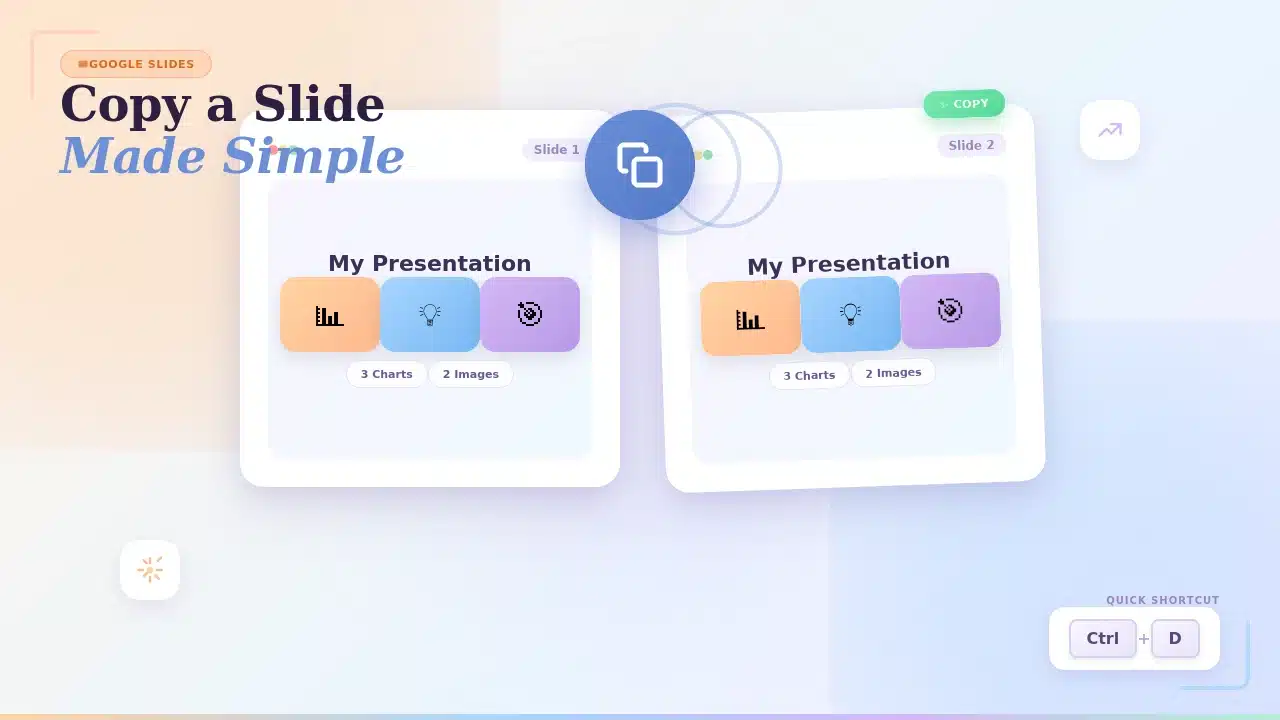
How to Copy a Slide in Google Slides: Step-by-Step Guide
Learn how to duplicate, copy, and paste a slide in Google Slides using simple, step-by-step methods. This guide covers desktop shortcuts, right-click options, toolbar methods, and mobile steps for Android
17 Feb, 2026 | SlideUpLift
How to Round Corners in Google Slides: Complete Guide
Learn how to round corners in Google Slides using both the simple yellow handle method and the advanced Edit Points feature. This guide explains how to adjust the corner radius,
12 Feb, 2026 | SlideUpLift
How To Add plus or minus symbol in PowerPoint Presentations – Step-by-Step Guide
This blog explains how to add the plus or minus symbol (±) in Microsoft PowerPoint using keyboard shortcuts (Windows & Mac), the Symbols menu, equation tools, and copy-paste methods. It
10 Feb, 2026 | SlideUpLift
How To Convert Google Slides Into PDF: Quick & Easy Guide
This guide explains how to convert Google Slides into a PDF quickly and without formatting issues. It covers saving slides with or without speaker notes and methods for desktop and

6 Feb, 2026 | SlideUpLift
How To Make A Professional PowerPoint Presentation With Practical Tips
This blog shows how to make professional presentations with clear structure, engaging visuals, and effective delivery. It highlights using AI tools like ChatGPT and Copilot with ready-made templates to quickly

4 Feb, 2026 | SlideUpLift
How to Write a Sales Pitch That Captures Attention and Converts Leads
This SlideUpLift guide explains how to write an effective sales pitch by identifying your target audience, highlighting your unique value, focusing on benefits over features, and structuring a persuasive presentation

30 Jan, 2026 | SlideUpLift
Sales Presentation: A Complete Guide to Structure, Examples, and Best Practices
This blog is a complete guide to building a high-impact sales presentation, covering everything from structure and slide selection to delivery and follow-up. It explains what makes sales presentations effective,
28 Jan, 2026 | SlideUpLift
Types of Slides That Make Presentations Clear, Engaging, and Impactful
This blog explains why choosing the right slide types is essential for clear, engaging presentations. It covers the most important PowerPoint slide types, when to use them, and how they
23 Jan, 2026 | SlideUpLift
How to Rotate a Slide in PowerPoint: Complete Guide
This blog explains how to rotate slides in PowerPoint using all practical methods, including changing slide orientation, rotating objects, and handling single-slide workarounds. It also covers professional solutions for mixing
21 Jan, 2026 | SlideUpLift
What Is 6×6 Rule in PowerPoint? Complete Guide To Improve Slides
This blog explains what is 6x6 Rule in PowerPoint and how it improves slide clarity and readability. It shows how to apply the rule, avoid common mistakes, and compare it
19 Jan, 2026 | SlideUpLift
How to Add Footnotes in PowerPoint: A Step-by-Step Guide
Adding footnotes in PowerPoint helps you cite sources and add context without overcrowding your slides. Since PowerPoint doesn’t offer an automatic footnote feature, footnotes are created manually using text boxes

16 Jan, 2026 | SlideUpLift
How To Merge PowerPoint Presentations Using Simple Methods and a Free Tool
Learn how to merge PowerPoint presentations quickly and easily using manual methods or a free merge PPT tool. Keep slides, formatting, animations, and transitions intact while creating polished, professional decks.

14 Jan, 2026 | SlideUpLift
How to Create a McKinsey-Style Presentation: The Complete Guide (2026)
Creating presentations that rival McKinsey's legendary clarity and impact isn't about copying slides—it's about mastering a communication philosophy that transforms complex ideas into actionable insights. Whether you're pitching to executives,

14 Jan, 2026 | SlideUpLift
How to Add a Timer to Google Slides: Step-by-Step Guide
This blog walks you through how to add a timer to Google Slides using simple, practical methods that actually work. It covers Auto-play timing, visible countdown timers, videos, and add-ons,

8 Jan, 2026 | SlideUpLift
How to Prepare for a Presentation: A Simple Guide for Beginners
This blog explains how to prepare for a presentation step by step. It covers goal setting, content structuring, slide design, practice, and handling questions. Beginners can also learn common challenges,

6 Jan, 2026 | SlideUpLift
Presentation Tips for Structuring Messages and Effective Storytelling
This blog breaks down practical presentation tips to help you plan, design, and deliver slides that truly stand out. It covers how to simplify text, use visuals effectively, and maintain

9 Dec, 2025 | SlideUpLift
How to Change a PowerPoint Template – Quick Step-by-Step Guide
This blog shows how to change or update a PowerPoint template to give your slides a fresh, professional design without losing your content. It walks through step-by-step actions in the

12 Nov, 2025 | SlideUpLift
How to Create a Heat Map in PowerPoint: Beginner-Friendly Guide
Heat maps are one of the easiest ways to turn rows of numbers into visuals people understand quickly. In this blog, you will learn what a heat map is, in

6 Nov, 2025 | SlideUpLift
How to Add Transitions in PowerPoint: Complete Step-by-Step Guide
Do you want to create a seamless flow in your PowerPoint slides and make a strong impression? While adding transitions to PowerPoint slides might seem obvious, transitions are the key

4 Nov, 2025 | SlideUpLift
How to Use Morph in PowerPoint: The Ultimate Guide to Smooth Transitions
If you’ve ever watched a presentation where shapes flow smoothly, images glide effortlessly, and text elegantly shifts between slides, you’ve witnessed the power of Morph in PowerPoint. This feature is
30 Oct, 2025 | SlideUpLift
How To Make A Graph In PowerPoint: Step-by-Step Guide
The goal of impactful graphs is not simply to convey data; rather, it is to tell a story with data that has meaning to the audience. Graphs and charts can

13 Oct, 2025 | SlideUpLift
How to Write a Business Case: A Beginner’s Guide + Examples
Every project needs a passport to get through executive approval. Without it, even the best plans can get grounded before taking off. This very piece of evidence holds the power

10 Oct, 2025 | SlideUpLift
What Is A Project Charter? Definition, Examples & Best Practices
Launching a project without adequate planning can result in confusion, delays, and misaligned expectations. A project charter is a key document in the project documentation process that lays the groundwork

8 Oct, 2025 | SlideUpLift
How to Insert Emoji in Google Slides & PowerPoint for Fun, Eye-Catching Slides
Have you ever thought about how a simple emoji can change the mood or tone of your presentation? You could use a smiley face 😊, that would certainly lighten the

1 Oct, 2025 | SlideUpLift
Insert Calendar In PowerPoint And Google Slides: Quick Guide For Smarter Planning.
Do you want your presentations to be more organized, attractive, and professional? Learning how to add a calendar in PowerPoint or Google Slides will take boring schedules and deadlines and
26 Sep, 2025 | SlideUpLift
What Is a PPTX File? Think of It as PowerPoint 2.0
PowerPoint presentations are everywhere — from boardrooms to classrooms — and behind every great slide deck is the PPTX file. It’s not just some random presentation software and powerpoint file

17 Sep, 2025 | SlideUpLift
Google Slides Strikethrough: Cross Out The Old And Spotlight The New
Ever wished you could just cross something out instead of deleting it? You know, like putting a big line through “boring idea” and replacing it with “brilliant plan”. That’s the
12 Sep, 2025 | SlideUpLift
What is KPI? Step-by-Step Guide with KPIs Examples That Work
Is it hard for you to know if your business is getting to the level it should be? That's where key performance indicators (KPIs) come into play. KPIs indicate how

10 Sep, 2025 | SlideUpLift
Best Fonts For PowerPoint Presentation: The Runway Of Letters
Imagine this: your presentation is a red-carpet event. Your slides are the guests, the content is the message, and the font? That is the outfit; the one builds up the

10 Sep, 2025 | SlideUpLift
Advantages and Disadvantages of Microsoft PowerPoint: Pros, Cons, and AI Features Explained
PowerPoint has been the go-to tool for presentations for decades—but is it keeping up with today’s fast-paced, AI-driven world? PowerPoint makes it easy to take ideas to slides, whether you're

5 Sep, 2025 | SlideUpLift
10 Virtual Meeting Etiquette Rules for Professionals
Introduction Virtual meetings and online meetings are the new normal for remote work teams everywhere. Whether you're chatting with co-workers, giving a client presentation, or taking part in a hybrid

3 Sep, 2025 | SlideUpLift
How to Add Watermark in PPT Like a Pro: Step-by-Step Tutorial
Every presentation tells a story, but it should also say who it belongs to, right? And if we tell you that there is a way to stamp your identity on

29 Aug, 2025 | SlideUpLift
30+ ChatGPT Presentation Prompts To Create Impactful Presentations
Creating presentations can be challenging. It takes a lot of time and effort to conduct research, write the text, format the slides, add photos, and practice. But, what if AI

29 Aug, 2025 | SlideUpLift
Microsoft Copilot vs ChatGPT-4 Showdown: Who’s Got the Edge?
Not long ago, making a presentation meant spending hours and hours writing content, formatting slides, finding visuals, and tweaking layouts. Tools like PowerPoint and Google Slides gave us templates, but

29 Aug, 2025 | SlideUpLift
10 Best Presentation Software: In-Depth Comparison Guide
The fact is, giving a great presentation is not only about how you choose your words, but rather involves expressing those very words. With the right PowerPoint presentation software, you

28 Aug, 2025 | SlideUpLift
Password Protect PPT: How To Secure Your Presentations (Easy Guide)
Have you ever shared a PowerPoint and then worried, “What if someone changes my slides?”, or even worse, “What if the wrong person opens it and leaks the content?”. Frustrating,

26 Aug, 2025 | SlideUpLift
Track Changes In PowerPoint And Keep Your Team In Sync
Ever spent hours perfecting a PowerPoint, way too much time that you then forget to track who made what change? You aren't alone. Unfortunately, unlike Word or Gmail slides, PowerPoint
14 Aug, 2025 | SlideUpLift
How to Make a Curved Arrow in PowerPoint? A Detailed Guide
Think of your presentation as a journey. On a slide, you have the ideas stacked up, but there is no way you are understanding what is connected to the next.

13 Aug, 2025 | SlideUpLift
How To Create Infographics In PowerPoint For Smarter Visual Storytelling?
As a professional, you might have to host meetings and deliver presentations to your stakeholders and team members. As a host, it's crucial to deliver presentations in a way that

6 Aug, 2025 | SlideUpLift
How To Edit Footer In PowerPoint For Consistent Presentation Design
Footers are an important part of a PowerPoint presentation. They give the same footer text, like the date or slide numbers, on all slides. This helps people understand the talk

31 Jul, 2025 | SlideUpLift
Google Slides vs PowerPoint: A Complete Comparison Guide
Introduction Stuck deciding between Google Slides and PowerPoint for your next big presentation? Yeah, we've been there too. Both pack a punch with features, leaving you wondering: "Which one will

25 Jul, 2025 | SlideUpLift
How Many Slides For A 30 Minute Presentation? Timing, Tips, and Structure
One of the biggest challenges in presentations is staying on time. Whether it’s 5 minutes or 45, running over means rushing key points or losing your audience. Here’s the good

21 Jul, 2025 | SlideUpLift
PowerPoint Slide Size 101: Why It Matters More Than You Think
Imagine crafting the perfect slide, visuals on point, text crisp, animations smooth. But when you present, the content looks off. Cropped images, awkward white spaces, or text running off the

15 Jul, 2025 | SlideUpLift
Google Slides Shortcuts Cheat Sheet To Boost Workflow
Google Slides is already a go-to tool for everything. From classroom projects to business decks and online workshops. It is a one-stop platform to create and share your ideas, thoughts,

7 Jul, 2025 | SlideUpLift
PowerPoint Shortcuts You’ll Wish You Knew Sooner (Beginner to Pro Guide)
PowerPoint is one of the most powerful tools for creating presentations. However, working in PowerPoint can become time-consuming, especially when you have to click through menus for every small task.

4 Jul, 2025 | SlideUpLift
Why Your Conclusion Slide Matters—And How To Get It Right
Picture this: You've delivered an amazing presentation. Great start solid middle... but then... the ending just... flops. The energy drains. People shuffle out, already thinking about lunch. Sad, isn't it?
3 Jul, 2025 | SlideUpLift
How to Change Text Color in Google Slides for Maximum Impact – Quick Guide
Using Google Slides to build presentations is now widely practiced across the digital world. It is clean, collaborative, and performs its tasks fairly well. Be it a business pitch, a

30 Jun, 2025 | SlideUpLift
A Simple Guide On How To Change Margins In PowerPoint
Margins—those often-overlooked borders framing your slides—play a crucial role in creating polished, professional presentations. Adjusting margins helps you control your layout. This is important for printed handouts and projections. It

13 Jun, 2025 | SlideUpLift
Org Chart in PowerPoint: Simplify Complex Team Structures with Smart Visuals
Without a clear org chart, even small teams feel messy. People start asking: “Who’s responsible for what?” Whether you are a manager, HR professional, or team lead, explaining the team

12 Jun, 2025 | SlideUpLift
Create An Org Chart in Google Slides: A Step-by-Step Guide
Want to map out any type of organizational structure—whether it's a company, project team, or even a hierarchy? An org chart helps visualize relationships between roles, departments, or functions in

28 May, 2025 | SlideUpLift
Beginner’s Guide: How To Make A Venn Diagram In Powerpoint
What Is A Venn Diagram? In today’s fast-paced business world, clarity is currency, and Venn diagrams deliver just that. Whether you're analyzing market segments, comparing competitors, or aligning team strategies,

27 May, 2025 | SlideUpLift
How to Create a Roadmap Diagram in PowerPoint? (Step-by-Step Guide)
Need to build a professional roadmap slide for your next presentation? You are in the right place. This tutorial walks you through every method for creating a roadmap diagram in

14 May, 2025 | SlideUpLift
How To Crop A Picture Into A Circle In The Presentation: Step-By-Step Guide
Ever found the perfect image for your presentation, but it just doesn’t look right in that boring rectangle frame? We’ve all been there. Whether you're trying to make your slides

25 Jun, 2024 | SlideUpLift
Best PowerPoint Color Palettes for 2026 (Trends, Examples & Psychology)
This blog covers the best PowerPoint color palettes and how the right colors boost clarity, engagement, and professionalism. It includes ready-to-use palettes with Hex codes for different presentation types. The

24 Jan, 2024 | SlideUpLift
What Is a Project Roadmap? A Complete Guide With Examples and Free Templates
This blog explains what a project roadmap is and how it helps define goals, timelines, and key milestones. It covers different roadmap types and how to create them. The guide
1 Sep, 2022 | SlideUpLift
How To Group & Ungroup In Google Slides (Step-by-Step Guide)
This blog walks you through how to group and ungroup elements in Google Slides in a simple, practical way. It covers grouping images, shapes, text boxes, and objects, along with